Sending bulk emails: Why Outlook, Gmail and similar services are not a good idea

Do you want to send an email to many contacts, perhaps reaching 100, 500 or several thousand people at once? Sending bulk emails seems simple at first. But take care: anyone who sends bulk emails through Outlook, Gmail or similar services risks spam problems, account suspensions and a damaged sender reputation. It becomes especially critical if you send a bulk email without considering the technical and legal foundations. In this guide, we show you how to send bulk emails without spam, with a high delivery rate, in a GDPR-compliant way and using the right tool for professional bulk email delivery.
🥜 In a nutshell: The essentials about bulk emails
Bulk emails are emails sent to many contacts at the same time, usually for marketing purposes such as newsletters, promotions or announcements. Unlike an individual email, a bulk email is sent to a larger audience with little or no individual customization.
Here is what you must consider when sending bulk emails:
✔️ Conventional email programs are unsuitable: Outlook, Gmail and similar services are not designed for professional bulk email delivery. If you regularly use them to send bulk emails, you risk spam problems, account suspensions and a poor delivery rate, especially with larger contact lists or without opt-in consent.
✔️ Relevance instead of “sending spam”: Personalization (for example, “Hello Lisa” instead of “Dear Sir or Madam”) and content aligned with your contacts’ interests significantly improve open and click rates.
✔️ Send bulk emails in a GDPR-compliant way: Clear legal requirements apply to bulk email delivery. Double opt-in, an unsubscribe link and complete legal information are mandatory for legally compliant bulk emails.
✔️ Professional tools make the difference: Specialized solutions such as rapidmail let you send bulk emails without the risk of spam, with a high delivery rate and legal compliance. Detailed statistics help you improve your email marketing performance step by step.
✔️ Scale simply and efficiently: Templates, automations and the drag-and-drop editor let you create and send your bulk email in minutes without any technical expertise.

👀 Did you know? rapidmail lets you send professional, GDPR-compliant bulk emails. Your first send to up to 2,000 contacts is completely free.
1. What is a bulk email?
By definition, a bulk email is an email sent to many contacts at the same time, for example as part of a newsletter, marketing campaign or important notification. A typical feature of bulk email delivery is that the content is the same for everyone or only minimally personalized, perhaps by the salutation.
A simple example: An online shop sends an email with the subject line “Get 10% off now!” to 3,000 contacts at the same time. Every contact receives the same message, regardless of their interests or purchasing behavior.
If you want to send an email to many contacts, you essentially have two options: use conventional email services such as Gmail or Outlook, or use professional bulk email tools developed for large contact lists.
👀 Bulk email, mail merge, newsletter and spam email: The differences explained simply
Similar terms come up repeatedly when discussing bulk email: mail merge, newsletter, bulk mail and even “sending spam”. They sound similar, but they are not the same. Here is a quick overview:
- ✉️ Mail merge emails: A mail merge email is essentially a bulk email with a personal salutation. Placeholders change “Dear Sir or Madam” to “Hello Lisa”. This immediately feels more personal and improves the chances of success. 👉 Good to know: Some providers also use “mail merge” as a synonym for any type of bulk email.
- 📬 Newsletters: Newsletters are sent regularly. They are often aimed at segmented contact groups and have a clear objective, such as informing, selling, entertaining and/or building relationships. In short: sustainable email marketing rather than a one-off bulk email.
- 💌 Bulk email / bulk mail: “Bulk email” is the international term for sending emails in large volumes. Major email providers such as Google define their own thresholds and rules. Gmail, for example, classifies senders as “bulk senders” if they send more than 5,000 emails per day to Gmail addresses. For you, this means that the higher your sending volume, the more important professional tools and sound sending practices become, regardless of provider. Once classified as a bulk sender, you retain this status permanently, irrespective of how many emails you send later.
- 🚫 Spam emails: Spam means unwanted and irrelevant bulk emails, exactly what you should not send. You can send bulk emails without spam if your content is relevant and your contacts have consented. 👉 Remember: Not every bulk email is spam, but every spam email is a bulk email.
Bulk emails in practice: From company news to discount promotions
Do you want to send bulk emails but still wonder when they are worthwhile? Let us look at typical uses in day-to-day business. Whether for internal updates or a marketing campaign, a well-designed bulk email ensures that your message reaches many contacts quickly and reliably.
🏢 Internal communication: Even within a company, sending an email to many people is often essential. Typical use cases include:
- Company news and important updates for all employees
- Invitations to company meetings or team events
- Changes to workflows or new policies
- Holiday announcements, closure periods or emergency plans
- 👉 Important: A clear structure and good readability are particularly valuable for internal bulk emails, ensuring no information gets overlooked.
💰 Customer promotions and marketing: This is where bulk email delivery shows its greatest strengths. You can reach many contacts simultaneously and draw attention to offers in a targeted way:
- Discount promotions, special offers or sale announcements
- New products and collection launches
- Seasonal campaigns (such as Christmas, Black Friday, Easter promotions)
- Exclusive early access for loyal customers
- Cross-selling (“You may also be interested in this”)
- Reactivating inactive customers
👉 The goal: Send bulk emails that deliver real value instead of feeling like advertising.
🎯 Industry-specific newsletters: Depending on your sector, you can use bulk emails in a highly targeted way, and that is precisely where their potential lies:
- Gym newsletters: New classes, trainer changes, holiday programs
- Restaurant newsletters: Weekly menus, lunch menus or event announcements
- Retail: Warehouse sales, new store openings, VIP evenings
- Educational institutions: Course start dates, exam dates, holiday arrangements
👉 The better your content suits the target audience, the more successful your bulk email will be.
🎫 Event management: Whether online or in person, bulk emails are ideal for organizing and supporting events:
- Invitations to trade fairs, webinars or workshops
- Announcements for open days or anniversaries
- Reminders shortly before the event
- Follow-ups and feedback surveys afterwards
👉 This keeps your event visible before, during and after it takes place.
📢 Information and service emails: Not every bulk email is advertising. Often, the aim is simply to communicate important information reliably:

- Changes to terms and conditions, prices or opening hours
- Product updates or new services
- Maintenance announcements or technical faults
- Safety information or product recalls
👉 Clear, transparent and relevant communication is especially important here. It prevents your bulk email from being perceived as spam.
2. Disadvantages of sending bulk emails through Outlook, Gmail and similar services
Are you planning a bulk email and thinking, “I already have Outlook, Gmail or Thunderbird. Surely I can simply send an email to lots of contacts. Problem solved, right?” The short answer is: theoretically yes, but in practice it quickly becomes risky. Conventional email programs are not designed for bulk email delivery. Anyone who uses them anyway risks technical restrictions, spam problems and, in the worst case, permanent damage to their sender reputation.
Let us take a closer look at the most common pitfalls:
Problem 1: Outlook and Gmail quickly reach their limits
When you want to send bulk emails, Gmail, Outlook and similar services reach their limits sooner than many people think. Providers restrict both the number of contacts per message and the daily sending volume.
Examples:
- Outlook / Microsoft 365: Up to 5,000 contacts per day, but no more than 500 per individual message. Important: Every address in “To”, “Cc” and “Bcc” counts separately
- Gmail:
- Free: approximately 500 emails per day
- Google Workspace: up to 2,000 per day
- With the mail merge feature (Mail Merge): reduced to approximately 1,500 contacts per day
- Here too, every individual address counts
These limits are not set in stone. They can change at any time and depend on the account type, usage behavior and other factors.
👉 Conclusion: These tools are simply not designed for reliable bulk email delivery.
The Bcc trap: Unprofessional and error-prone
Many senders use the Bcc function to reach several contacts at once. It sounds like a simple solution, but in practice it poses a real risk.
❌ Unprofessional impression: Contacts immediately notice that they are part of a mass email. Trust? That is difficult to build.
❌ Data protection risk: One moment of inattention turns Bcc into Cc, exposing every email address. This is a clear breach of data protection requirements, particularly the GDPR.
❌ No personalization: An individual salutation? Not possible. Your bulk email remains impersonal and therefore significantly less effective.
❌ No reporting: Who opened it? Who clicked? Without measuring the success of your campaign, you have no basis for improving your bulk emails.
👉 In short: Bcc is not a solution for professional bulk email delivery.
Problem 2: Your sender reputation and deliverability suffer
Email providers such as Gmail, GMX and Web.de assess every email sent and the sender behind it. If you suddenly send many bulk emails through an account that normally sends only a few messages, their systems quickly raise the alarm. The result: your emails look like spam even when they are not.
Here is what can happen:
🚨 Your emails land in spam: Providers classify you as suspicious. Your bulk email no longer reaches the inbox and, at best, ends up in the spam folder or is blocked outright.
🚨 Your sender reputation suffers in the long term: Once your reputation has been damaged, it often takes weeks or months to become “trustworthy” again.
🚨 Your performance collapses: Non-personalized bulk emails (for example, via Bcc) often achieve open rates of only 5 to 10%. Professional bulk emails, by contrast, achieve 20 to 30% thanks to personalization, the right timing and professional design.
🚨 More spam complaints and unsubscribes: Contacts cannot find an unsubscribe link (because Bcc emails do not have one) and mark your email as spam.
🚨 Risk of blacklisting: If complaints accumulate, you may end up on a blacklist. This means your emails are permanently blocked, and even important transactional emails such as invoices or order confirmations no longer arrive.
👀 Did you know: What are SPF, DKIM and DMARC?
Before your bulk email reaches the inbox, email providers such as Gmail and GMX check in the background whether you are a trustworthy sender. This is where SPF, DKIM and DMARC come in. These three methods make it possible to send bulk emails without the risk of spam.
In brief:
- SPF (Sender Policy Framework): SPF specifies which servers are allowed to send emails for your domain. Email providers use it to check whether your bulk email really comes from an authorized sender.
- DKIM (DomainKeys Identified Mail): DKIM gives every email a digital signature. This ensures that your message has not been altered in transit and is authentic.
- DMARC (Domain-based Message Authentication, Reporting & Conformance): DMARC builds on SPF and DKIM and defines clear rules: what should happen if a check fails? At the same time, it actively protects your domain against misuse.
👉 The crucial point: DMARC alignment
For reliable delivery of your bulk emails, the sender domain in the “From” field must match the domain authenticated through SPF or DKIM.
If it does not, your email may:
- land in spam
- not be delivered at all
- or be rejected directly by email providers.
This can happen even when SPF and DKIM are technically configured correctly.
⚠️ What happens without SPF, DKIM and DMARC?
If you do not use these security mechanisms, email providers lack an important trust signal. As a result:
- your deliverability falls
- your bulk emails land in spam more often
- your sender reputation suffers
With professional newsletter tools, this can be configured in no time. With Outlook or Gmail, you must handle it yourself or do without it altogether.
The difference in practice
With professional newsletter tools, SPF, DKIM and DMARC are quickly configured or already optimally prepared. With conventional email programs such as Outlook or Gmail, you must handle this yourself or may end up doing without it altogether.
👉 That is exactly what makes the difference when you want to send bulk emails that actually arrive.
In the following video, our content manager Wiebke shows you how easy sender authentication with rapidmail via Entri is, and how it can significantly improve the deliverability of your bulk emails. Let’s get started! 🎬
Open video transcript
Do you want your emails to land in your contacts’ spam folders? No? Then you should definitely authenticate your sender domain.
Email providers such as Gmail and Yahoo want to prevent dubious spam emails from constantly reaching people’s inboxes. Email authentication lets you prove that you are a legitimate sender and that there is nothing malicious about your emails, so they are not classified as fraudulent.
You can think of it a little like Schufa, the German credit agency. If you have positive entries there, people are more likely to trust you because you are solvent and therefore reliable. Email authentication works in the same way. You are effectively providing digital proof that your sender domain can be trusted.
What is a domain anyway? It is simple: your internet address, for example alpenblick-hotel.de. If you want to send a newsletter from an email address such as info@alpenblick-hotel.de, you should authenticate that sender address first so email programs can recognize that the email really was sent by your company.
Authenticating your domain does more than show that you are genuine. It also ensures that your newsletter reliably reaches the inbox and increases your open rate. It protects your brand too: nobody can send emails in your name or imitate your brand without being detected.
And do not worry, the whole process is easier than you might think. With rapidmail, you can configure the security records through our service partner Entri in just a few minutes, with no technical knowledge required.
Simply start the guided setup and have the login details for your domain provider or host ready. Entri will handle the rest for you. And as always, if you get stuck, our support team will be happy to help and advise you.
So, if you have not yet authenticated your sender domain, I strongly recommend doing it straight away. That way, you can truly get the most from your email marketing and avoid wasting your potential in the spam folder.
⚖️ Problem 3: Legal risks, GDPR breaches can be costly
Sending bulk emails through Outlook, Gmail and similar services is not only a technical matter. It also involves legal compliance, and this is often where the greatest risks lie.
When you send an email to many contacts, you quickly enter the realm of promotional communication, which is clearly regulated in Germany and the EU. Anyone who wants to send bulk emails without observing legal obligations such as the GDPR risks warning letters, fines and reputational damage.
Possible consequences include:
- Warning letters and injunctions
- Complaints from contacts
- Fines for GDPR breaches
- In extreme cases, penalties of up to €20 million or 4% of worldwide annual turnover
In practice, fines are often lower, but even individual breaches can be unpleasant and costly.
These requirements apply when sending bulk emails
If you want to send a GDPR-compliant bulk email, you must meet these requirements:
- ✅ Double opt-in process: Contacts must actively confirm their registration, usually through a link in a confirmation email. Only then may you send them bulk emails. Conventional email programs such as Gmail or Outlook do not document this process.
- ✅ Unsubscribe link in every email: Every marketing email needs a simple way to unsubscribe, ideally accessible with a single click. This cannot be implemented in Bcc bulk emails.
- ✅ Legal notice requirement: Bulk emails must also contain complete legal information. If it is missing, you risk warning letters.
- ✅ Data processing agreement (DPA): As soon as you process personal data such as email addresses, you need a DPA with your provider.
- Such an agreement is generally not possible with free email services (@gmail.com, @outlook.com, @gmx.de)
- Google provides a DPA for Google Workspace (the business version), but data transfers to the USA remain a critical issue.
- European or German providers are generally the safer option, as they host their data on servers within the EU.
Our expert article on OMR Reviews explains why it is worth looking at this more closely: the decisive factors are not only DPAs and GDPR features, but also servers located in Germany and digital sovereignty in email marketing.
3. 7 tips for sending bulk emails correctly
You now know why Outlook, Gmail and similar services are not a good choice for bulk email delivery. Yet bulk emails can go wrong even with the best newsletter tool in the world, specifically when you rely on impersonal bulk emails.
The good news: The following 7 tips for targeted email marketing will help ensure that your bulk emails actually arrive and your content gets read:
Tip 1: Obtain your contacts’ consent
The most important rule in email marketing is: no consent = no bulk email. If you want to send a GDPR-compliant bulk email, you need your contacts’ explicit consent.
The safest method is the double opt-in process in 3 steps:
- Interested people enter their email address in a registration form.
- They receive a confirmation email containing a link.
- Only after clicking it are they added to your mailing list.
This keeps you on the right side of the law and lets you reach only people who are genuinely interested. It has a direct effect on your performance, giving you higher open rates, more clicks and better conversion.
💡 rapidtip: Buying email addresses? Better not!

Buying email addresses is not inherently unlawful, but using them for advertising without consent is. Because your contacts have not given their consent directly to you, you risk high spam rates, complaints and being blacklisted. It is better to build your email list organically with genuinely interested people and create appealing registration forms on your website.
Tip 2: Use a trustworthy sender name
Would you open an email from noreply@unknown.com? Probably not, and your contacts feel the same way. Email addresses such as noreply@company.com signal, “We do not want to communicate with you.” This discourages contacts and harms your delivery rate.
Instead, use addresses your customers can reply to when needed. This builds trust. Your sender name should make it immediately clear who the email comes from.
Proven options:
- ✅ Company name + first name: “Julia from rapidmail” or “Thomas from Bergheim Gym”
- ✅ Company name only: “rapidmail” or “Dolce Vita Restaurant”
- ✅ Department + company name: “Marketing team | rapidmail”
👉 Extra tip: Use an address that can receive replies. It signals openness and strengthens customer relationships.
Tip 3: Send only relevant content
Even the best delivery rate is useless if your bulk email goes straight into the trash or is marked as spam. The key to successful email marketing is therefore relevance. Send only relevant and original content that genuinely suits your contacts. A creative name for your newsletter can also help you inspire lots of contacts to engage with your campaigns.
Examples:
- A new yoga class at the gym? Send it primarily to members interested in yoga.
- A weekly menu featuring fish dishes? Do not send it to vegetarians.
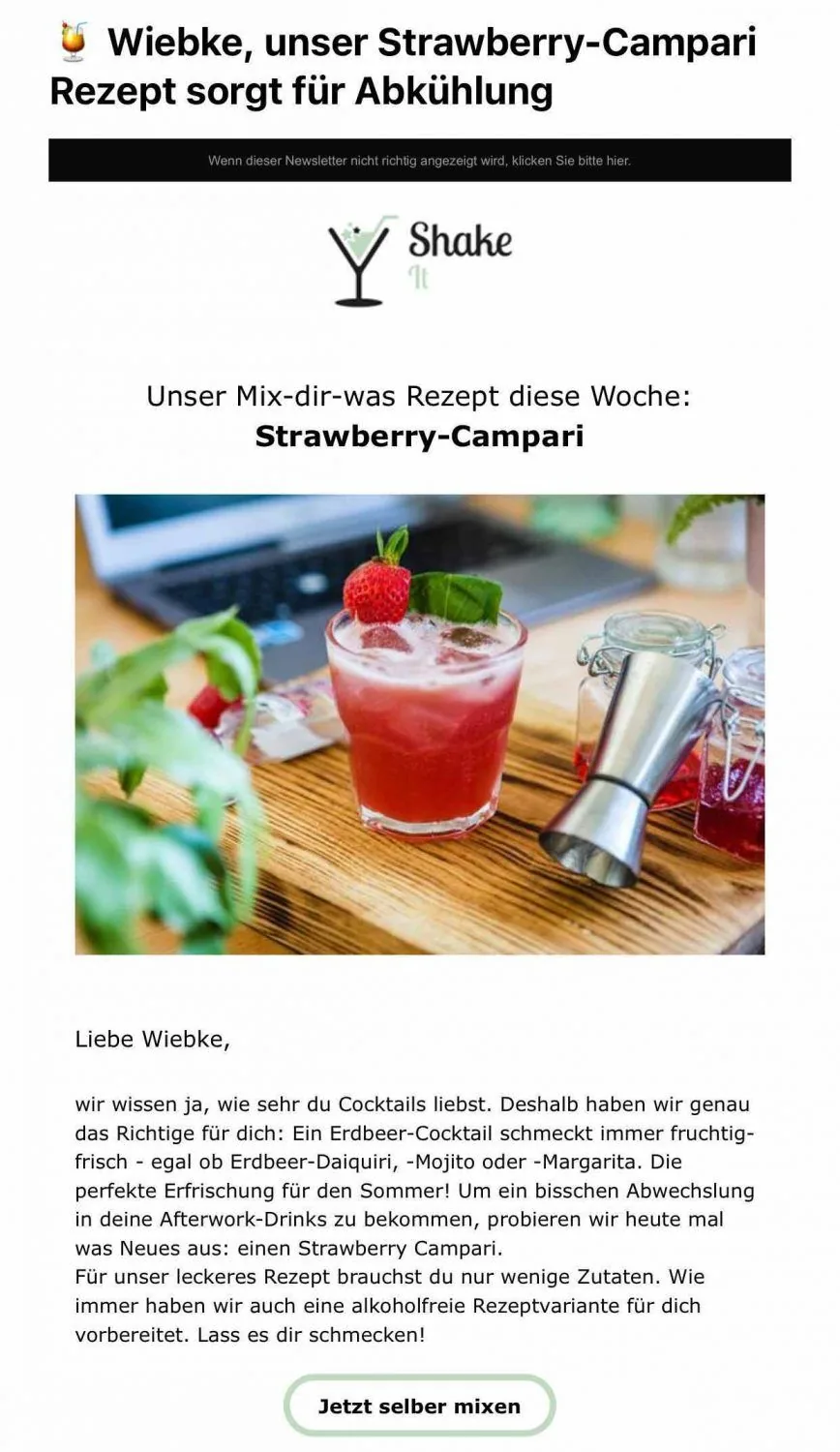
Sounds logical, does it not? Yet many people make the mistake of sending the same bulk email to every contact. Low open rates, high unsubscribe rates and frustrated contacts are the result.
👉 The better solution: Segment your mailing list.
Divide your email list into meaningful groups, for example by:
- Interests and preferences: Yoga fans vs strength-training enthusiasts
- Purchasing behavior: Loyal customers vs new customers
- Location: Munich vs Berlin
- Activity: Engaged readers vs inactive contacts
Professional newsletter tools such as rapidmail let you create these segments very easily and target your bulk emails to the right contact groups.
Why targeted email marketing is worthwhile
- 📈 Higher open and click rates: Relevant content gets read. Segmented emails achieve 30% more opens and 50% more clicks than unsegmented bulk emails.
- 👋 Fewer unsubscribes and complaints: People who receive only content that genuinely interests them unsubscribe less often and are less likely to mark your bulk email as spam.
- 💪 Stronger brand perception: Personalized content shows that you understand your audience. This creates trust and strengthens your brand image over time.
- 🔄 Sustainable customer retention: Relevant content turns one-time buyers into loyal customers.
- 💰 Low costs: You direct your budget precisely where genuine interest exists instead of accepting the wasted coverage caused by irrelevant bulk emails.
Anyone who wants to send bulk emails should not think “send to everyone”, but send to the right contacts.
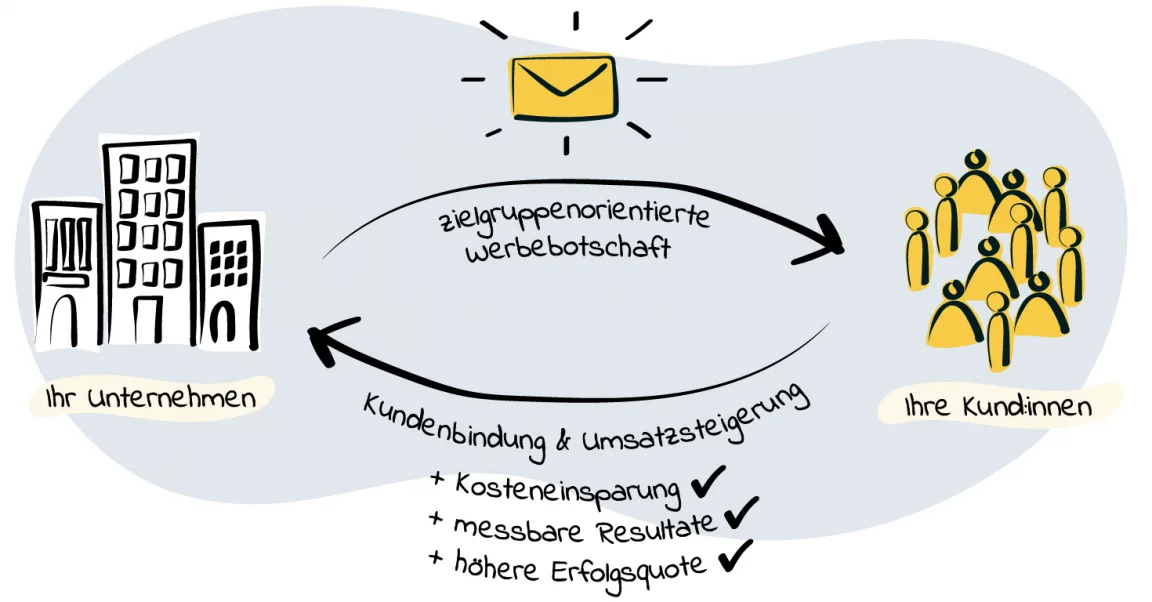
BRUNATA-METRONA Hamburg also demonstrates how targeted email marketing is far more effective than conventional mass advertising. The company previously sent costly postal mailings with low conversion rates, but now uses digital, targeted bulk emails with rapidmail, as do many of our case studies:
We were not only able to reduce costs compared with postal mailings, but also recorded an increase in sales across all areas.
Marcus Voß, Head of Marketing at BRUNATA-METRONA
Tip 4: Avoid spam terms
Even when your bulk emails are sent through a professional tool, certain words and phrases can set off spam filters. Your carefully designed emails may then end up in the junk folder after all.
- You should avoid these classic spam signals:
- ❌ Exaggerated advertising language: “FREE!!!”, “Today only!”, “Buy now!”, “Last chance!”
- ❌ Artificial pressure: “Only 3 left!”, “Act now!”, “Do not miss out!”
- ❌ CAPITAL LETTERS: They look like shouting, and spam filters do not like that.
- ❌ Too many special characters: €€€, !!!, ??? or $$$ → use them sparingly.
- ❌ Sensitive subject areas: Terms relating to loans, medication, gambling or adult content.
The point is not to avoid certain words entirely, but to use them consciously and sparingly.
Example:
- ❌ “FREE!!! TODAY ONLY!!! CLICK NOW!!!”
- ✅ “Your free trial month is waiting for you”
💡 rapidtip: Use the right balance of text and images
An email consisting solely of images may look good, but email providers can quickly view it as suspicious. Why? Because there is barely any readable text.

A proven rule of thumb is a ratio of approximately 60% text to 40% images.
This keeps your campaigns accessible, understandable even when images are blocked, and gives them a better chance of reliable delivery.
Tip 5: Always include an unsubscribe link
Even if it feels uncomfortable, not everyone wants to receive your bulk emails permanently, and that is perfectly fine. What matters much more is making it as easy as possible for them to unsubscribe.
Why the unsubscribe link is essential:
- ✅ Legal certainty: The GDPR (Article 7) and the German Unfair Competition Act require a simple way to unsubscribe at any time. A link in the footer is the most established solution. If you send larger volumes and fall under Google’s definition of a bulk sender, Google and Yahoo impose additional requirements. They demand a one-click unsubscribe link in the technical email header, specifically in accordance with RFC 8058. A simple link in the email body that leads to a web page is not sufficient on its own.
- ✅ Protect your reputation: Without a link, users often have no option except the “Spam” button. This causes serious damage to your delivery rate. A clean unsubscribe process, by contrast, keeps your contact list up to date and protects your sender ranking.
- ✅ Better list quality: Uninterested contacts will not open your emails anyway. A clean list provides better open rates and more engagement.
And while we are on the subject: Regularly clean up your contact list and remove contacts who have not responded for a long time.
A professional newsletter tool such as rapidmail automatically inserts the unsubscribe link into every email. This ensures that you comply with legal requirements and shows respect for your contacts.
Tip 6: Choose the ideal sending time
Is your bulk email perfectly designed? Great! 🎉 But even the best newsletter will have no impact if it reaches the inbox while your contacts are in a meeting, enjoying the end of their working day or already thinking about the weekend.
Whether someone opens your email depends greatly on whether you are addressing business or private customers. Someone sitting in an office checks email very differently from someone relaxing on the sofa.
⏰ B2B: Focused at the desk
Business customers usually read emails between their morning coffee and lunch break. Tuesday to Thursday from 10:00 am to 12:00 noon and 2:00 pm to 5:00 pm are particularly popular.
Why? Monday mornings are usually chaotic, leaving little time to read newsletters. By Friday afternoon, most people are already mentally preparing for the weekend. And on Saturday and Sunday? Business inboxes generally remain closed.
⏰ B2C: On the move and during leisure time
Private customers are more likely to open emails outside conventional office hours: on their way to work, over an after-work drink or while relaxing on the sofa. Good time slots on weekdays are 7:00 am to 9:00 am and 5:00 pm to 9:00 pm. Weekend afternoons and evenings often work particularly well, when people finally have time for the things they enjoy.
💡 rapidtip: Test with your target audience!

These guidelines provide a good starting point, but every target audience is different. Do not rely blindly on averages. Use newsletter statistics to find out when your contacts are most active and adjust your sending times accordingly. Alternatively, test different time slots and see how your open rates develop.
Tip 7: Test before sending and measure your success
Is your bulk email ready? Excellent, but please do not click “Send” immediately! Test it first, then analyze the results after sending.
A typo in the subject line, a broken CTA link or a chaotic image layout on a smartphone can happen faster than you think and undermine your campaign.
Always send a test email to yourself and 2 to 3 colleagues first. Check:
- Does the email display correctly on desktop, tablet and smartphone?
- Do all the links work?
- Are the subject line and preheader error-free?
- Is the personalization correct (for example, “Hello [First name]”)?
A/B tests show what really works
Are you unsure which subject line will perform better? Use A/B tests and send two variants to a small section of your mailing list:
- Version A: “Your new fall collection has arrived”
- Version B: “Lisa, discover our fall highlights now”
After a few hours, you can see which version performs better and send the winning variant to the remaining contacts. This helps you get the most from every bulk email.
After sending: Measure success and learn
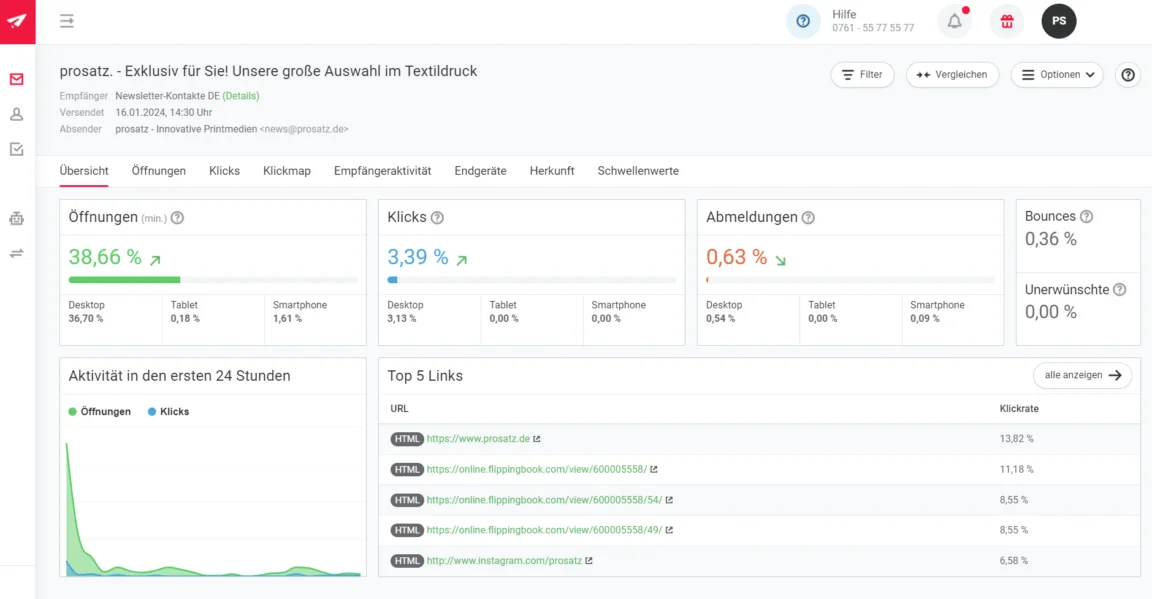
Professional newsletter tools automatically provide the most important metrics for your bulk emails:
- 📊 Open rate: How many people opened the email?
- 🖱️ Click rate: How many people clicked links in the email?
- 📭 Bounce rate: How many addresses could not be delivered to?
- ❌ Unsubscribe rate: How many people unsubscribed from the newsletter?
Use this data to optimize the content and design of your next bulk email.
4. Tool comparison: Why rapidmail is the smarter choice
Outlook, Gmail or professional newsletter software? Many people who regularly send or want to send bulk emails ask themselves this question.
Our honest answer is clear: Yes, switching to a professional tool is worthwhile. Only then can you send many emails at once, tailored to your contacts’ interests, without having to worry about delivery rates.
We have systematically compared the most important conventional email programs with the rapidmail newsletter tool: sending limits per message and per day, features, legal considerations (DPA/GDPR), support, reporting options and design features. See for yourself where the services differ significantly.
| Criterion | Outlook.com / Microsoft 365 | Gmail / Google Workspace | Thunderbird | rapidmail |
|---|---|---|---|---|
| Tool type | Email service (Exchange Online) | Email service | Email client | Newsletter/marketing platform |
| Daily sending limit | 10,000 contacts / 24h (rolling) | 500 (free) 2,000 (Workspace) 1,500 with Mail Merge | Depends on the connected email provider | No fixed daily limit (depends on package) |
| Contacts per message | 500 standard (adjustable up to 1,000) | 500 (free) 2,000 (Workspace, max. 500 external) | Depends on the email provider | Optimized for large lists |
| Designed for newsletters? | ❌ Not intended for bulk sending | ❌ Not designed for newsletters | ❌ No (client only) | ✅ Yes |
| Drag-and-drop editor | ❌ No | ⚠️ Layout function available, but not a full newsletter editor | ❌ No | ✅ Yes |
| Sender authentication (SPF, DKIM, DMARC) | Must be configured manually | Must be configured manually | Depends on provider | ✅ Integrated as standard |
| GDPR / DPA possible? | DPA possible; data can be stored in the EU (depending on settings). | Workspace with DPA possible; Data Regions configurable | Depends on the email provider | ✅ Servers in Germany + digital DPA |
| Support | Business support depending on plan | 24/7 Workspace support | Community support | Free support (phone, email, ticket) |
| Statistics & reporting | ❌ No | ❌ No | ❌ No | ✅ Opens, clicks, heatmaps |
| Suitable for 5,000+ contacts? | ⚠️ Risk of throttling | ⚠️ Risk of suspension | ❌ No | ✅ Yes |
Conventional email programs are intended for individual messages, not large distribution lists. You will notice this at the latest when:
- 📬 your important product announcement lands in spam
- ⏱️ sending limits force you to run several sends to reach every contact
- 📊 you have no insight into opens or clicks
- ⚖️ you suddenly become uncertain about GDPR compliance
Anyone who tries to send bulk emails through Outlook, Gmail or similar services quickly encounters technical, legal and strategic limits. Professional newsletter tools such as rapidmail are designed precisely for this use case and help turn your emails into effective marketing tools.
👀 Have you seen this?
In this video, Wiebke shows you just how easy sending bulk emails can be. Instead of merely sending an email to many contacts, rapidmail turns bulk email delivery into an intuitive, GDPR-compliant process in which your bulk email remains relevant and avoids the spam folder.
Open video transcript
Chapter 1: Introduction
No time for lengthy training and complex features? rapidmail lets you create and send great newsletters with ease!
Email marketing with rapidmail gets you to your goal in no time, whether you want to gain new customers, attract more attendees to an event or boost sales in your online shop.
Hi, my name is Wiebke, and today I will show you that you need neither prior knowledge nor much time to design fantastic newsletters with rapidmail and move closer to your business goals. So let’s not waste any time and get started!
Chapter 2: Navigation and first steps
The dashboard takes you wherever you need to go. For example, you can create a new campaign straight away. To make your newsletter a hit with your contacts, you can address them individually using our personalization formulas, add emojis to the subject line and check the automatic subject-line analysis. It shows how good your subject line is and what you could improve.
Our 1-click design makes newsletter design incredibly easy. Simply enter your website URL, and voilà: rapidmail creates a design template containing your logo, company colors and fonts. You can make further changes if you wish and then save it.
Now choose one of more than 250 free templates, and the basic framework of your newsletter is ready. You can replace and fill all the content however you like.
Chapter 3: Design and customization
The integrated image editor and our free image library, containing more than 1.5 million high-quality, royalty-free images, are particularly useful. They save you extra steps and additional tools.
If you have an online shop, our free plugins let you connect it to rapidmail very easily and automatically synchronize your customer and product data. You can then use our one-click product import to drag products directly from your online shop into the newsletter.
Now it is time to inspect the draft with the preview function: Does the personalization work? Does the newsletter look good on different devices? You can then send test emails to up to 10 email addresses, completely free of charge.
Before the newsletter goes out, put its deliverability through a thorough check and make any final corrections. This ensures your campaign does not land in spam. Thanks to our excellent deliverability, rapidmail gets your newsletter to its destination particularly reliably.
Is everything looking good? Your newsletter can now set off on its journey, either immediately or automatically at a scheduled time. Your first send to up to 2,000 contacts is on us, so you can test rapidmail at your leisure.
Chapter 4: AI sending planner
If you ever lack inspiration for your newsletter content, our AI sending planner uses artificial intelligence to conjure up a customized newsletter schedule for your company. Simply enter the company name, a few keywords and a short description, and voilà: you have a customized schedule with newsletter ideas for the whole year.
Chapter 5: Gaining contacts
rapidmail also helps you gain new contacts. Just like with 1-click design, you can create newsletter registration forms in just a few clicks that perfectly match your website design.
You can upload existing contacts to rapidmail from CSV, Excel or text files using copy and paste. You can also assign as many tags as you like to your contacts to ensure they receive only the campaigns that genuinely interest them.
Chapter 6: Data protection and segmentation
Data protection is our highest priority. At rapidmail, all processes are 100% GDPR-compliant. Your contact data is stored exclusively on servers in Germany, so you do not need to worry.
To address your contacts in a particularly targeted way, you can divide them into segments, for example by age group, gender or location, then select these segments when sending so the newsletter reaches only specific subgroups.
And by the way, we are always happy to talk. If you have questions or encounter difficulties, our support team will gladly help, free of charge by phone or through the ticket system within the tool.
Chapter 7: Reporting and analysis
After sending your newsletter, you can track its success in real time. The automatically generated newsletter statistics give you an overview of all the key email marketing KPIs in rapidmail.
Our email statistics help you understand your target audience’s interests and wishes better and better, enabling you to send more successful newsletters.
Want to know every detail? The activity history for individual contacts shows exactly which campaigns a contact has received, opened and clicked. These reporting options help you get to know your contacts better and target your newsletter delivery even more precisely.
Chapter 8: Email automation
If you want to tailor your email marketing even more closely to your contacts, you should definitely try our email automation. You need no prior knowledge and can create individual email sequences in just a few clicks, for example welcome and birthday greetings or multi-part courses. We have practical workflow templates that make getting started even easier.
Chapter 9: Prices
Finally, a few words about our prices: If you want complete flexibility and to pay only when needed, our pay-as-you-go plan is ideal. If you send newsletters regularly, our monthly “Starter” and “Premium” subscription packages are perfect. You can get started from just €15 per month and send an unlimited number of emails. The price calculator on our website helps you find the right package. Of course, you can switch, pause or cancel your package at any time.
Sound good? Then simply try rapidmail for free and see for yourself that rapidmail lets you send professional newsletters without being a newsletter professional.
Why choose rapidmail? Your benefits at a glance
🚀 Top delivery rate thanks to CSA whitelisting (up to 99%): As a member of the Certified Senders Alliance (CSA), you benefit from one of Europe’s most important email marketing whitelists. Major providers give your bulk emails preferential treatment, reliably delivering them to the inbox instead of spam. SPF, DKIM and DMARC (configured automatically) also ensure that your emails are considered trustworthy. We continually monitor delivery figures and act immediately if we notice any irregularities.
🖥️ Sending IPs designed for bulk emails: rapidmail uses specially optimized sending IPs for high volumes. This reduces the risk of spam and protects you from blocklisting. A dedicated IP is also available on request for particularly high sending volumes.
📧 No daily sending limits: Unlike Gmail or Outlook, rapidmail has no fixed daily sending limit. Within your chosen package, you can send to your contact lists as often as you like, whether they contain 1,000 or 100,000 contacts.
🎨 12 free templates and 1-click design: Create professional newsletters without any programming skills. 1-click design automatically imports your company colors, fonts and social links from your website, and your newsletter is ready in seconds. Alternatively, choose from 12 free templates for every occasion, industry and season. All newsletters are automatically responsive and look perfect on smartphones, tablets and desktops.
✍️ drag-and-drop editor and versatile design options: Design your bulk emails intuitively in the editor in just a few minutes. You can attach files (PDFs, images and ZIP files), use emojis in subject lines (for higher open rates) and run a display test beforehand to see how your newsletter looks on different devices.
🎯 Extensive personalization and segmentation: Go beyond addressing contacts by name. Personalize subject lines and content, and add individual voucher codes or discount amounts. Segment your leads by interest and send targeted bulk emails instead of impersonal Bcc messages.
🤖 Automations for sustainable email marketing: Do not rely solely on one-off bulk emails. Build strategic drip campaigns: welcome series for new subscribers, automatic birthday emails or reactivation campaigns for inactive contacts. Contact management runs automatically, with new registrations and unsubscribes all synchronized for you.
📊 Real-time reporting with open rates, clicks and heatmaps: See how your bulk emails perform in real time. Which links do people click? At what point do readers stop? At what time do most contacts open your email? Detailed statistics and heatmaps help you improve future campaigns.
🧪 A/B testing for subject lines: Not sure which wording will perform better? Test two subject-line variants on a small group of subscribers and automatically send the better variant to the remaining contacts.
🧠 AI sending planner for new ideas: Let our AI tool create a customized newsletter schedule for your company, with fresh ideas for the whole year.
🛡️ Spam test before sending: Before you click “Send”, rapidmail estimates the likelihood that your campaign will land in the spam folder. This gives you time to optimize your emails.
⚖️ GDPR-compliant and servers in Germany: Data protection hosted in the EU: all data is stored on servers in Germany. You can conclude a GDPR data processing agreement (DPA) directly with us. Double opt-in processes and their documentation are also part of the tool. Every email contains a legally compliant unsubscribe link and legal notice.
🤝 Personal support: By phone, email and chat, our support team provides fast, straightforward help.
👀 Did you know? Your first send to up to 2,000 contacts is free

You can get started with rapidmail immediately, completely free of charge. Send your first newsletter to up to 2,000 contacts, with no credit card and no hidden costs. It is perfect for testing the tool and sending your first successful bulk email.
5. Ready to send bulk emails that actually arrive? Get started now!
Gmail, Outlook and similar services are ideal for private communication or individual messages. But if you regularly want to send an email to many contacts, these tools quickly reach their limits:
- limited sending volumes
- increasing risk of spam
- no performance measurement
- legal uncertainty when sending bulk emails
In short, they are simply not designed for professional email marketing.
The better alternative: Choose thoughtful, targeted communication instead of impersonal bulk emails. Successful campaigns require you to:
- ✅ Obtain consent (double opt-in)
- ✅ Segment target groups instead of “sending to everyone”
- ✅ Personalize content
- ✅ Choose the right sending time
- ✅ Use professional tools for deliverability and GDPR compliance
rapidmail makes this legally compliant, efficient and easy. Try it and see for yourself. Your first 2,000 emails are on us: completely free, with no credit card required.
FAQ: Frequently asked questions about bulk emails
What is a bulk email?
A bulk email (also known as a mass email) is an email that you send to many contacts at the same time, for example for newsletters, product announcements or invitations. Unlike individual emails, its content is usually identical or only slightly personalized.
What are the alternatives to conventional bulk emails?
The better alternative to conventional bulk emails is targeted email marketing with the contacts’ consent. Instead of sending one bulk email to every contact, you send people only relevant content based on their interests, behavior or segment.
What are the disadvantages of sending bulk emails?
Bulk emails cause several problems: email providers often block them as spam because of high sending volumes and a lack of authentication, so your message may never reach the inbox. Even if it does arrive, impersonal content attracts little interest and often goes unopened. Contacts who feel bothered by frequent promotional emails mark them as spam or unsubscribe, which damages your sender reputation over time. Anyone who sends emails without consent may also face substantial fines in the worst case.
How can I handle or hide contact addresses correctly in bulk emails?
The Bcc function in Outlook or Gmail hides addresses from the other contacts, but it is unprofessional, prone to errors (one click on “Reply all” and everyone sees everything) and offers no personalization.
Can I send bulk emails without spam problems?
Yes. Professional newsletter tools such as rapidmail let you send relevant bulk emails to your contact list. They are CSA-certified, automatically configure SPF, DKIM and DMARC, and achieve high delivery rates.
Should bulk emails be sent through professional newsletter software or conventional email programs?
Bulk emails clearly belong in professional newsletter tools. Programs such as Outlook or Gmail are designed for personal communication or smaller distribution lists, not systematic sending to large contact lists. Newsletter software, by contrast, offers virtually unlimited sending volumes, GDPR compliance, precise segmentation and detailed reporting.
When is the best time to send bulk emails?
The best time to send bulk emails depends on your target audience. For B2B emails, Tuesday to Thursday from 10:00 am to 12:00 noon and 2:00 pm to 5:00 pm work well. B2C emails perform particularly well after work (5:00 pm to 9:00 pm) or on the weekend (1:00 pm to 8:00 pm), when people are browsing their smartphones at leisure.