Use the email preheader to increase newsletter opens

Alongside the subject line, the newsletter preheader is usually the first thing subscribers see of a newsletter in their email inbox, before they even open the email. The email preheader is therefore a crucial part of your newsletters with plenty of potential: with the right wording, you can make even more subscribers curious and convince them that your newsletters are worth opening!
1. What is an email preheader?
“Preheader” refers to the text that comes before the header and describes the preview text of an email or newsletter in email marketing. When sending newsletters, every effective subject line should be accompanied by a suitable preheader. Most email providers display it in the inbox directly below or next to the newsletter’s subject line.

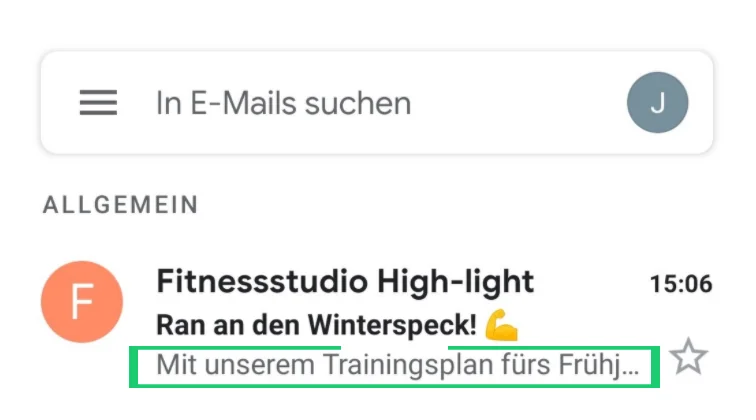
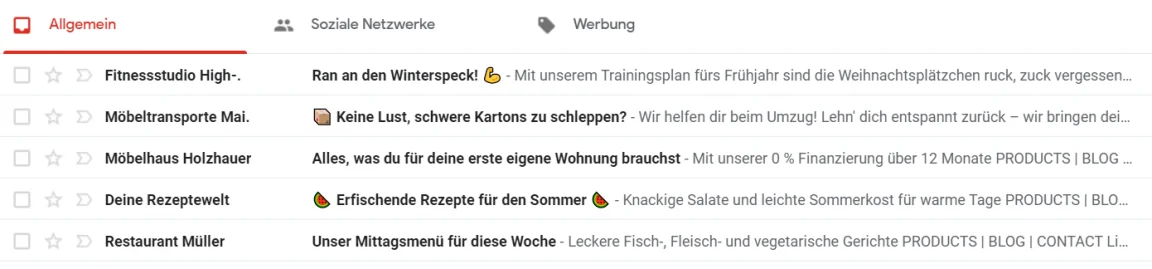
Most smartphones (such as the iPhone and Samsung Galaxy) and email clients (such as Outlook and Gmail) now display the newsletter preheader in the email overview, although the number of characters displayed varies depending on the provider and device. In the example above, you can see that the full preheader is visible in the Gmail desktop view, whereas only the beginning of the newsletter preheader can be read on a smartphone in the mobile view. This is, of course, because a smartphone screen is generally much smaller than a conventional computer screen.
For ordinary emails, the preheader usually consists of the email’s first line of text, effectively serving as a preview of the email content. With a professional email marketing tool, however, you can freely set an individual preheader text for each of your newsletters. By adding relevant information to the subject line in this way, you can make your recipients even more curious and achieve many more newsletter opens!
2. How does the preheader lead to more newsletter opens?
We see that many of our customers rarely use the newsletter preheader when sending a campaign. Yet using a preheader is an incredibly simple way to increase newsletter open rates even further!
With the large number of emails that each of us now receives every day, it is important to win over your newsletter subscribers before they open your newsletter. The winning formula is: a short, punchy subject line, an eye-catching emoji where appropriate and, last but not least, an appealing preheader!
After all, together with the subject line, the preheader is the only newsletter content that every subscriber sees. The text you choose for the preheader therefore helps determine how many recipients your newsletter wins over in those few crucial seconds, and consequently how many opens your newsletter achieves!
Most of our tips for the ideal newsletter subject line also apply to the email preheader: the preheader text must also be relevant and as personal as possible. Here too, you should test over an extended period to find out which wording your subscribers prefer.
There is a simple trick for ensuring your newsletter preheader is relevant: create all of the newsletter content first, then consider which points and benefits are most important to your readers. All you then need to do is distil the arguments you have collected, or more precisely fit them into fewer than around 200 characters (subject line AND preheader).
The rapidmail newsletter
Tips, ideas and news about email marketing, straight to your inbox.
The following content works well in your newsletter preheader:
- Benefits offered by your newsletter: Whether it is a free sample, a discount promotion or a new step-by-step guide, use the preheader to highlight the value of your newsletter!
- Continuation of the subject line: The German language, with its endlessly long words, can sometimes make life difficult for newsletter senders. For example, the subject line of the University of Freiburg newsletter, “University of Freiburg semester opening event”, could be supplemented in the preheader with the date and time, “12/10/2020 at 4 p.m.”.
- Encourage subscribers to open the newsletter: As with your newsletter’s call-to-action button, include a motivating action verb and a time reference in the preheader. For example, a newsletter with the subject line “Our new theater program is here!” could be perfectly complemented by the preheader text “Secure your discounted ticket today!”
- Spark curiosity: Preheader texts such as “You won’t find these anywhere else!”, “This will blow you away!” or “At last, we can reveal the secret!” build suspense and showcase your newsletter subject line to great effect. Before your subscribers burst with curiosity, they are sure to open the newsletter!
- Newsletter subtopics: Monthly newsletters in particular often bring together several important topics. Use the subject line to present the main topic and the preheader to highlight other key points.
👀 Did you know?
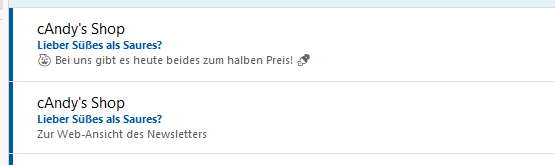
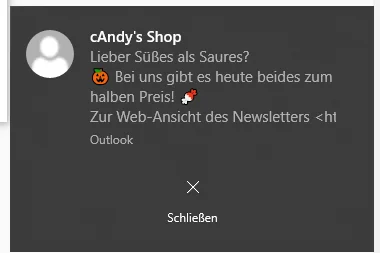
Some email clients, such as Outlook, have a pop-up function for incoming emails. When you send a newsletter, a pop-up window appears at the bottom right of the screen for some subscribers who use Outlook as their email provider, notifying them about your newsletter. The newsletter preheader text is also displayed here!
3. What should you keep in mind when writing a newsletter preheader?
In the desktop versus mobile preheader example above, we saw that the same number of newsletter preheader characters is not displayed everywhere. How much of the preheader your subscribers see always depends on the device and email client they use to check their emails. With some providers, such as Gmail, it also depends on the length of the newsletter subject line. If the subject line is shorter, more of the preheader text is shown instead.
This makes it difficult to specify a single ideal character count for the preheader. When researching online, you may also have noticed that every website recommends a different optimum preheader length. We recommend a preheader length of around 100 to 130 characters. However, you can only optimize the preheader length over the long term by analyzing your newsletters and determining which devices and email clients your subscribers use to open the newsletter.
💡 rapidtip
To prevent the most important part of your newsletter preheader from being cut off, always put the most relevant information right at the beginning. Before sending the newsletter, use a test email to check how much of your preheader is displayed in different email clients. This ensures your subscribers see exactly what they are meant to see!
In addition to the preheader length, which is difficult to pin down to a specific number, you should also bear in mind that not all email providers display the preheader in BOTH the desktop view and the mobile view. If, for example, a subscriber logs in to their web.de inbox using the smartphone app to read your newsletter, they will also see the defined preheader. If they use their laptop to check their emails, however, only the newsletter subject line will be displayed. You should therefore make sure that the newsletter subject line also makes sense without the preheader! Think of the preheader as an additional line that can provide further relevant information for some (!) recipients.
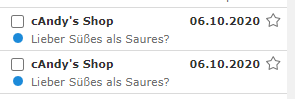
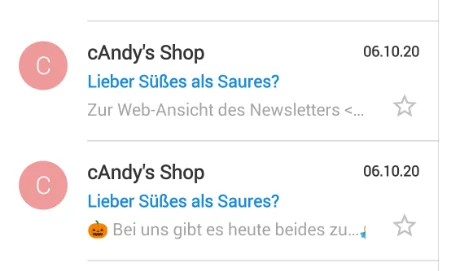
The following overview shows which email clients display the preheader:
| Email client | Is the preheader displayed (desktop view and mobile app view)? |
|---|---|
| Googlemail / Gmail | Yes |
| Outlook | Yes (even in the desktop pop-up!) |
| web.de | Partly, mobile only |
| Thunderbird | No |
| GMX | Partly, mobile only |
| T-Online | Yes |
| Freenet | Partly, mobile only |
| AOL Mail | Yes |
| Yahoo | Yes |
| Apple Mail | Yes |
Interim conclusion: is a newsletter preheader worthwhile?
Most email providers now display the preheader in both the desktop version and the smartphone app. It is therefore worth creating a compelling preheader for every newsletter to encourage even more subscribers to open the email!
4. Newsletter preheader examples
| Audience | Subject line | Preheader |
|---|---|---|
| Online fashion shop | He loves checks, she loves checks, we love checks… | Do you? 🔶😉 |
| Online shop | Happy birthday, Max! | We have a €10 voucher for you |
| Online shop | You could knock me down with a feather! | Incredible discounts instead of Oktoberfest 🥨 |
| Tourism | Are you still at home, or are you traveling already? 🏖️ | All the top destinations for your campervan! |
| Marketing blog | Lead generation for more shop purchases 🛒 | Secure your webinar place now! |
| Blog | Our new podcast with helpful tips | Listen for free now! 🎧 |
| Food and drink | Are you already dreaming of a crisp summer salad? 🥗 | Our weekly menu for your lunch break is here! |
| Gas station | The first barrel has been tapped! | Get 50 bonus points on diesel today |
| Fitness clubs / sports clubs | Time to shed that winter weight! 💪🏼 | With our spring fitness plan, Christmas cookies will be a thing of the past |
| Survey newsletter | Your chance to be heard! 💌 | We are ready to listen. |
5. How can I add a preheader to my newsletters with rapidmail?
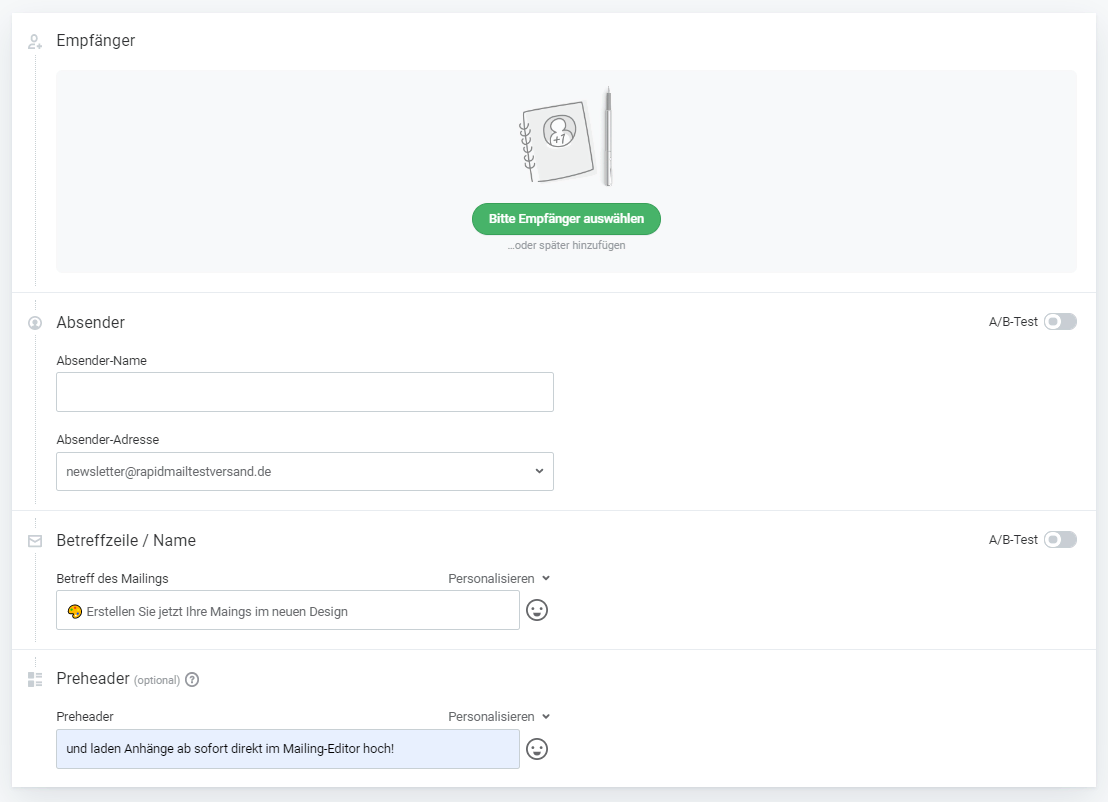
When you send your newsletters with the rapidmail tool, you can set the subject line and preheader text in step 1 of the campaign process, alongside the recipient list and email sender. Simply enter the text you want and use a test send in step 2 to check how the preheader is displayed by different email providers!
Send newsletters with a preheader now
… and achieve even more newsletter opens!