How automated birthday emails can strengthen customer loyalty

With a lovingly designed birthday email, you can send your contacts birthday greetings and best wishes and celebrate their special day in style. No matter how old you are, your birthday is and always will be a very special day of the year. Automated birthday emails help you develop strong relationships with your customers and build long-term loyalty to your company or brand. The best part is that you only need to create one birthday email! With the right email automation tool, the birthday wishes are then sent to every contact automatically on the right date. We’ll show you how it works.
🥜 In a nutshell: Key facts about birthday emails
- ✔ A birthday email is an automatically sent email containing personal birthday wishes, often combined with a small surprise such as a voucher, discount or gift.
- ✔ Automated birthday emails work: According to Omnisend, they achieve an open rate of 43.3% and a click-to-conversion rate of 14.3%.
- ✔ Once set up, they are sent automatically every year with no further effort.
- ✔ Sending the email early on the recipient’s birthday, using a personal greeting and choosing a coherent design all help create the right impression.
- ✔ The birthday person should be the focus. A voucher or gift is a bonus, but not essential.
- ✔ With rapidmail, you can set up the process in five steps: collect the date of birth, create a recipient segment, create the birthday email, automate the send and test it.
1. Why it is worth sending birthday wishes by email
On our birthdays, we all appreciate it when other people show that they have been thinking of us, whether by spending time together, arranging surprises, giving gifts or writing kind words in a birthday card or email. There are also several other very good reasons to send birthday wishes to your customers:
Stronger customer loyalty ❤
Surprise your newsletter contacts on their birthday with an individual email message that has been written and designed with genuine warmth and sincerity. It is guaranteed to put a smile on your customers’ faces.
Or even a broad grin if they receive a gift, voucher or discount code from you to mark the occasion! Campaigns like these strengthen customer loyalty and ensure that your contacts remember your company or brand positively.
Increased engagement 🔼
Because personal birthday emails tend to achieve high open rates and click rates, they allow you as a sender to do more than strengthen your company image and stay in touch with your newsletter subscribers.
Recent Omnisend data shows that automated birthday emails achieve an open rate of 43.3% and a click-to-conversion rate of 14.3%. Personal occasions therefore generate particularly strong engagement.
Birthday emails are also the ideal opportunity to motivate existing customers to make another purchase in your online shop or store by offering a suitable birthday gift such as a voucher or discount, thereby increasing your sales. However, make sure the birthday person, rather than your product range, is always the center of attention in the email.
Emails you can automate 🔄
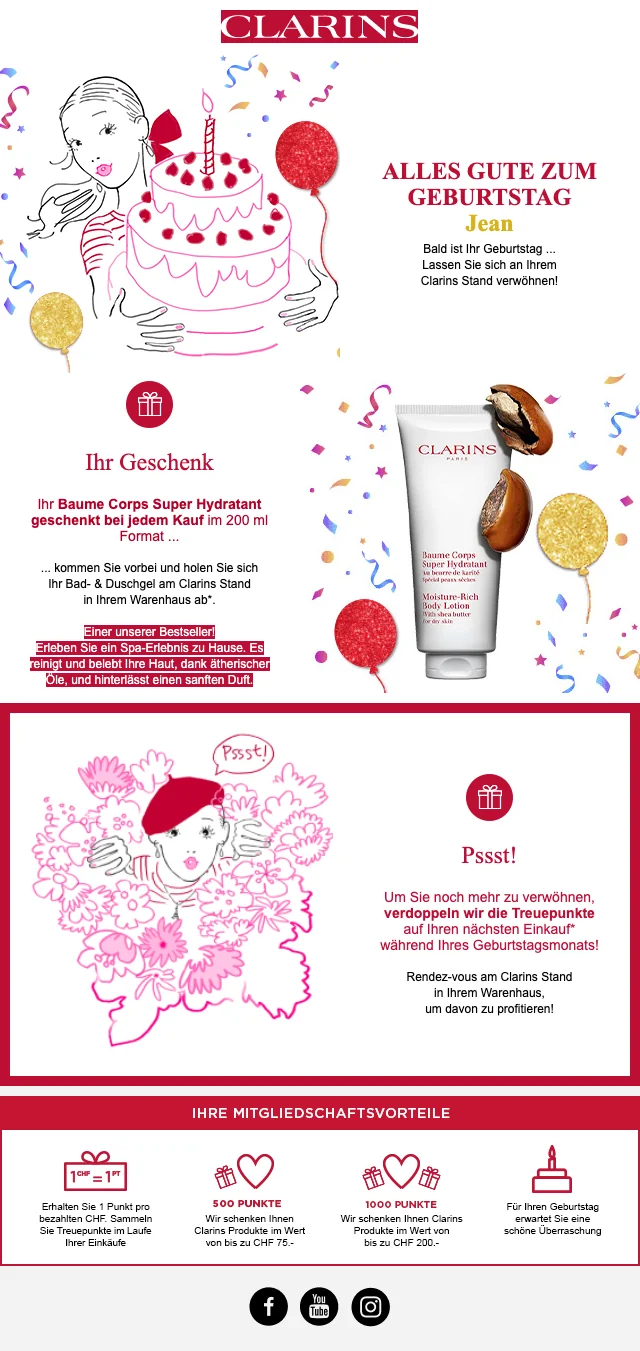
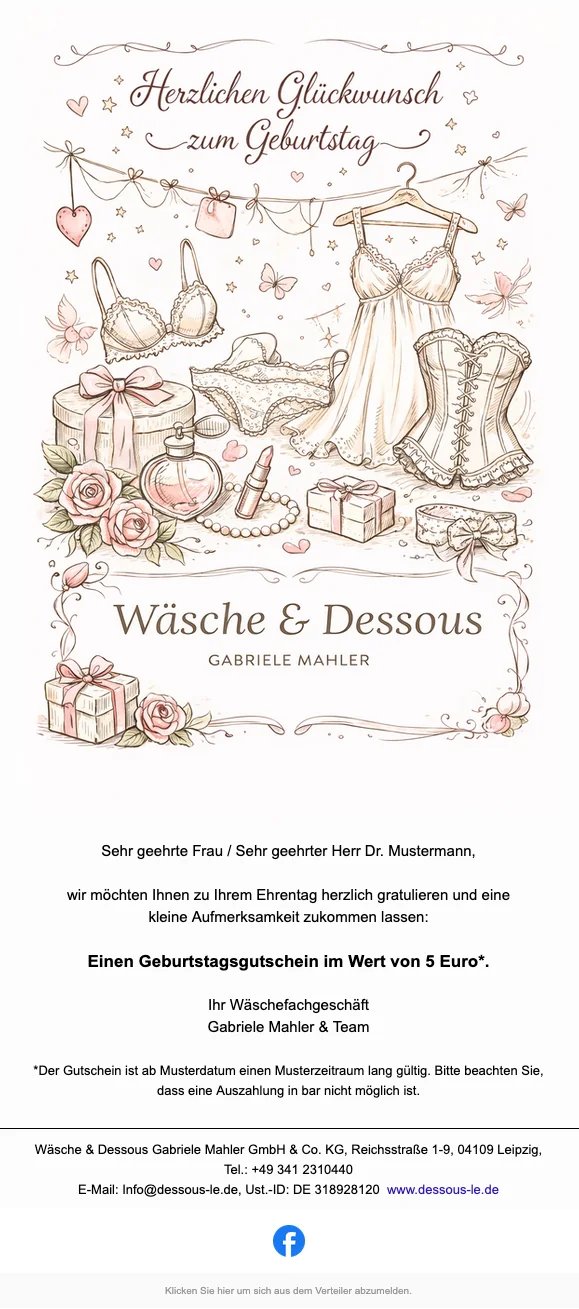
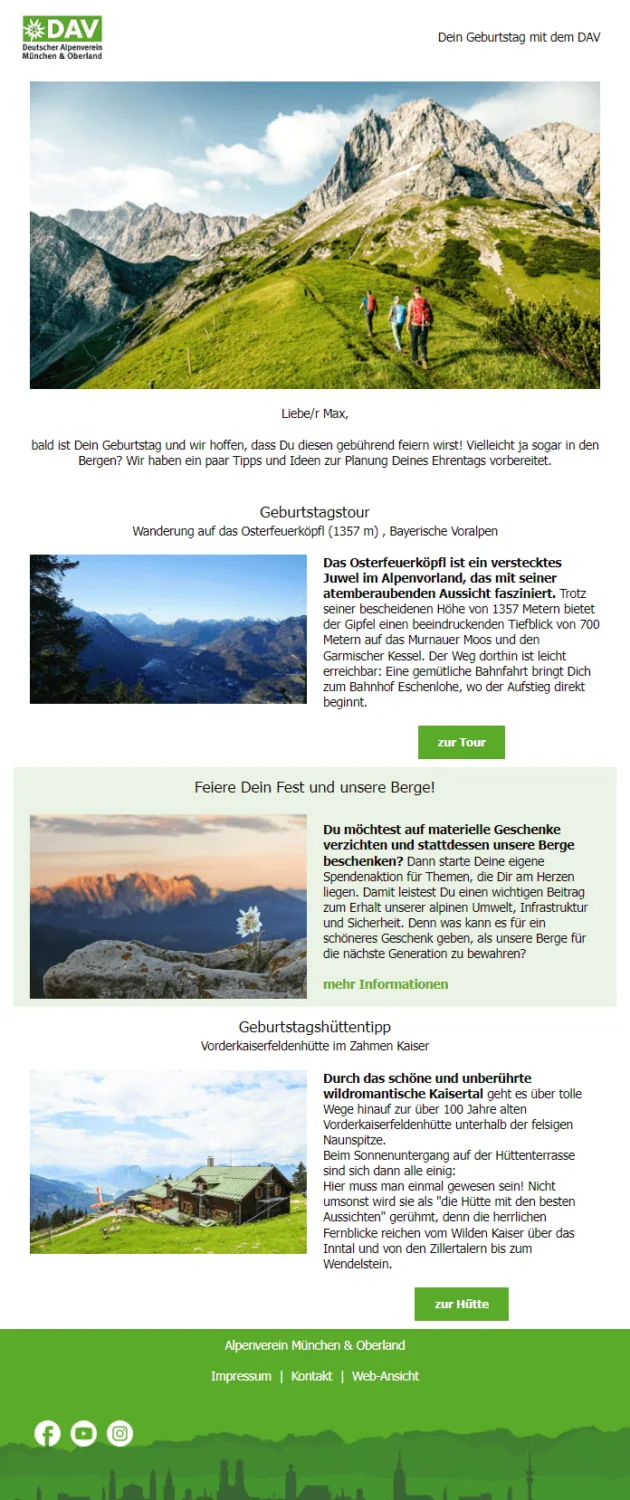
Birthday emails to customers and business partners are probably the best-known form of email marketing automation. Automated birthday trigger emails let you congratulate every customer individually on their birthday without having to create a separate campaign for each contact. Creating a single email is all it takes!
Like the widely used welcome emails, birthday emails are therefore an easy way to strengthen customer loyalty without a major investment of time or money. At the same time, you can reassure your contacts that they made the right choice with your company or brand. After all, the customer is (birthday) royalty with you! 👑 For even more inspiration from email automation examples, simply download our free guide featuring seven examples from different industries.
💡 rapidtip: How to get your customers’ dates of birth for birthday emails
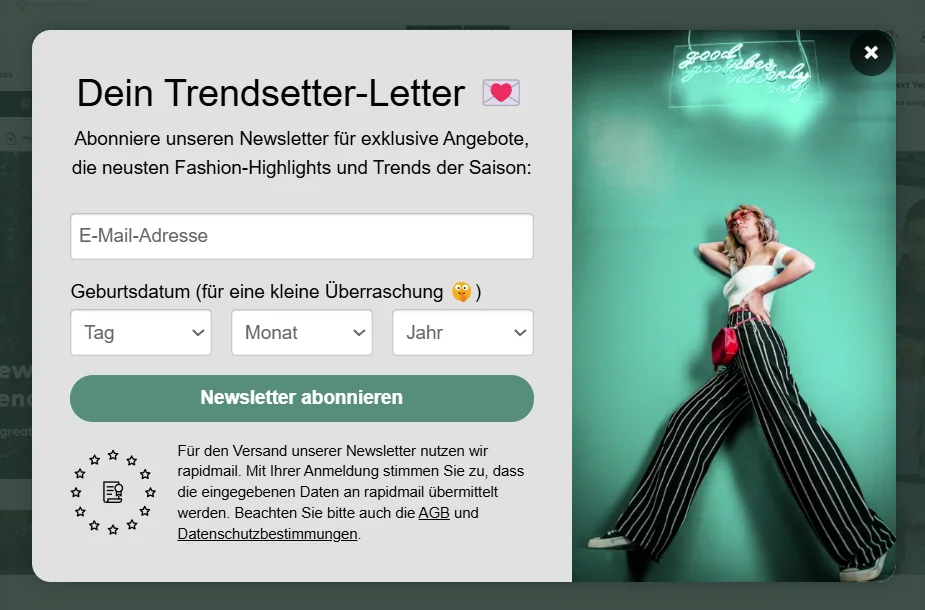
In principle, providing a date of birth should be voluntary. You can ask newsletter contacts for their date of birth in the newsletter sign-up form, provided it is not a required field and they can still subscribe without providing it. This is based on the principle of data minimization under Article 5(1)(c) of the GDPR.
Ideally, tell interested people when they subscribe that you are asking for their date of birth so you can send them a surprise on their birthday. This is sure to pique people’s curiosity and increase your subscriber numbers!
You can also send a newsletter to existing customers by simply asking for their date of birth, although you need explicit consent from B2C contacts. You may only send newsletters to existing B2B customers without explicit consent under certain conditions.
2. Tips and examples for successful birthday emails to customers
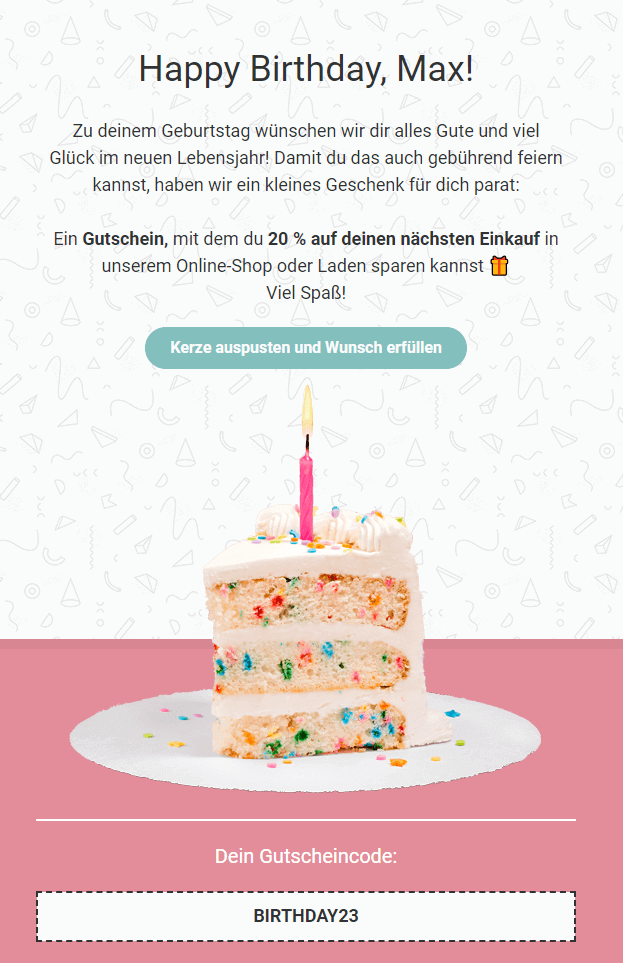
You have made your decision: From now on, you want to email your contacts birthday wishes every year. But how do you actually write a birthday email to customers? Don’t worry, we have put together the most important tips for successful birthday newsletters:
Design templates for birthday emails
As always, an appealing design matters for birthday emails. After all, you don’t want the sight of your email to spoil your contacts’ birthday. 😄
With rapidmail, you can create stylish newsletters in just a few steps that are guaranteed to delight the birthday recipients. Simply choose one of our birthday email templates, for example, and customize it however you like.
👀 Have you seen it? 1-click design, the perfect basis for every newsletter
To ensure your birthday email marketing fits perfectly into your corporate communications and your customers immediately recognize who is sending the birthday wishes, it is best to use your corporate design. Don’t worry, thanks to our 1-click design, you need no coding or design experience, lots of time or an advertising agency. Instead, you can create email templates in your corporate design with a single click. Best of all: You can apply this design to your birthday email template in no time at all.
It couldn’t be easier:
And just like that, your branded birthday email template is ready.
When should you send a birthday email?
For a simple birthday message without a purchase incentive, the best time to send it is on the birthday itself, ideally early in the morning, so your birthday wishes are among the first emails in your customer’s inbox. If you are treating the birthday person to a voucher or discount code, sending it one or two days before the birthday is worthwhile: This gives them enough time to redeem the gift on their birthday.
Birthday email subject line
Make it clear in the subject line that you want to wish your customers a happy birthday. In the excitement of their special day, emails about their birthday are generally opened and read more often.
A suitable birthday emoji also helps your message stand out from other newsletters and emails in your recipients’ inboxes. Your customers can immediately see that you are sending birthday wishes!

Emojis that look particularly good in birthday email subject lines include:
- 🎁 Gifts
- 🎂 Birthday cakes
- 🎉 Confetti
- 💝 Hearts with ribbons
- 💐 Bouquets
If you have also prepared a birthday gift for the recipients, you can mention it in the subject line or email preheader, for example: “It’s your birthday today! Close your eyes, we just need to finish preparing your surprise!” Avoid excessive capital letters and trigger words such as “DISCOUNT” or “FREE” in the subject line, as well as too many emojis. Otherwise, your customers’ email providers may mistakenly classify your birthday email as spam.
If you need help with the wording: The AI assistant in the rapidmail Campaign Editor can suggest suitable subject lines in your company’s tone of voice.
Personalizing your birthday wishes
The more closely your birthday email is tailored to each contact, the more positively it will affect your customers’ relationship with your company. You can personalize an automated birthday email in many different ways.
For example, you can include your recipient’s first name, surname or place of residence in the email subject line: “There’s a party in (City) today! It’s (First name)’s birthday!” An individual greeting using a personal salutation (such as “Dear (First name)”) and your customer’s age (“Happy (Age)th birthday!”) also help your newsletter contacts feel personally addressed.
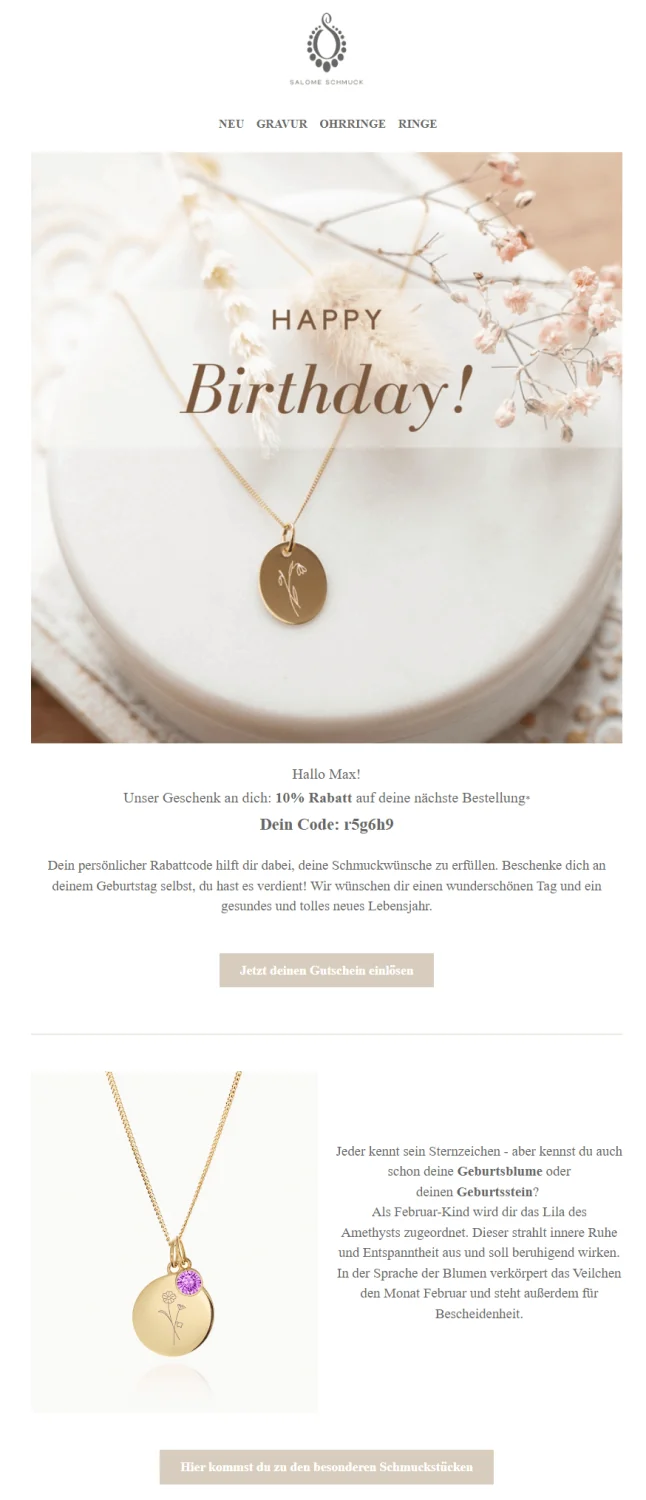
Of course, to use personalization in a birthday email, you must have the relevant customer data. Your customers must also have given their consent, for example when registering, for you to use their data to send campaigns.
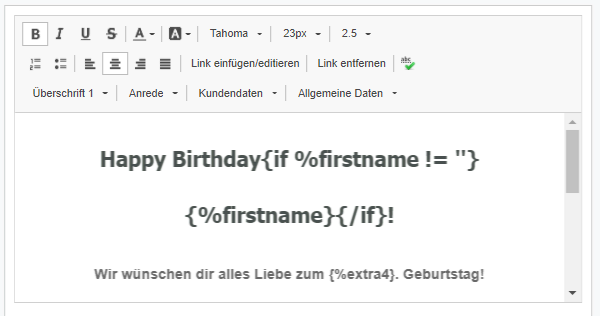
After that, when using rapidmail as your email marketing tool, you simply need to store the customer data in a column in your recipient file. When you create your automated birthday email, you can then insert the required data as a variable anywhere in the newsletter copy using the Campaign Editor. The correct data is added to each customer’s email automatically when it is sent:

Birthday email content
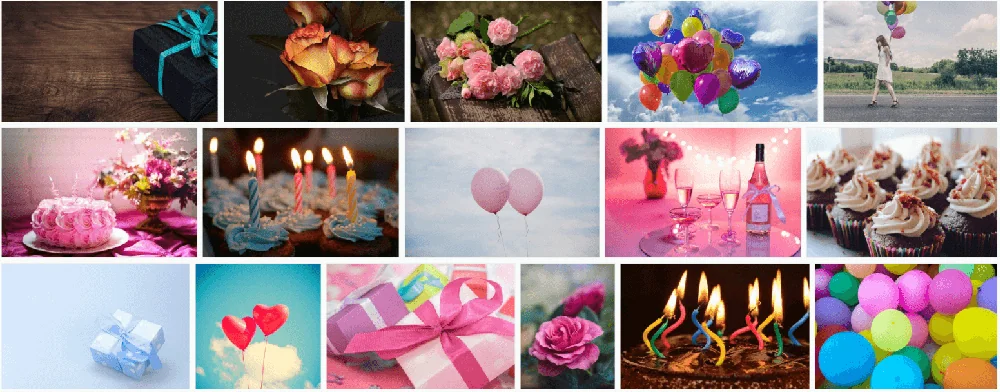
Any motif associated with a birthday party works well as a header image for your birthday email: cakes, balloons, gifts, flowers, champagne, and more. Let your creativity run wild! When you use the rapidmail Campaign Editor to create your birthday email, you have access to more than 1.5 million free images that you can add to your birthday messages with a single click.
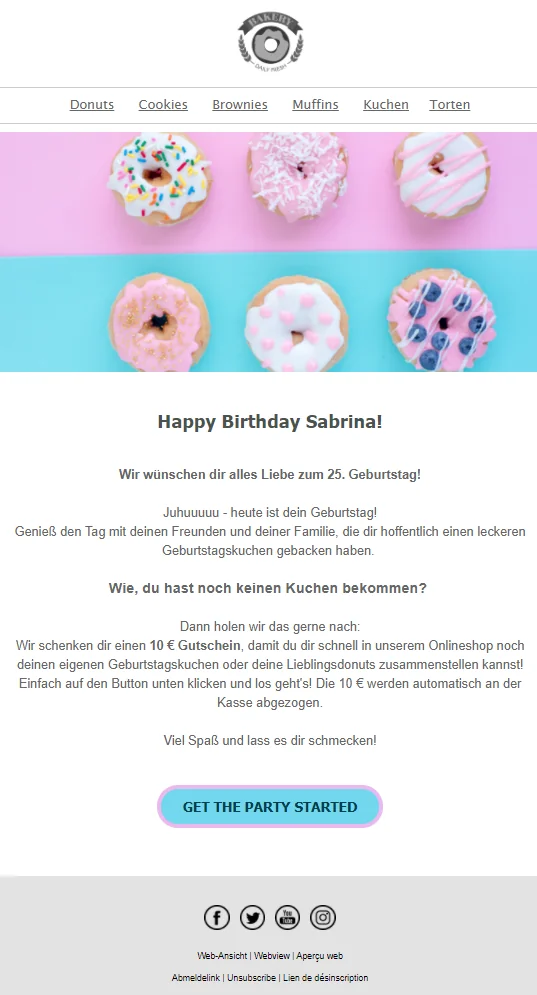
The birthday person should, of course, be the absolute center of attention in the email. Take the time to write birthday email copy that celebrates your customers properly on their special day. Don’t immediately shift the focus back to your product range after a brief “Happy Birthday”. A personal, heartfelt message shows your contacts that you have put some thought into it and want to honor their special day appropriately. A touch of humor won’t hurt in a customer birthday email either!
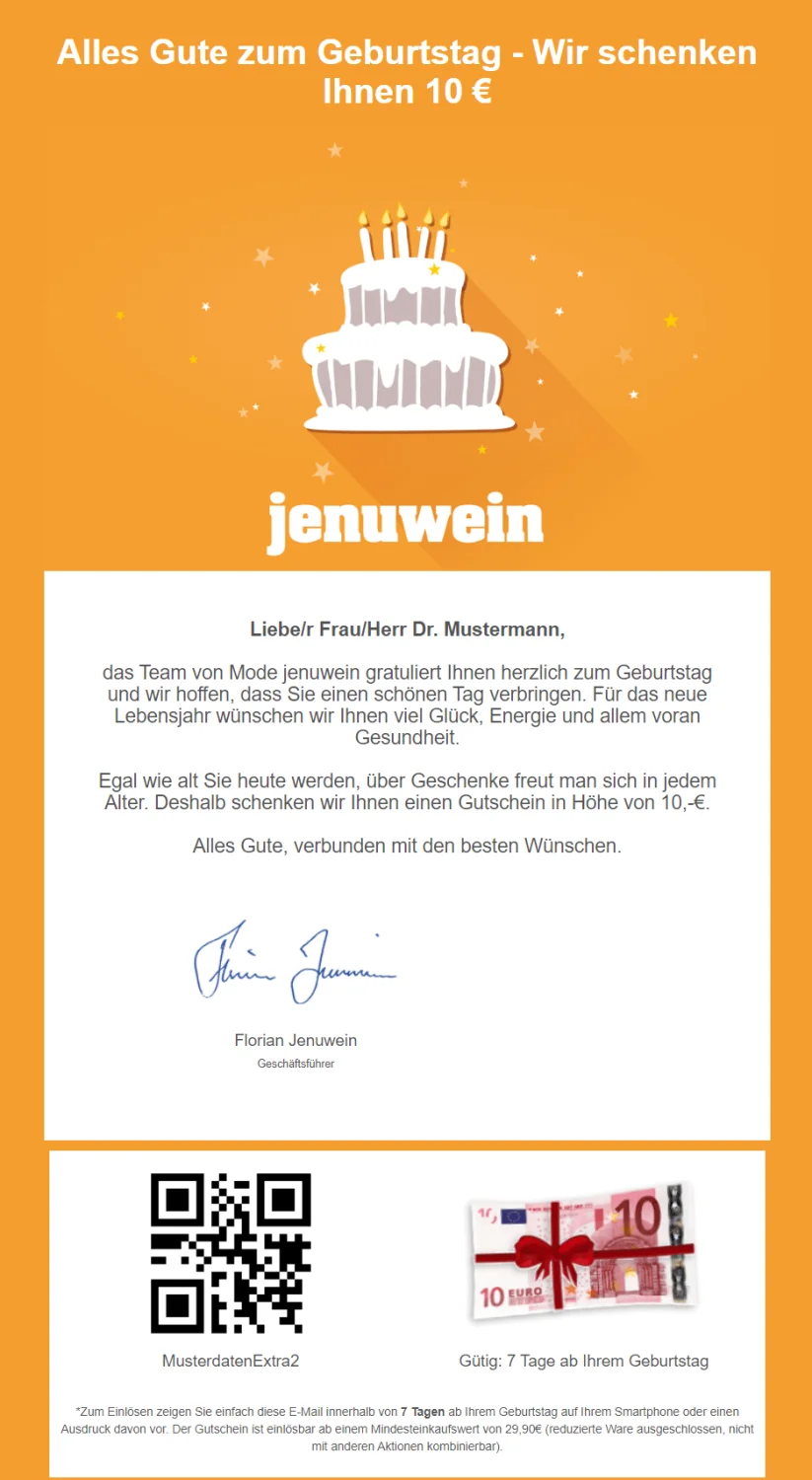
After the birthday wishes, you can still surprise your newsletter recipients with a gift, discount code or voucher for a purchase in your online shop or store. After all, it benefits not only your company, but also your customers, who can enjoy a discounted birthday shopping trip! Including an image of the potential gift also increases your contacts’ desire to redeem the voucher online straight away or quickly collect the gift from your branch.
Create an automated birthday email now
At the end of the birthday message, it also makes a good impression if the email is signed by your company’s management. A photo of the person sending the birthday wishes also makes the greeting feel more personal, which in turn has a positive effect on customer loyalty!
👀 Does an automated birthday email also need an unsubscribe link?
Yes! From a legal perspective, automated birthday emails sent to customers on different days must also contain an unsubscribe link. Your contacts must be able to use it to unsubscribe from the triggered annual birthday email at any time. You must also comply with the other legal requirements that apply to conventional newsletter sending when sending automated birthday emails.
The top five birthday email mistakes, and how to avoid them
Even with a seemingly simple automation such as a birthday email, the same mistakes crop up time and again. Make sure you avoid these five errors:
| Mistake | Why it is a problem | How to improve it |
|---|---|---|
| Sending only a brief “Happy Birthday” with no added value | Feels impersonal and wastes an opportunity | Write personal copy with a genuine connection to the occasion |
| Sending an impersonal standard email without a name, salutation or individual greeting | Does not feel personal | Use variables to personalize it |
| Offering a voucher with too short a validity period | The birthday person has hardly any time to redeem it | Adjust the validity period to the send date |
| Sending the email late on the recipient’s birthday or even afterwards | The impact is lost | Schedule it for early on the recipient’s birthday |
| No automation or an incorrectly recorded date of birth | Birthday wishes arrive late or not at all | Test data collection and automation before going live |
3. Vouchers and more: Finding the perfect birthday email gift
Including a gift, discount or voucher alongside the birthday wishes is certainly a bonus when it comes to customer loyalty and increasing your sales.
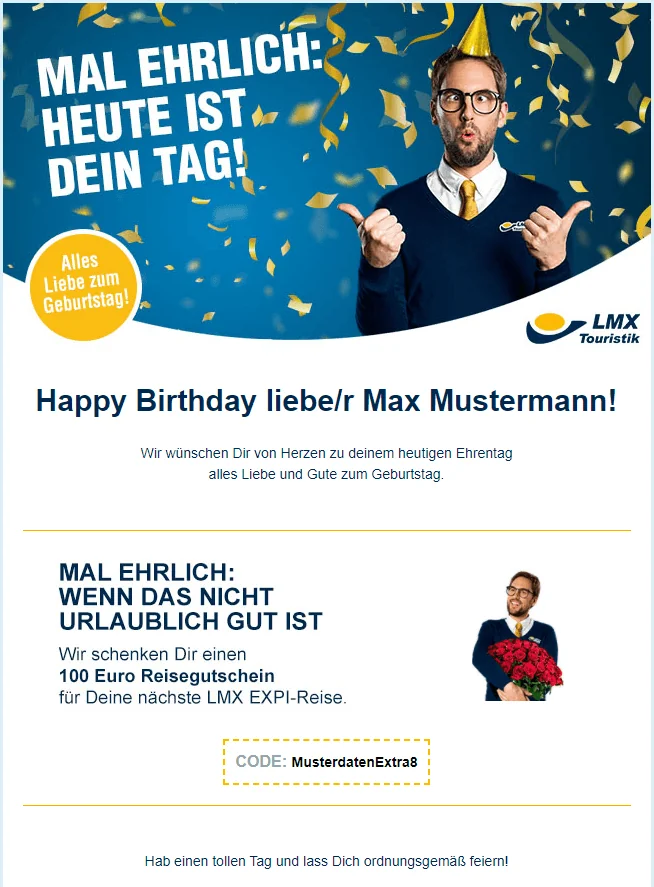
Nevertheless, a birthday gift is not essential. Your contacts will also simply appreciate the fact that you thought of them and sent them kind birthday wishes. Even without a small gift, a birthday email reminds people of your company and products, and that it might be time for another visit to your shop.
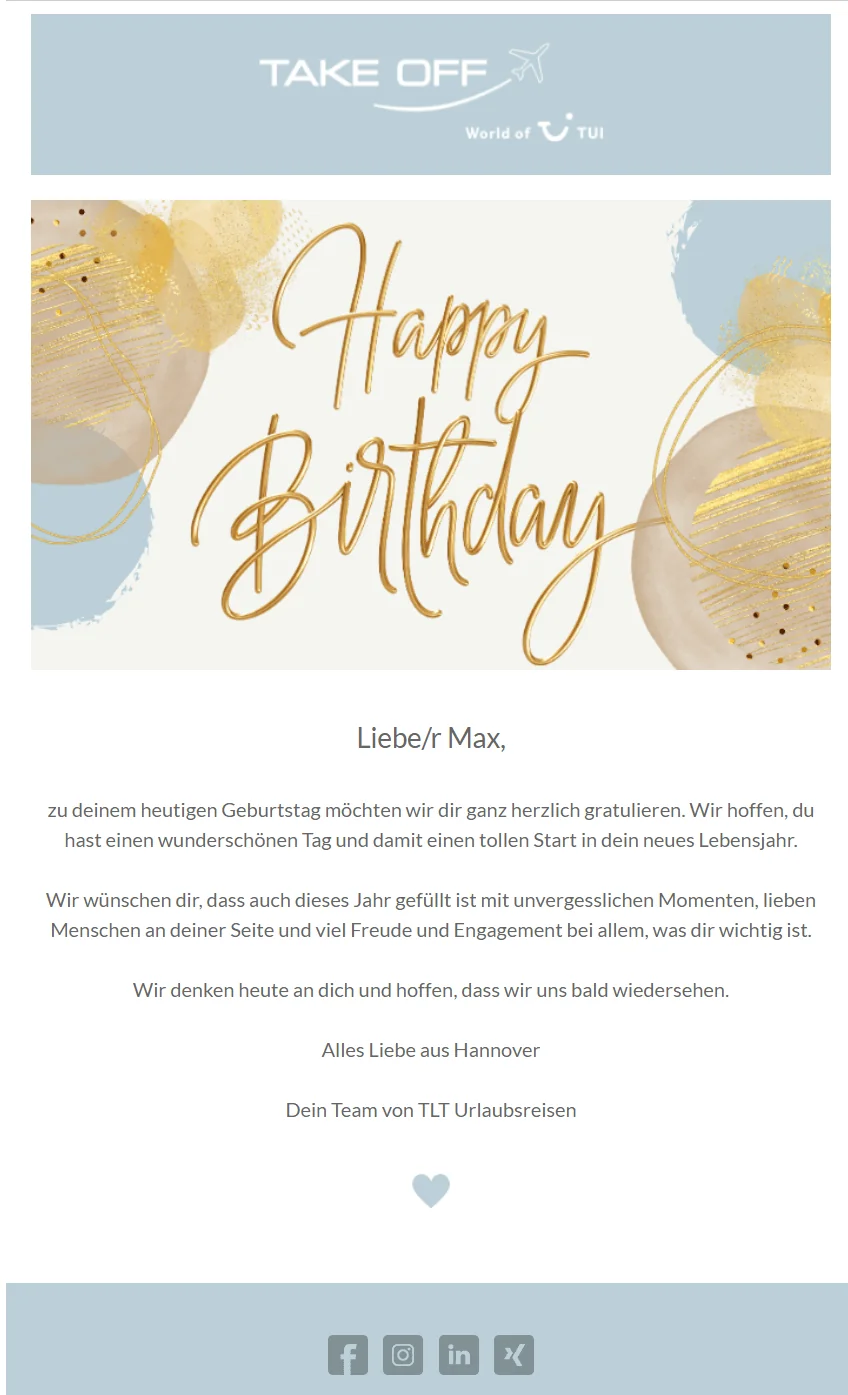
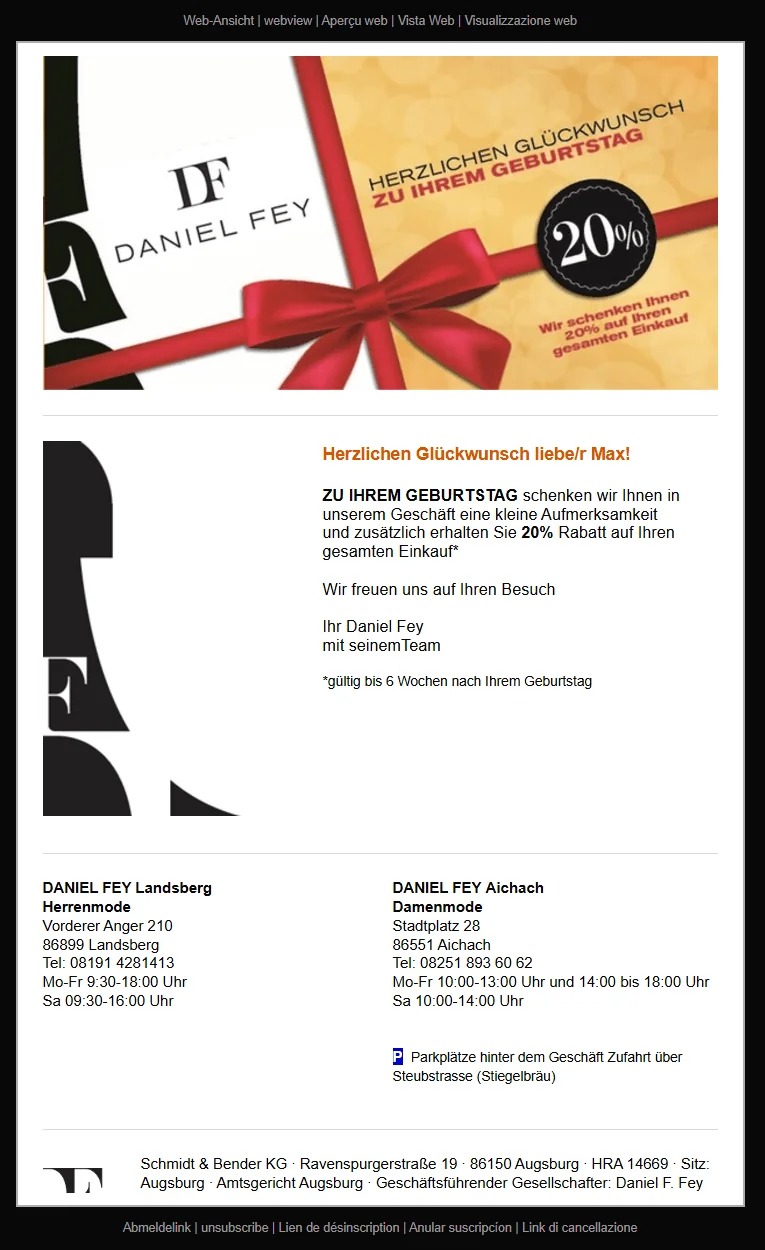
If you would like to give customers an extra treat in their birthday email, suitable gifts include:
- 🛒 a discount on their next online order or purchase in your store
- 💸 a voucher, for example for free popcorn on their next cinema visit, a free place at the next webinar or free delivery on their next online shop purchase
- 🎁 a surprise gift with their next purchase
- 📖 a free e-book or white paper containing useful tips
- 🎀 a free trial month or week, for example to test a new product or subscription
💡 rapidtip: Exciting alternatives to a traditional birthday email
If your customers do not want to reveal their date of birth, for example, there are suitable alternatives to a traditional birthday email that can strengthen customer loyalty just as effectively. You could celebrate their first purchase or registration date with an anniversary email. Or take inspiration from Alice in Wonderland and wish your contacts a happy unbirthday on any date of the year! This helps you stand out from your competitors and put a smile on your customers’ faces at any time of year.
The rapidmail newsletter
Tips, ideas and news about email marketing, straight to your inbox.
4. Over to you: Send birthday emails easily with rapidmail
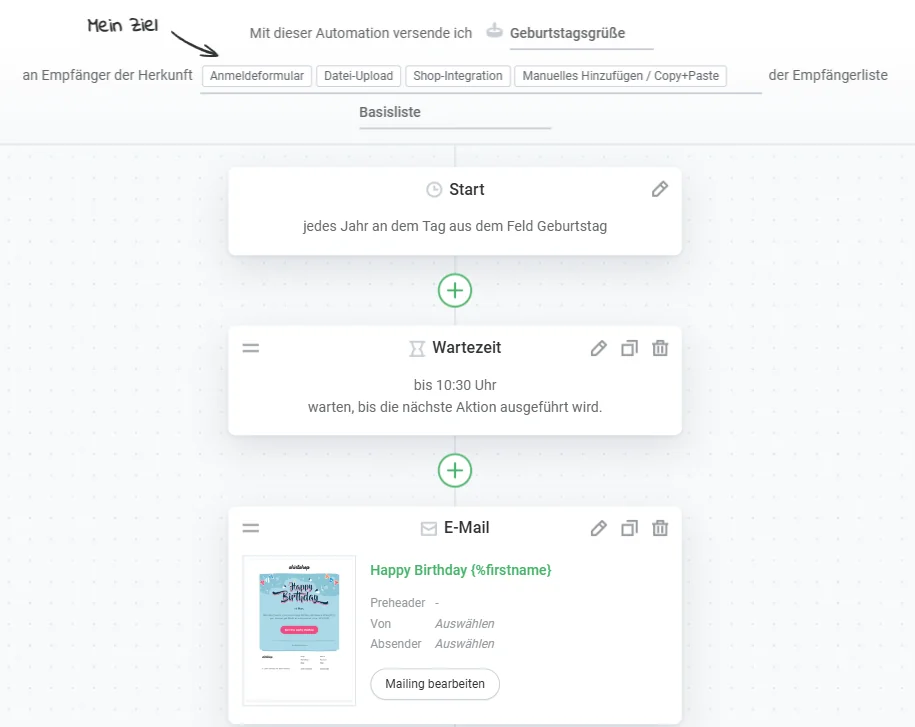
Are you looking for a quick and easy way to email birthday wishes to your contacts? With rapidmail, you only need to create customer birthday emails once using the marketing automation workflow and can then send them automatically to all your contacts. Our intuitive Campaign Editor also lets you design the birthday message exactly as you like! 🎁
The process could not be simpler:
- Collect the date of birth: Via a sign-up form or an extra field in the recipient list.
- Create a recipient segment: All contacts with a stored date of birth.
- Create the birthday email: Set it up once in the Campaign Editor.
- Automate sending: The automation will send the email on the appropriate date every year from now on.
- Carry out a test send: Before going live, check that the personalization and trigger work correctly.
Once the workflow is in place, the email will be sent automatically every year without any further action from you.
Discover rapidmail email automation now
👀 Need a little help getting started with each step?
No problem! Take a look at our help article. It explains in detail how to create your first automated birthday email for customers with rapidmail.
5. Free e-book to download: Writing aids for your birthday email copy
Even if it is not your birthday today, we have one last little gift for you: our writing aids for birthday emails, packed with creative subject lines and copy examples.
Whether you simply use the ideas as inspiration, copy and paste them directly into your own emails or are just curious to see what we have come up with, the sample copy will help you turn your birthday emails into a real celebration. 🎉
Download the birthday e-book (PDF in German)
6. Frequently asked questions about birthday emails
What is a birthday email?
What is a birthday email?
A birthday email is an automatically sent email that reaches customers on their birthday and often combines personal birthday wishes with a voucher, discount or gift.
How can I get my customers’ dates of birth?
How can I get my customers’ dates of birth?
The easiest way is to ask for the date of birth as an optional field in the newsletter sign-up form. It must not be a required field, and people must still be able to sign up without providing it.
When should a birthday email be sent?
When should a birthday email be sent?
Ideally, send it on the birthday itself, preferably in the morning. If the email contains a voucher, sending it one or two days earlier can be worthwhile so your customers have time to redeem it.
Does a birthday email always need a gift or voucher?
Does a birthday email always need a gift or voucher?
No. A gift can further increase customer loyalty and sales, but it is not essential. A simple birthday message without a present will also be well received and keep you connected with your customers.
Can AI help me write a birthday email?
Can AI help me write a birthday email?
Yes. The AI assistant in the rapidmail Campaign Editor suggests suitable subject lines in your company’s tone of voice and provides a good starting point for your own copy.
Does an automated birthday email need an unsubscribe link?
Does an automated birthday email need an unsubscribe link?
Yes. Triggered birthday emails are legally treated like regular newsletters and must contain an unsubscribe link that contacts can use to unsubscribe at any time.
How do I set up automated birthday emails in rapidmail?
How do I set up automated birthday emails in rapidmail?
It takes five steps: collect the date of birth, create a recipient segment, create the birthday email, automate the annual send and then carry out a test send.