How to improve your newsletter click rate: 5 simple tips for more clicks

After sending your first few newsletters, you will often start wondering how to improve your newsletter click rate. After all, a high open rate alone does not mean that a newsletter is successful. Only when recipients click one of the newsletter links leading to your website or online shop does the likelihood of a successful conversion increase. That is why we have put together our five best tips to help you improve your newsletter click rate in no time! 🚀
1. Definition and calculation: what click rate means in email marketing
A newsletter’s click rate, also known as its click-through rate (CTR), shows how many recipients clicked at least one link in the email. It helps you understand your contacts, their interests and their preferences more effectively. A high click rate means that your subscribers actively engage with the newsletter and find the content you offer interesting.
For example, if you run a bar and use your newsletter to promote upcoming events such as a girls’ night (“All cocktails half price! 🕺”) or karaoke (“Back to the ‘80s! Sing your favorite throwback songs at our karaoke night 🎤”), the response can reveal important information about your contacts. If the call-to-action button for the girls’ night receives a particularly high number of clicks, you can assume that many of your subscribers are women and cocktail fans who do not want to miss this fantastic offer. It may therefore be worth holding this type of event more often.
If, on the other hand, no one is interested in your karaoke night and nobody clicks the newsletter link to learn more, you can conclude that your recipients are less keen on singing and would rather not take to the big stage. In that case, consider removing karaoke nights from your events calendar entirely or at least holding them less frequently.
There are different types of newsletter click rate:
- 1️⃣ Unique or individual click rate: This is the simplest type of click rate and shows how many different people clicked a link at least once. It tells you how many recipients were generally interested in the newsletter content, without counting repeated clicks on the same link.
- 2️⃣ Total or multiple click rate: Unlike the unique click rate, the multiple click rate looks at the total number of clicks on a link, including repeat clicks by the same person. This shows which parts of your newsletter content were particularly interesting to your contacts and were even clicked several times.
- 3️⃣ Click rate per link: This version shows how often each individual link in a newsletter was clicked, with duplicate placements of the same link, such as an identical link behind an image and a text, combined. This allows you to identify which content interests your subscribers most and tailor your newsletters specifically to those preferences, such as your new menu.
- 4️⃣ Click rate in relation to the open rate: This form of click rate is also known as the click-to-open rate (CTOR). It tells you how many of the people who opened the newsletter actually clicked a link. If your CTOR is high, you can give yourself a pat on the back. It means that your newsletter subject line, which your contacts see before opening the newsletter, delivers on its promise and that your contacts find the content they expected and are interested in, such as information about upcoming events.
Overall, the click rate depends on a range of factors, including…
- …whether the content is tailored to readers’ interests 🕺
- …how the calls to action are positioned and worded 📢
- …whether the newsletter has an appealing, clear design 🖌️
Exciting and varied content will keep your newsletter click rate high over the long term. Our free collection of 55 refreshing newsletter ideas offers all the inspiration you need for your campaigns!
This collection of ideas includes:
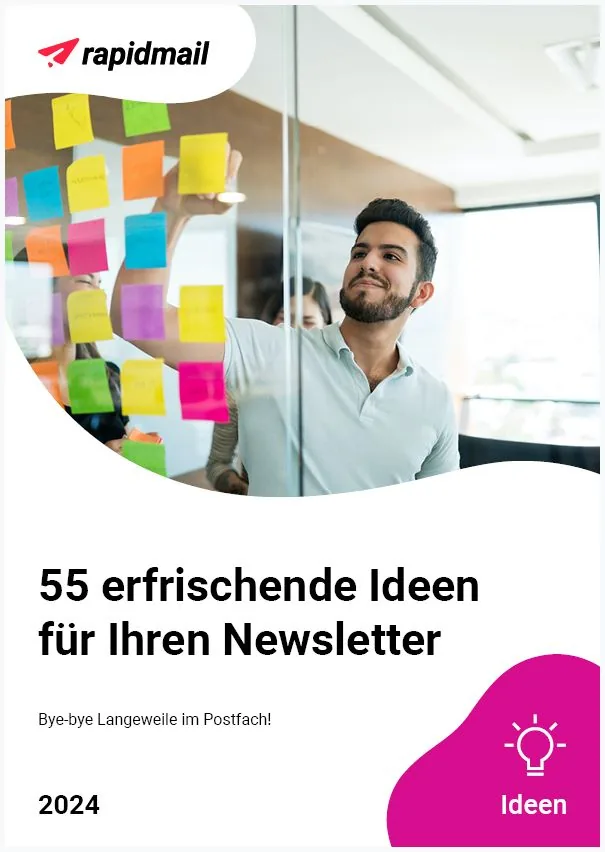
- 💡 Exciting tips for strengthening your relationship with newsletter subscribers
- 👀 Essential expertise to help you establish yourself as an expert through good newsletter content
- ✨ Valuable examples that you can use for guidance to confidently showcase your company’s success in your campaign
Download 55 newsletter ideas for free now (PDF in German)
How to calculate your newsletter click rates
But how exactly is a newsletter’s click rate calculated? Let’s use a simple example:
📐 rapidmail cheat sheet: calculating your newsletter click rate
Click rate = (unique clicks / (newsletters sent - bounces))* 100
Example calculation: We have 20,000 recipients and 250 bounces (= undelivered newsletters), and our newsletter records 800 unique clicks. This gives us a click rate of 4.05%:
Click rate = (800 / (20,000 - 250)) * 100 = 4.05
The values that constitute a good click rate for your newsletter depend heavily on your industry. Non-profit organizations and marketing, PR and advertising companies, for example, achieve comparatively high click rates of around 4%, while hairdressers, cosmetics businesses and beauty salons have slightly lower average newsletter click rates of around 2.7%:
| Industry | Average newsletter click rate |
|---|---|
| 📺 Marketing, advertising and PR | 4.3% |
| 👩🏼🤝👩🏽Non-profit | 3.6% |
| 🏃 Sport, nutrition services | 3.3% |
| 🎭 Arts, culture and entertainment | 3.2% |
| 🍴 Restaurant, pub, café, caterer | 3.0% |
| 💇 Hairdresser, cosmetics, beauty salon | 2.7% |
| 🛒 Retail | 2.7% |
| 📝 Consulting and training | 2.0% |
| 🌴 Travel and tourism | 1.6% |
2. Simple tips for more newsletter clicks
You now know what the newsletter click rate tells you and how to calculate it. That is a good start, but how can you increase your click rate and, ideally, keep it high over the long term? After all, this is one of your main goals as a newsletter sender: the more contacts click your content, the better!
1. Choose the right time to send your emails
Our first tip: good timing matters in email marketing too.
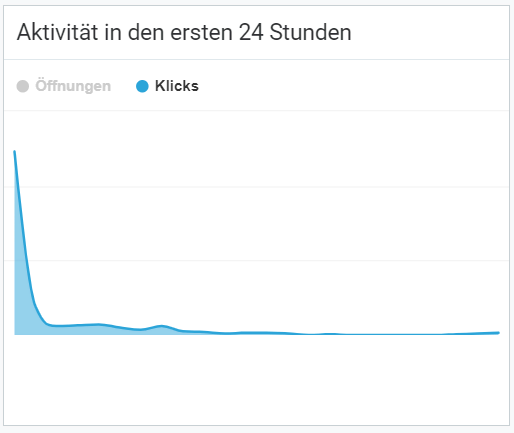
A newsletter will often reach your contacts’ inboxes at the wrong time, go unnoticed or quickly be forgotten. This happens because recipients often do not have time to check their emails or engage with the newsletter content when it arrives. The more time that passes between sending and subscribers looking at their inbox, the less likely they are to go back, read the newsletter attentively and click it.
Try putting yourself in your subscribers’ shoes: Imagine that you are shopping and hurrying through the supermarket aisles with your cart. You push the cart with one hand and check every product off your shopping list on your phone with the other. Only one hour to go until your hungry in-laws arrive and expect dinner to be on the table! Why does the supermarket have to be out of lettuce today of all days? Then your phone vibrates and you see an email with the subject line “Summer sale: save 10% on beautiful summer outfits today only!” Be honest: how likely are you to find a quiet corner of the supermarket at that moment and calmly click through the offers? Exactly, not at all. When you finally lie down after a stressful evening, you check your inbox on your phone. So many new emails… phew, you would rather look at those properly the next day. 😴
As you can see, the worst time to send a newsletter is when your contacts are in a hurry or feeling stressed. They may briefly open the newsletter, but something more important will probably distract them a moment later and they will close the email again. To find out which times you should avoid, first get to know your subscribers better and learn more about their daily habits. Unfortunately, there is no universal perfect day or time to send your newsletter.
If you want to optimize your click rate, you need to consider a wide range of factors:
- 🎯 Your target audience: are you addressing B2C or B2B contacts, for example?
- 👪 Their professional and family circumstances: are your content and offers aimed specifically at single people, fathers or students, for example?
- 🚲 How your contacts spend their free time: do they prefer spending their free time at home with their family, or are they more interested in an outdoor adventure?
- ☔External circumstances such as the weather: who wants to go to an outdoor pool in wind and rain when a good film is showing at the cinema that day?
It is not that simple. However, our tips and tricks for the best newsletter send time can help you use criteria such as your specific target audience, their activity on your website or your competitors’ sending habits to define a clear window in which you can best reach your contacts.
As with everything in newsletter marketing, however, nothing beats testing. Although there are numerous studies on the ideal send time, their results cannot simply be applied to every newsletter. Particularly when you are starting out as a sender, you should therefore test different send times and later use your newsletter statistics to check whether click rates differ from those achieved with previous send times.
When choosing your send times, always consider upcoming public holidays, vacation periods or children’s school vacation. These periods may unfortunately mean that your newsletters receive less attention, or, depending on your offer, considerably more.
👀 What should you consider when sending newsletters internationally?
If you want to reach newsletter subscribers in different countries, remember the different time zones. An email with the subject line “Good morning, Max! Here’s the perfect morning read for your wake-up coffee” might appeal to European contacts who receive it at 6:00 in the morning, just as their alarm goes off. But what your US readers will make of a newsletter that lands in their inbox at midnight, just before bedtime, is another question. The same applies to whether they will feel like clicking the calls to action. Segmenting your recipient list is an excellent way to avoid this problem and set suitable send times for all your contacts. You can also find more useful tips for international newsletter marketing on our blog.
2. Send relevant newsletter content
Many senders use just one recipient list for all their newsletters without segmenting it. This means that all subscribers always receive the same newsletter with the same content. Particularly with a large number of recipients, however, the topics are unlikely to be interesting and relevant to every contact.
For example, a child-free couple will probably have little interest in 20% off all nursery furniture in your furniture shop’s online store next week. A newsletter offering “10 tips for a healthy diet in later life” is equally irrelevant to a 20-year-old subscriber. It is hardly surprising that a call-to-action button reading “Stay healthy as you age” does not generate a click in this case.
It makes much more sense to take time before your first send to get to know your target audience and create different persona profiles. You can then use segmentation or keywords, also known as tags, to divide your contacts into several subgroups and send newsletters tailored to each audience. Relevant content will win readers over and encourage them to click the links that lead to further information.
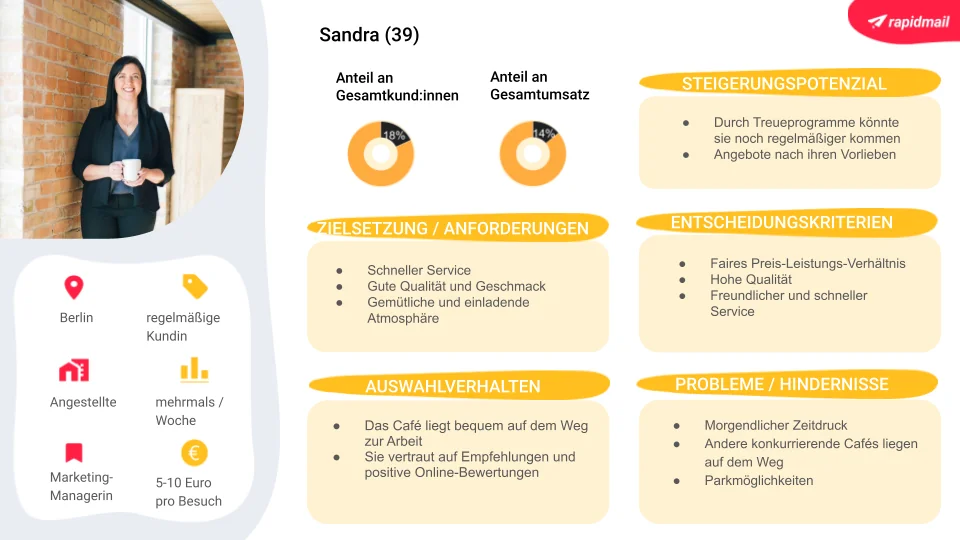
Would you also like to create personas to win over your target audience even more effectively? Then our free persona template is exactly what you need!
The benefits of our persona template:
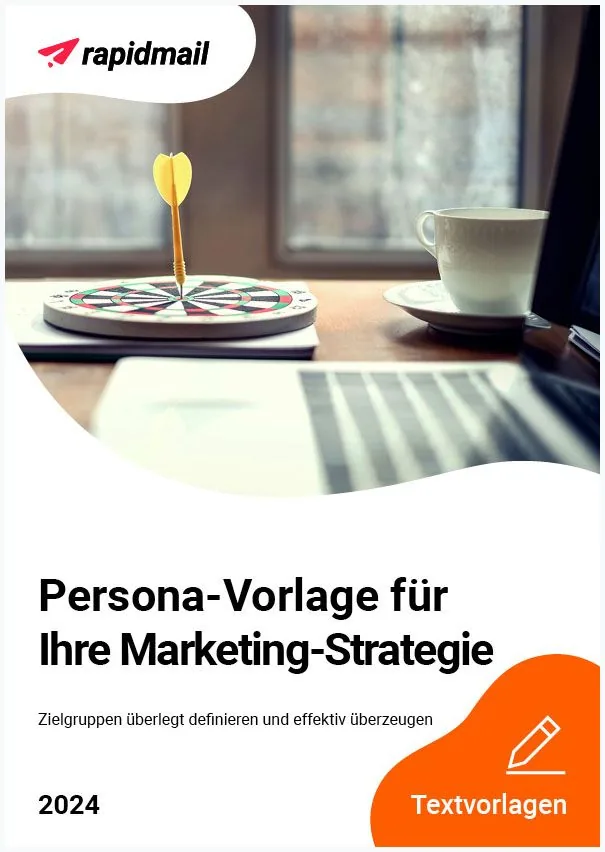
- Free download of the template as a PDF file
- The pre-filled fields in the persona model make defining your target audience quick and easy, even without prior knowledge
- The template is editable, so all you need to do is add your own information and images
Create your persona in no time, with no prior knowledge required! 🚀
Download the persona template for free (PDF in German)
If you find it difficult to divide your target audience into different persona types, there are other ways to discover which newsletter content your contacts find interesting. For example, you can use an initial survey newsletter to ask your readers which topics interest them most. Analyzing newsletters you have already sent can also reveal which content your subscribers particularly enjoy.
Another way to learn more about your contacts’ topic preferences is to look at your website traffic: which of your pages are visited most frequently, and which articles have the longest reading time? These topics appear to be particularly popular with prospective customers.
👀 Did you know?
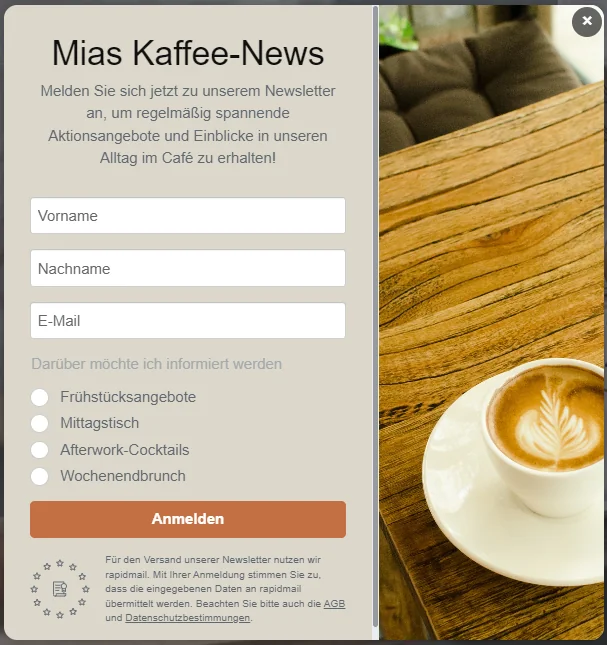
You can use your newsletter sign-up form to learn about your future readers’ preferences. With rapidmail, simply add an extra section when creating the sign-up form where prospective subscribers can voluntarily state their interests. You can then use this information later to send your contacts relevant content only.
You can also ask your customer support colleagues which questions customers ask most frequently. Their answers will help you identify which content supports your contacts and will therefore automatically generate plenty of newsletter clicks.
Alongside creating audience-relevant newsletters based on persona profiles, you can also divide your contact list according to criteria such as:
- 🧓 Recipients’ age groups
- 👫 Gender
- 🏠 Place of residence
- 🛒 Purchasing behavior
- 📨 Open and click behavior for previous newsletters
You can then send different newsletter content to each group. Reactivation campaigns, for example, are only useful for recipients who have not opened a newsletter for some time. Segmenting by place of residence, on the other hand, allows you to send targeted invitations to events taking place within easy reach of your contacts’ homes.
3. Design visually appealing newsletters
Does this sound familiar? You open an email, take one look and immediately lose all interest in reading the content. This can happen if a newsletter contains no images and instead has a huuuuge amount of text, for example. Or perhaps the newsletter contains too many different colors and flashing elements, such as offers, brightly colored headings and animated GIFs, leaving readers unsure where to look first.
Cluttered newsletters with too many different colors and flashing elements strain the reader’s eyes. This newsletter is unlikely to achieve a good click rate.
When working on your newsletter layout, it is therefore important to ensure that the design is consistent and that content is structured in the same way across all newsletters. This makes your newsletters recognizable, so your recipients know as soon as they open the email that it comes from you. If contacts can immediately associate the newsletter with your company or brand, they are more likely to click the call-to-action button in the current newsletter after previously having a positive experience with your content.
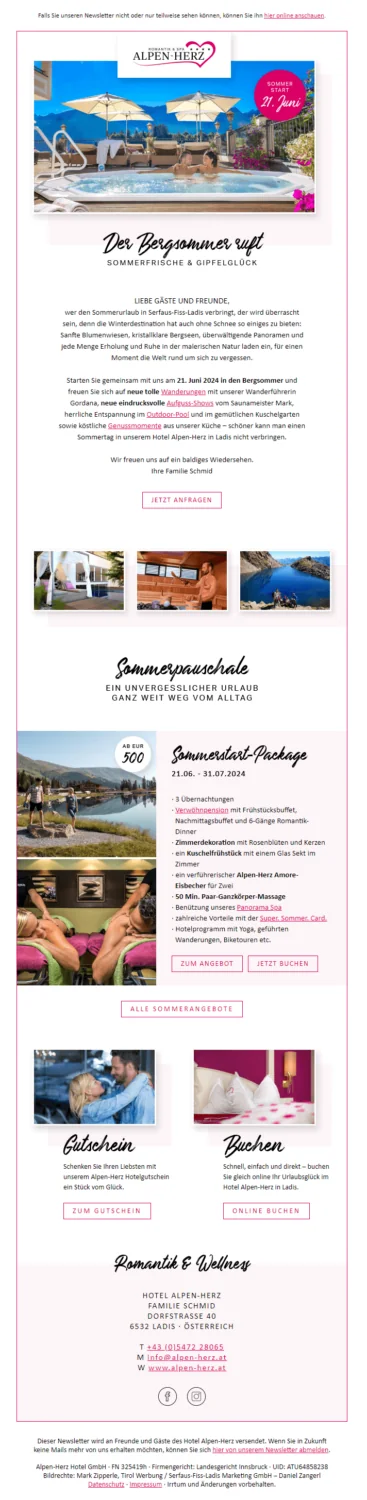
A consistent newsletter template that matches your corporate identity and provides the same structure for every campaign not only makes your newsletters recognizable to recipients. It also saves you work as a sender, because instead of rebuilding the entire newsletter every time, you simply replace the old content with the new.
👀 Did you know?
The rapidmail 1-click design makes creating your own newsletter easier than ever. To create newsletter templates in your corporate design, all you need to do is enter your company URL in rapidmail. 1-click design then extracts the colors and fonts from your website and even adds your logo and social links to the design. You can make a few individual adjustments afterwards, then reuse the finished design in upcoming campaigns, including across different templates and layout variations. 1-click design ultimately provides you with many newsletter templates in your own individual design. Creating modern newsletters in your corporate design has never been easier! 🚀
Images of the advertised products also help to capture recipients’ interest, as the picture gives them a clearer idea of the item. This interest in the product then encourages your contacts to click the product photo or another related link to learn more.
If you would like to include a moving image in your newsletter, which often results in a higher click rate, we recommend using a GIF, in other words, an animated image. If you want to show subscribers a full video in your newsletter, use a linked image or GIF instead to direct them to your website, where they can watch the video at the ideal size and in the best quality.
Particularly in long newsletters, it is also important to leave enough white space rather than filling every last spot with text or images. To help your contacts understand the content even when skimming the newsletter, you should turn long blocks of text into short bullet points. In short, the clearer and easier to navigate the newsletter design is, the more readily readers will know where to look: at the linked call-to-action button that takes them directly to your online shop or website with one click.
The rapidmail newsletter
Tips, ideas and news about email marketing, straight to your inbox.
4. Include compelling calls to action
No matter how carefully planned and attractive a newsletter’s design and structure may be, if the email only contains a simple text link and lacks a clear prompt to act in the form of a call-to-action button, your readers are still unlikely to find the link, let alone click it. A small text link may be particularly difficult for your contacts to tap with their finger when reading on a smartphone.
It is therefore worth including an easy-to-click button in an eye-catching color in every newsletter, charmingly inviting subscribers to click it. One click then takes your contacts to your online shop or website.
Many senders make the mistake of placing the CTA at the very end of the newsletter. If readers have to scroll for a long time to reach the CTA, they may close the email before they get there and the hoped-for newsletter click will never happen. You should therefore position your prompts to act in the upper third of the email, where they are immediately visible.
You can find out which CTA position generates the most clicks by dividing your recipient list into several groups and sending each group the same newsletter with the CTA in a different position (left-aligned, centered or right-aligned, at the start of the email, below the text, and so on). After sending with rapidmail, the click map in newsletter reporting shows how many clicks each position generated.
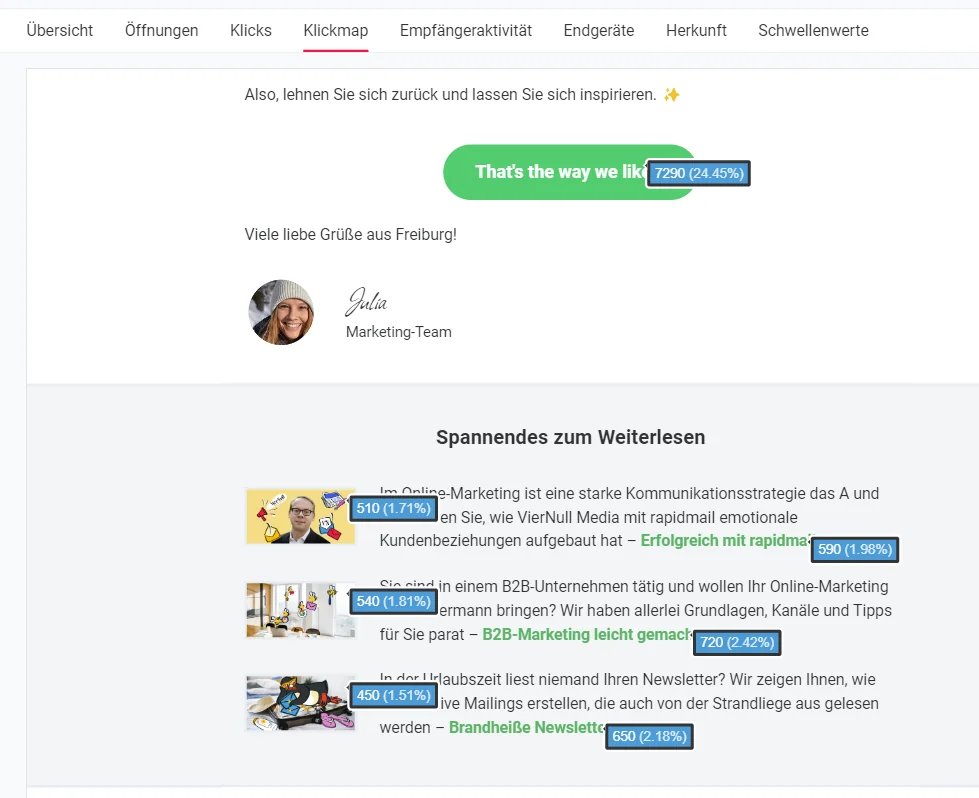
Is more always better, even with CTA buttons? Unfortunately not. Simply adding a large number of calls to action to your newsletters does not mean that you will increase your click rate. Too many clickable buttons are more likely to leave your subscribers unsure where they should click. Sadly, this often means that they do not click anything at all. We therefore recommend including just one central call-to-action button with a short, easy-to-understand prompt to act and adding any further links as text links, without a button shape.
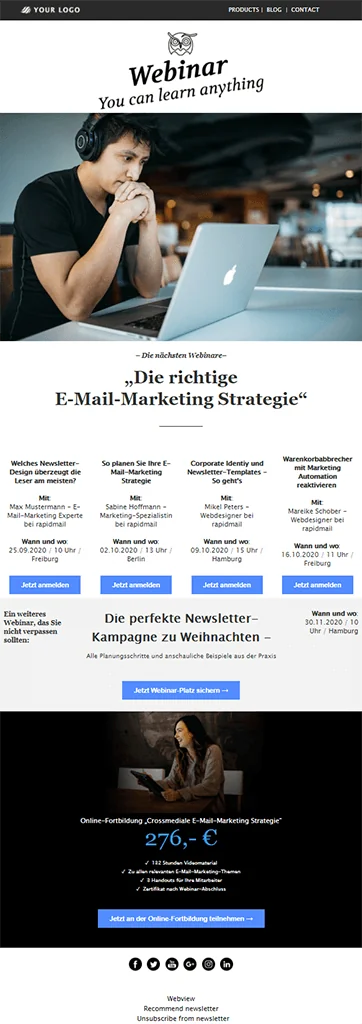
For a call to action to generate plenty of clicks, it must not only stand out through its color. Recipients must also immediately recognize the benefit when reading it. The button label should show your contacts that just one click is all it takes to access the latest special offers, the fall collection or fantastic travel inspiration.
Standard labels such as “More information” or “Click here” do not generally deliver higher click rates. A combination of a strong action verb such as “get”, “buy” or “save” and a creative CTA label, such as “Hit the bullseye” on Black Friday, promises the greatest click-rate success in email marketing.
Create a newsletter with a compelling CTA
5. Maintain your recipient lists
If you do not regularly remove inactive newsletter subscribers from your recipient list, they will harm your click rates over the long term. If they still do not respond to your emails after reactivation attempts, you should no longer include them when calculating your newsletter click rate. After all, you already know that they are unlikely to react. This distorts the actual click rate among all interested readers.
Remember to tidy up your recipient list at regular intervals. You can safely assume that contacts who have not opened any of your newsletters in the past six months are no longer interested and remove them from the list. Regular spring cleaning benefits not only your click statistics, but also your budget (because you contact fewer recipients) and your delivery rates (because a higher percentage of contacts interact with your emails).
👀 Have you seen this? How to build your email list
Would you like to learn more about successfully building a recipient list for your email marketing? In the following video, our Content Manager Wiebke explains the process step by step:
Open video transcript
Chapter 1: Introduction
Especially when you are just starting with email marketing, you wonder how you can quickly build a large email list. But even if you have been sending newsletters for some time, you will certainly want to keep growing your email list. Today, I will show you how to do that easily and, above all, lawfully.
You have made the good decision to get started with email marketing. Buuuut wait, stop: where are you actually going to find subscribers?
Hi, I’m Wiebke, and I’ll show you how to build an email list full of contacts who are keen to receive your newsletters.
Chapter 2: The most important principles for building your mailing list
Please do not buy email lists! Sending to purchased addresses is not only illegal, but usually makes little sense. The contacts are unlikely to be interested in your offers.
Instead, build your own email list of contacts who freely and genuinely want to hear from you. Best of all, your email list belongs to you. You can communicate directly with your subscribers and, unlike on social media, you are not dependent on platforms and their algorithms.
But what do you need to build your own email list step by step?
Chapter 3: Requirements for building an email list
An essential element of successfully building an email list is a reliable email marketing tool. It allows you to collect and manage contacts as well as design and send emails. You can use the software to create sign-up forms and embed them on your website. There are numerous tools on the market, including rapidmail. If you would like to consider other providers, our newsletter tool comparison can help you find the right solution. When making your choice, consider which features matter to you, whether you need complex functionality, whether you value free support or whether you require software that is 100% compliant with the General Data Protection Regulation (GDPR).
Another important point is where you position the sign-up form. It should appear at strategically useful points on your website. You can choose whether the form appears as an eye-catching pop-up or is placed more discreetly in the footer. Make sure you do not overwhelm your visitors with too many pop-ups. rapidmail makes it particularly easy to design an attractive sign-up form. Simply enter your URL, and rapidmail automatically creates a customized form with your logo and company colors. You can, of course, customize the form and then embed it on your website. As soon as prospective subscribers find the form, enter their email address and confirm the double opt-in process, they are automatically added to your email list.
Offer incentives to encourage more people to sign up. Visitors will not simply leave their email address without convincing benefits. Attractive offers such as discounts, free delivery, contests or exclusive content, including ebooks or checklists, significantly increase the likelihood of a sign-up.
These basic steps lay the foundations for building your email list. But there are still several tips that can help you get the most from your sign-up process.
Chapter 4: Tips for the ideal sign-up process
A successful sign-up process ensures that prospective subscribers receive exactly the content that is relevant to them. You can offer different newsletter topics by allowing prospective subscribers to select the content they want to receive using keywords. A travel agency could offer categories such as weekend breaks, cruises and round trips, for example. Contacts can then decide which travel offers they want to receive by email, while you can use the corresponding keywords to target your sends.
To encourage as many people as possible to sign up, make the process as simple as you can. Too many required fields can be off-putting. In general, asking for an email address is enough. You can optionally add first and last name fields so you can address your contacts personally later.
A persuasive call to action can make signing up even more appealing. Instead of a dull “Sign up” button, a creatively worded prompt such as “Sign up now and save 10%!” is far more effective.
Legal compliance also plays a major role. Use the double opt-in process to ensure that people sign up voluntarily and that your contacts have confirmed their consent. Entry into a contest must not depend on signing up for the newsletter, and contacts must be able to unsubscribe at any time.
To welcome new contacts from the outset, send a welcome email immediately after they sign up. First impressions count, and a friendly greeting can immediately strengthen their relationship with your company.
You should also use other channels to draw attention to your newsletter. Social media, advertising and QR codes can help you gain new subscribers. You can collect contacts offline too, for example through sign-ups by text message or printed QR codes.
Chapter 5: Tips for a low unsubscribe rate
To prevent your email list from shrinking again immediately, choose the right sending frequency. There is no universal rule for the ideal frequency: it depends on your industry, company and target audience. One useful rule of thumb, however, is to send emails only when you have valuable content to offer. If you are unsure, you can ask subscribers about their preferred frequency directly in the sign-up form.
Segmenting your recipient list is another important consideration. Not all subscribers have the same interests. Use personas and segments to provide tailored content. Customers in Hamburg, for example, could receive different offers from recipients over the age of 50.
Variety is equally important. Nobody wants to read the same content all the time. Vary your topics and surprise your subscribers with new formats to keep your open rate high.
If your subscribers also follow you on social media, make sure you do not share the same content everywhere. The newsletter should provide clear added value, such as exclusive discounts or content available only to subscribers.
An attractive design is another essential factor. Use high-quality images, a harmonious color scheme and a clear structure with plenty of white space to delight your readers visually.
Finally, do not send too much advertising. If your readers feel that you are constantly pressuring them to buy, it could be counterproductive. Instead, focus on providing valuable information and helpful tips, and include promotional content only occasionally.
Chapter 6: Conclusion: how to build your email list
If you follow these principles, your email list will grow step by step. But remember: Rome wasn’t built in a day. Give the process time and celebrate every genuinely interested contact.
I hope you have plenty of fun and success building your email list! If you still have questions or comments, I would love to hear your feedback in the comments.
Thanks for watching, and see you next time!
3. Conclusion: how to improve your newsletter click rate
When researching online, you will find numerous articles about email marketing that give different specific benchmark click rates for senders to follow. However, these statistics on the ideal click rate often overlook important factors such as the size and quality of recipient lists, the company’s industry or the newsletter content.
Instead, focus on your own newsletter click rates and monitor them over an extended period. By analyzing and optimizing your newsletters regularly and following our tips for higher click rates from this article, you should see a positive trend in your newsletter click rates over the long term. If a campaign generates a particularly high number of clicks, be sure to take a closer look: how is this newsletter different from previous campaigns? Did you try a new topic or structure the content differently? You can keep every element of that newsletter that was well received by subscribers for future sends.
So, what are you waiting for? Keep working to improve your click rate and become a newsletter pro!
Put these tips into practice and send click-worthy newsletters