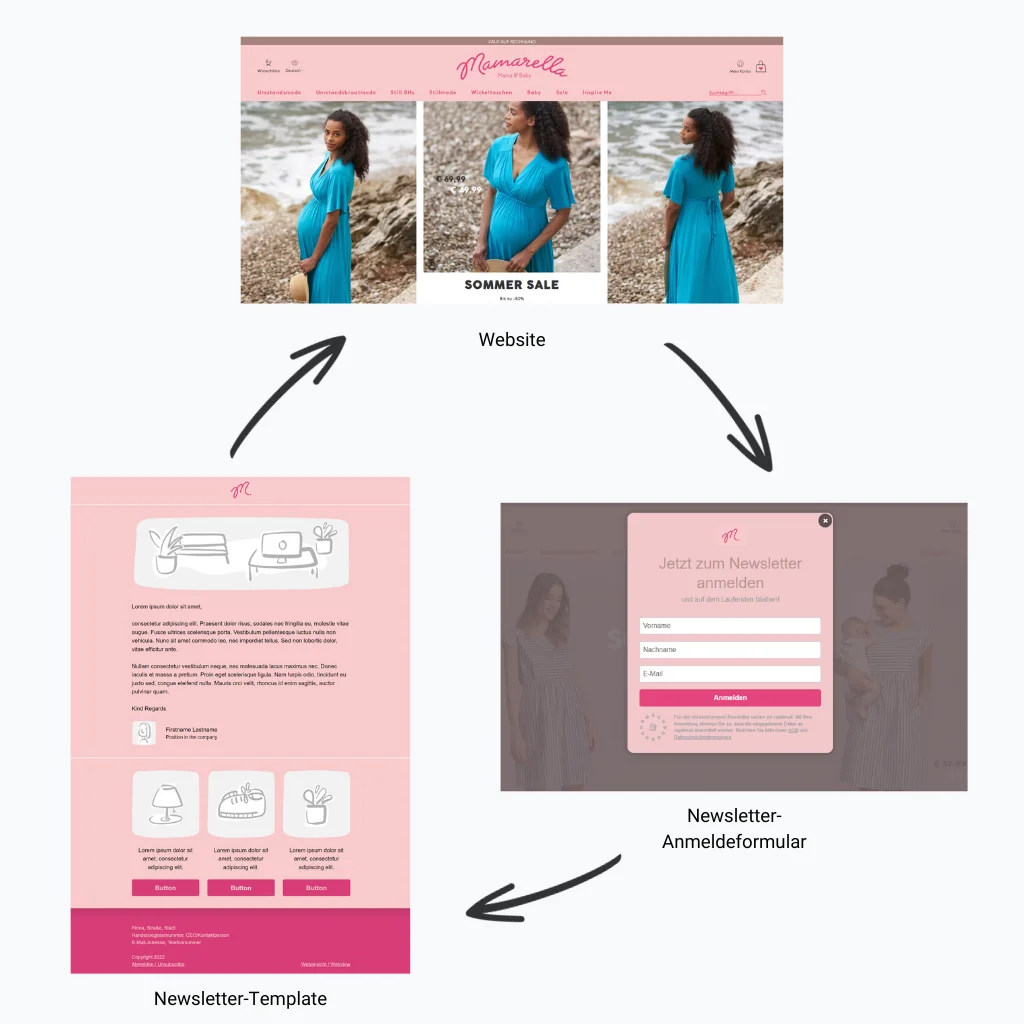
Automatically create newsletters in your company design with 1-click design

Does this problem sound familiar? You invest a great deal of time and effort in designing your newsletter, but in the end it does not look the way you imagined, feels a little chaotic or does not quite suit your brand. This is not only tiring and frustrating, but also has a negative impact on your email marketing. After all, an attractive design helps ensure that people continue to read your newsletter and that your brand stays in your contacts’ minds.
With rapidmail 1-click design, this dilemma is finally a thing of the past! In just one click, you can create professional newsletter templates in your company design, with no design or programming skills required. We show you how the new 1-click design can effortlessly take your email marketing to the next level.
1. Professional newsletter design that matches your brand, without a design team or agency
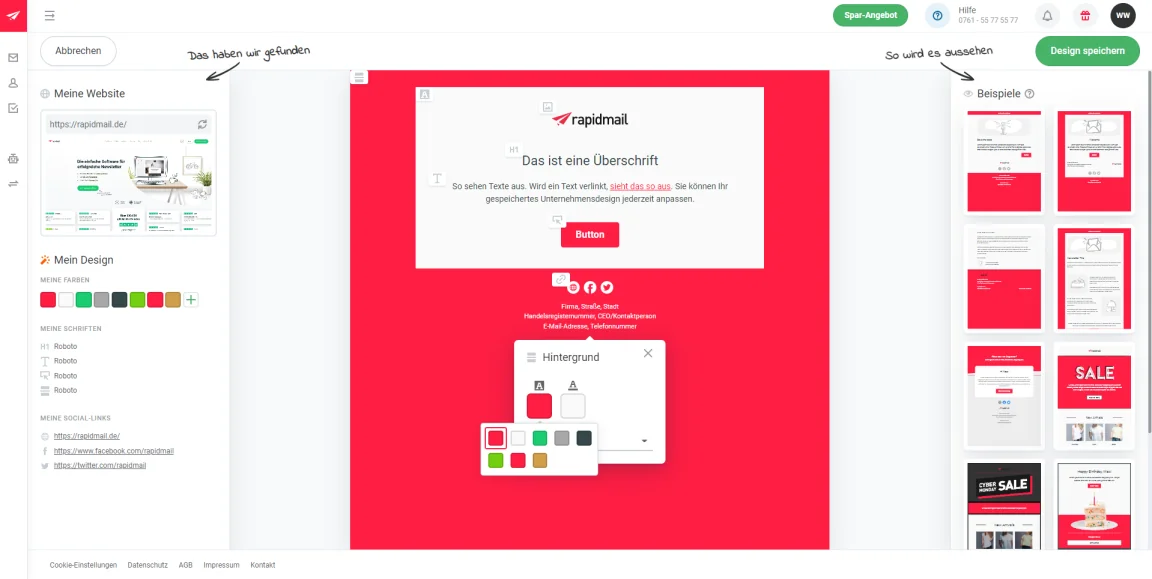
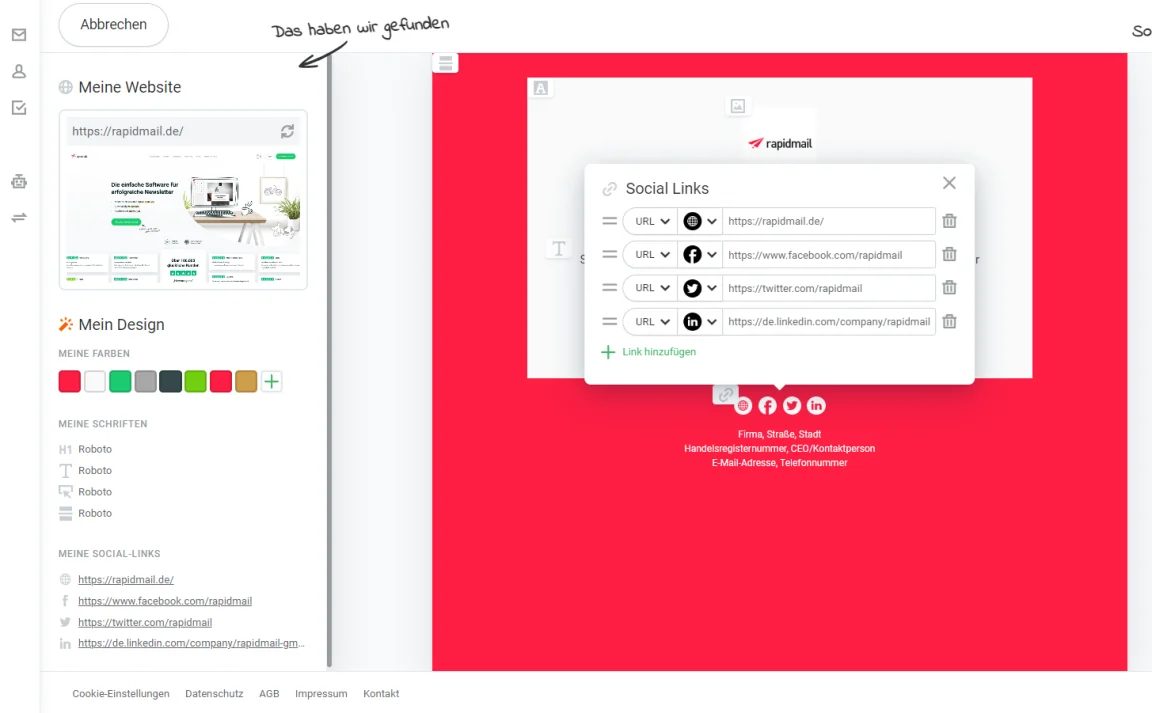
Here is how it works: simply enter your website URL and click the “Continue” button. We then automatically transfer the colors, fonts, logo and even social links from your company design to our newsletter templates. If you use several logos on your company website, 1-click design even offers you the different logo variants for your newsletter template. Of course, you can also upload a different logo.
Thanks to 1-click design, you do not need in-house design resources, a marketing agency or specialist knowledge to create a professional newsletter online that fits seamlessly into your corporate identity. This makes designing your newsletter much simpler, so you can check it off quickly and return to the other important tasks on your to-do list.
💡 rapidtip
If your website contains a custom-coded cookie banner, 1-click design may pick up the colors from this banner instead. Do you not want these colors in your email template? No problem. You can quickly and easily adjust and replace all the colors yourself.
2. Ready, set, go: save time creating your newsletters
You may have guessed it already: 1-click design saves you not only a great deal of work and budget, but also a huge amount of time. Instead of laboriously configuring every design setting yourself, keeping color codes and font names to hand, and searching through the jumble of files on your computer for the company logo, rapidmail works its magic to create professional newsletter templates that capture your brand perfectly.
Much of the work is therefore already done when you want to create and send a campaign. All you need to add to your branded newsletter template is your own copy, the labels for your CTA buttons and colorful images.
💡 rapidtip
Have you tried the rapidmail image editor? It allows you to edit images directly in your campaign, crop and rotate them, or add cool filters, saving you the need for extra image-editing programs or additional steps. Try it for yourself!
3. Want a personal touch? Plenty of design options for your branded templates
Do not worry: nothing is set in stone with 1-click design. Once you have created your custom design in the editor with a single click, you can decide whether you already like the suggested design settings or want to make a few small adjustments yourself. For example, you can change the rounding of the call-to-action button, replace the background color or use a different logo.
👀 Did you know?
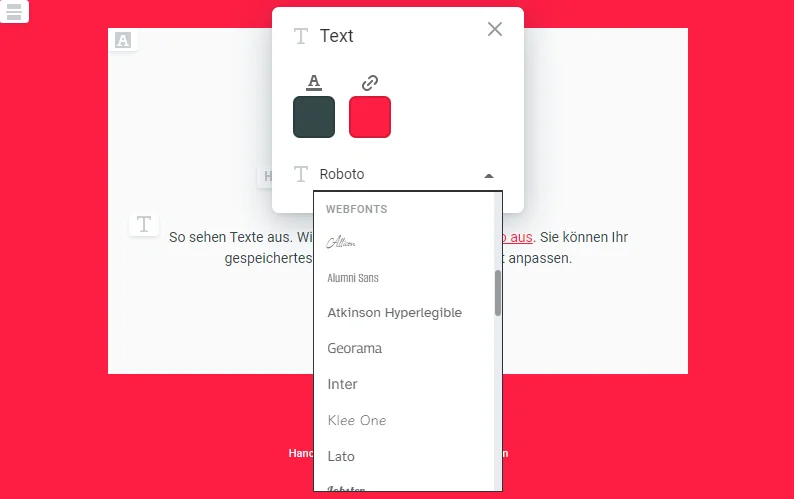
What happens if the font used in your website’s corporate design is not among the fonts offered by rapidmail? We replace it with a standard font. However, you can change the font at any time and choose another that you like even better or that more closely resembles your company font. rapidmail gives you 40 different web fonts to choose from, adding that special something to every campaign. ✨
4. Stay connected with automatically integrated social links
Alongside colors, fonts and your logo, 1-click design even imports your Facebook, Twitter and Instagram social links, provided, of course, that you use them on your website. If you want to link to more social networks in your newsletter, you can choose them directly from a list of more than 50 social media icons and manually add the icon and link to your newsletter template, helping you stay perfectly connected with your contacts.
The rapidmail newsletter
Tips, ideas and news about email marketing, straight to your inbox.
5. Create once, use countless times: a finished design for future campaigns
Hooray! Your automatically generated design now gives you a choice of many professional email templates in your corporate design. You can use them again and again to create new newsletters. With 1-click design, you have therefore not only saved a great deal of time creating your branded newsletter templates, but will continue to save time whenever you create new campaigns in the future.
Can things never move fast enough for you? In the rapidmail editor, you can simply save finished newsletter elements such as the header area or signature under “My elements” and drag and drop them into future campaigns.
👀 Are rapidmail’s ready-made newsletter templates still available?
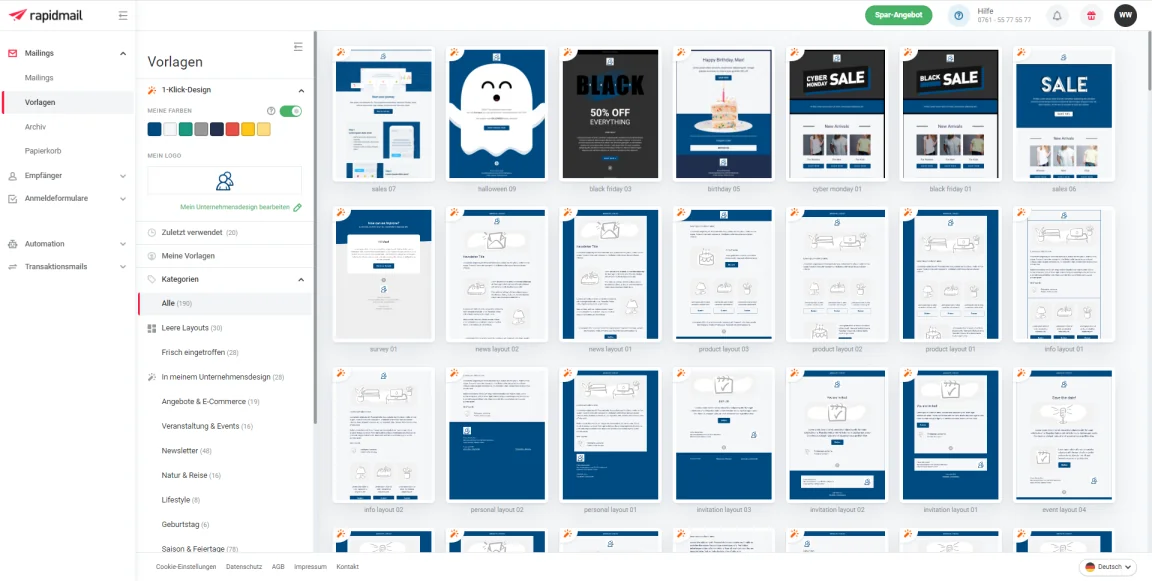
Of course, you can continue to use rapidmail’s 12 popular, free newsletter templates. 1-click design can already be applied to some of these templates, and we are working flat out to make even more templates compatible with 1-click design. This means that for seasonal occasions such as Easter, Christmas or Black Friday, you can send a newsletter that is tailored to your company design while still having that special touch the occasion deserves. ✨
Alongside simple layouts, the template overview also includes templates for specific purposes, such as ecommerce, birthday emails and seasonal occasions.
6. Increase brand awareness through consistent corporate communication
Consistent corporate communication increases brand recognition and ensures that people who already know your brand will immediately recognize your content from your company design.
1-click design helps you take a major step toward consistent customer communication by adapting both your newsletter templates and newsletter sign-up forms to your website design, without a large investment of time or money.
With 1-click design in the rapidmail Premium plan, you can therefore guide your existing and potential contacts from your website through the sign-up forms to your newsletter and back to the website, or vice versa, with a consistent brand identity that helps you build strong customer loyalty and greater awareness.