Collect valuable feedback with newsletter surveys: Here’s how!


By gathering feedback from customers and prospects by email, you can get to know your target audience better. You can measure customer satisfaction and assess their needs, interests and behavior more easily. Survey newsletters therefore help you continuously improve your products and services and tailor them more closely to customer needs. The result: you sell more! Our tips will help you create and send an effective newsletter survey. Let’s get started!
1. When and for whom is it worthwhile collecting feedback by email?
First things first: it is worthwhile for everyone, whether a company, association or agency, to regularly ask customers or members how satisfied they are with its products, service or offerings. One major advantage of feedback emails is that they show your target audience that their opinion matters and that they can actively help shape what you offer. At the same time, your company can draw valuable conclusions from the survey results, such as how your product is used, and use them to identify the next steps for improvement, including new product features.
An internal employee newsletter in the form of a survey email is also a good way to gauge the overall mood within the company or gather ideas and find a date for the next team-building event.
As a newsletter sender, you can set different objectives for your survey newsletter and define relevant questions, such as:
- 💬 General customer survey: How and when do customers use our product? Are our customers satisfied with our services? Which features do customers feel our product is missing? How can we improve?
- 💡 Assess the relevance of a new product feature or business idea: What do customers think of our idea to add feature XY to the product, and is there a need for it? What do visitors to our café think of our idea to create a “café office” area? Would they use it?
- 📢 Identify new advertising channels: How did our customers discover our product? Where or from whom did they hear about it? Which social media platforms do our customers use most often?
- 😊 Ask about satisfaction with the support team: In which situations have our customers already sought help from customer support? How satisfied were they with the assistance they received? What could we do better?
- 🗣️ Employee survey: How satisfied are employees with their work for our company? Where do they see room for improvement? What do employees think of the new working-from-home policy? Is there a need for a staff canteen?
- 📆 Plan association events: On which date are most members available? Who can help with the planning and how? What should the theme of the association’s event be?
- 🏢 Feedback on the company newsletter: Would our subscribers like to receive newsletters from us more regularly? Which topics would they like more information about? Which newsletter content have they particularly enjoyed so far?
💡 rapidtip
The following also applies to survey newsletters: to send someone a GDPR-compliant feedback survey email, you must have their explicit consent, obtained through the double opt-in process, for example. Survey emails to existing customers may be an exception under certain conditions. To be on the safe side, you should also review the legal requirements for sending newsletters.
2. How can I create an email survey?
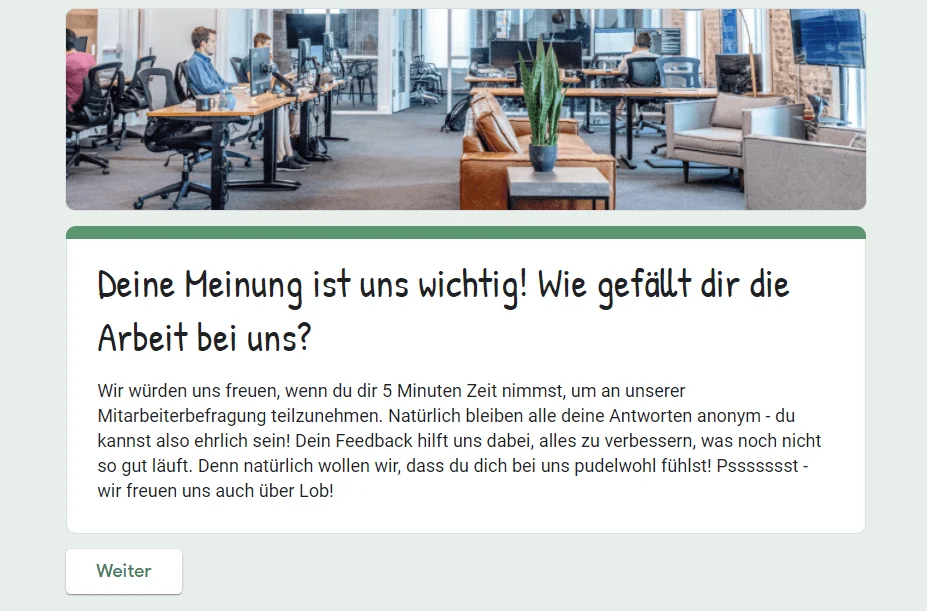
Before you can send a survey newsletter, you first need to create the survey itself, of course. For technical reasons, it is unfortunately not currently possible to integrate a survey directly into the newsletter and complete it there. However, there are numerous online survey tools that you can use to create your survey and add it to your campaign via a link.
Depending on how comprehensive and sophisticated you want your email survey to be, there are both paid and free survey tools offering different features and design options. First estimate roughly how many questions you want to include in the survey, which question types you need and how many people should take part. Then choose the survey tool that best meets your needs.
The most popular online survey tools are:
- SurveyMonkey: up to 40 responses per survey for free
- Google Forms from Google: free basic version, suitable for smaller and anonymous surveys
- LimeSurvey: up to 25 responses per month for free
- Typeform: 3 surveys with a maximum of 10 questions and up to 100 responses for free
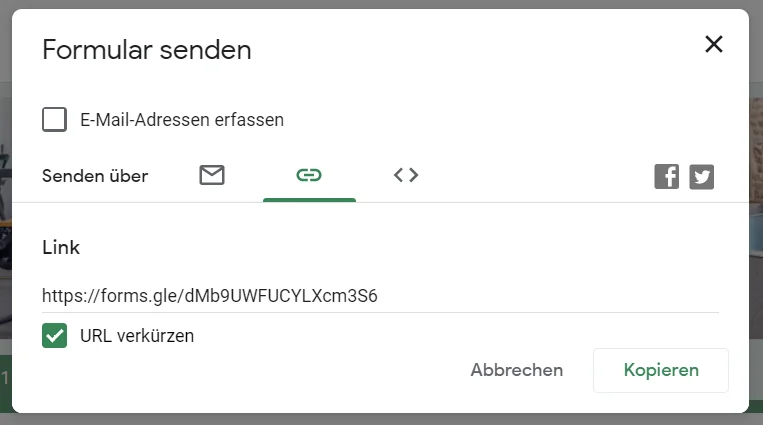
Once you have completed your survey, the relevant survey tool will provide you with a shareable link. You can copy this and then insert it into your survey newsletter.
3. How can I send a survey by email?
Great, you have already created your email survey and its shareable link! Before you create and send your survey email using your newsletter tool to gather feedback from newsletter subscribers or customers, work through the following to-do list step by step:
Define your target audience
You should tailor your newsletter copy as closely as possible to your customers, prospects or employees. This will make it easier to encourage them to take part in your survey. You should therefore think carefully beforehand about who should participate in your survey.
Answer the following questions in advance to define your survey’s target audience:
- Which contacts in your newsletter mailing list can answer your questions in the first place? For example, all subscribers who attended your last webinar or all employees who have worked for your company for at least two years
- Which groups of prospects or buyers will provide relevant answers to the survey? For example, all new customers who purchased your product XY in the last month.
- Do you want to survey a specific age group? For example, all customers aged 50 to 60
Once you know exactly who you want to reach with your email survey, you can prepare your recipient list accordingly for sending the newsletter feedback survey. Depending on the tool you use and how you have organized your subscribers in your email marketing tool, you may have the following options, for example:
- Create a new recipient list: Create an entirely new recipient list in your newsletter tool for the survey campaign, containing all the contacts who should take part in the survey.
- Select or create specific tag groups: If you have assigned specific keywords, also known as “tags”, to your customers or newsletter contacts in your campaign software based on their buyer group or interests, for example, you can select specific tag groups when sending your email survey. Alternatively, in your usual recipient list you can assign a tag such as “survey-2021” to all recipients you want to survey and then send the survey to this recipient group.
- Divide the recipient list into segments: In addition to targeting different interests or purchasing habits, you might only want to survey customers who live in a particular city, opened your last newsletter or are a certain age. Instead of creating a separate new recipient list for your survey email, you can divide your existing contact list into different segments. You can then send the survey only to selected recipient segments.
The rapidmail newsletter
Tips, ideas and news about email marketing, straight to your inbox.
Plan a newsletter series for the survey
The survey is ready and the recipient list is prepared! All that remains is the newsletter design. Or, more precisely, the newsletter series. It is always worth announcing the planned survey in one of your previous newsletters and, after sending the survey, sharing the most important survey results with your subscribers.
The following structure for your newsletter series will help you achieve the highest possible response rate:
- Announcement newsletter: Prepare your customers or prospects for the survey by announcing it in an earlier newsletter. Capture your readers’ attention at this stage and encourage them to participate, for example by offering a prize draw for everyone who completes the survey. Nothing motivates subscribers to answer a few questions quite like the prospect of a great prize! You do not necessarily need to create a separate announcement newsletter to prepare your prospects for the survey. It is often enough to mention in a suitable place in an earlier newsletter that you will soon be conducting a survey and explain which fantastic prize participants can win.
- Survey newsletter with a link to the survey: The campaign in which you share the link to the online survey should focus entirely on the survey. Avoid combining the survey with other content, as that content could steal the spotlight! We will explain how to include the survey link in the email and how the email should be structured later.
- Reminder newsletter: With rapidmail’s professional email marketing tool, your campaigns are automatically analyzed after they are sent. In the newsletter statistics, you can see which subscribers did not click a link in your survey email, among other things. You can send these recipients a follow-up campaign with just one click and ask them again to take part in your survey.
- Thank-you newsletter summarizing the most important results: Customers, prospects or employees who took part in your survey will naturally be eager to learn the outcome. Even if you cannot or are not permitted to share all the results in detail, summarize at least some findings, such as the most important or surprising ones, for your subscribers in a final newsletter. Take this opportunity to thank participants for their help too!
Embed the survey in the email
There are far more attractive ways to add the survey link you copied after completing your survey to your newsletter than simply pasting it into the newsletter copy as a text link.
The most effective way to encourage as many subscribers as possible to take part is to link the newsletter’s main call-to-action button to your online survey. With rapidmail as your email marketing tool, you can simply drag and drop a button element into your campaign and add the survey link, for example. When recipients click the CTA, they will be taken straight to your survey!
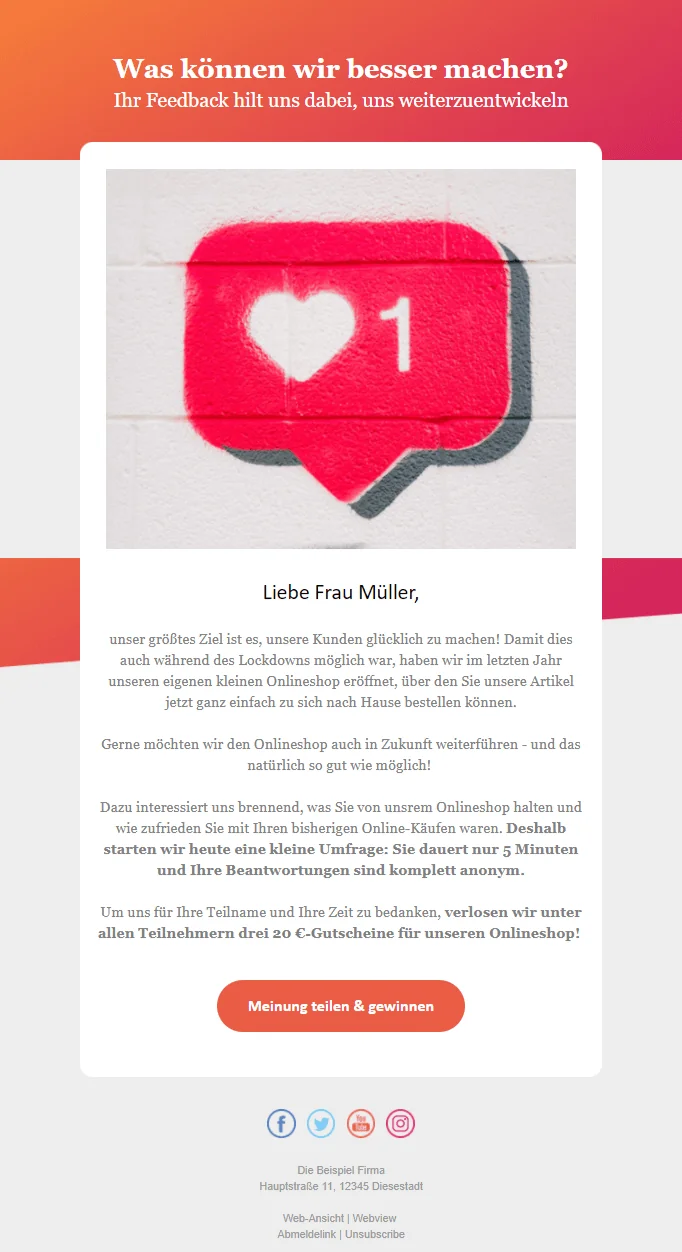
Create a survey newsletter with this template
You can also embed the survey in your newsletter by inserting a screenshot of the first question as an image, for example, and linking it to the full survey.
As well as using the CTA button or an image as a link, an embedded QR code is an eye-catching feature when the email is opened! When readers scan the QR code with their smartphone, it takes them to the online survey. QR codes always have a certain fun factor that can further motivate your prospects and customers to scan the code with their smartphone and access the survey.
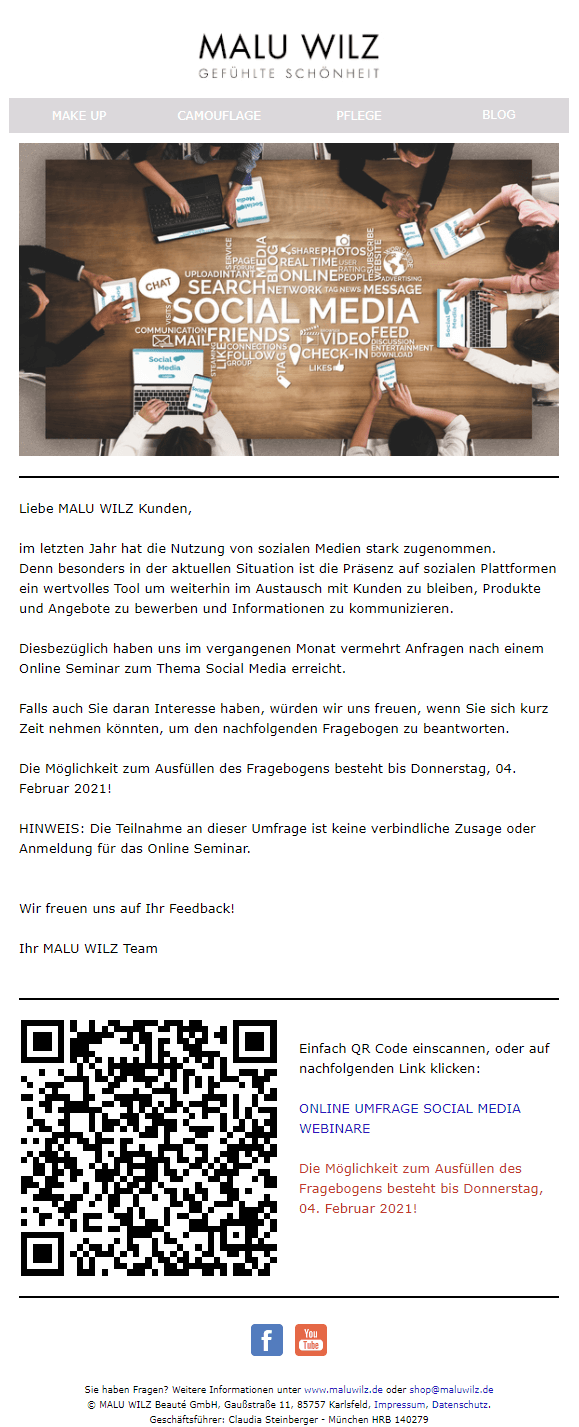
Create a survey newsletter now
4. How is a survey newsletter structured?
A well-considered newsletter structure is particularly important for a survey because you only have a few seconds after readers open the survey email to capture their attention and communicate your message successfully.
Ideally, your survey newsletter should contain the following elements:
- 💡 A subject line that clearly conveys the purpose of your newsletter: Use a concise, personalized subject line and preheader to tell subscribers straight away that you would like to ask them a few questions. Suitable subject lines include “What are you missing, Max?”, “What do you think of our newsletter, Eva?” or “Paul, rate your purchase!”.
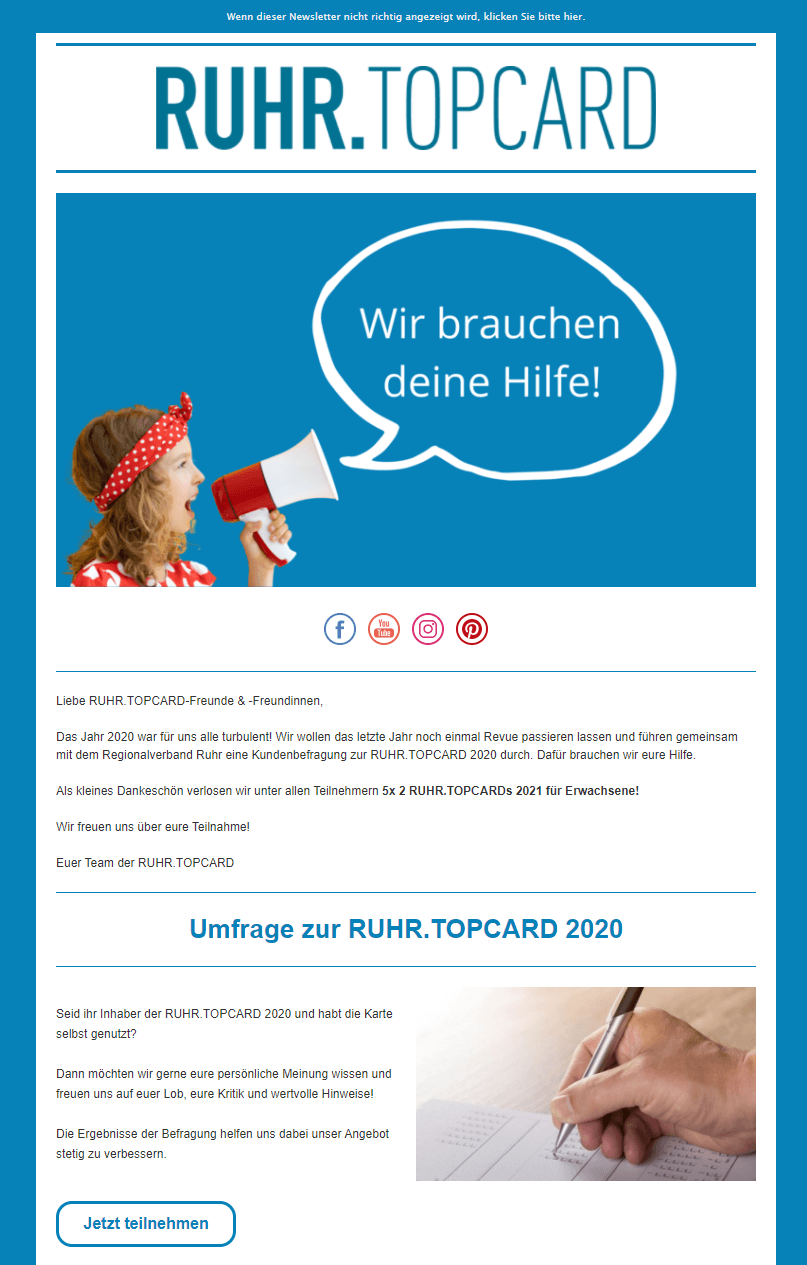
- 🖌️ A modern design: Nobody enjoys reading a plain white email that consists only of text and a link to the survey. Give your campaign a modern, colorful look without overloading it. Our newsletter design tips make it easy!
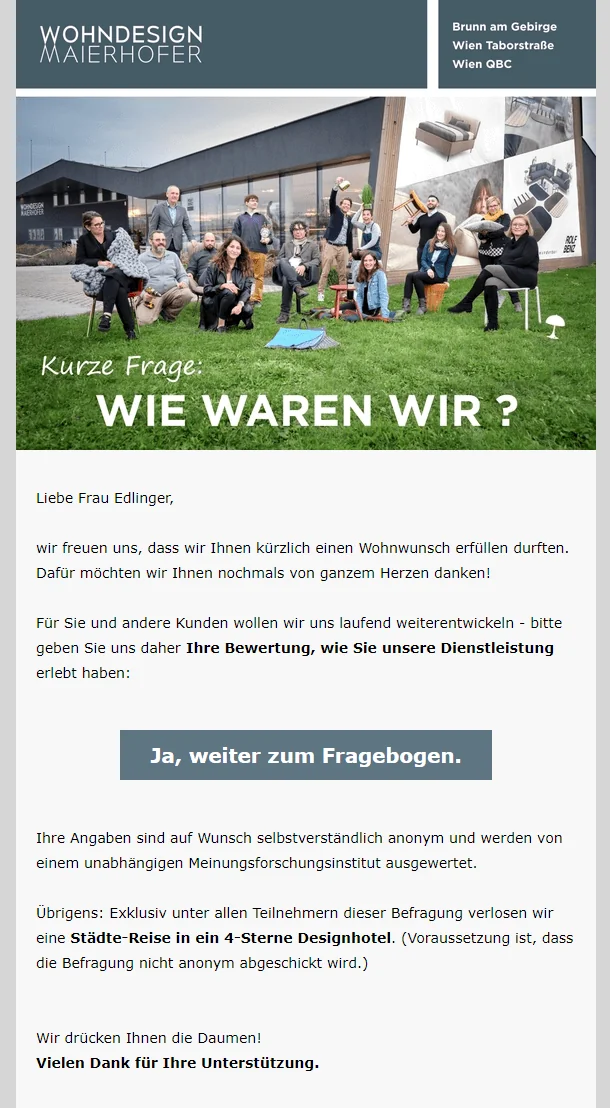
- 🖼️ An engaging header image: Nothing captures customers’ interest better than an attractive header image that immediately catches the eye when they open the email. For your survey newsletter, consider choosing an image or motif that hints at the subject of the email, the survey.
- 👋 A personal greeting: A personalized email greeting strengthens a prospect’s sense that their individual feedback is particularly important to your company.
- 👀 A compelling introduction: Keep the copy in your survey newsletter as short as possible to focus attention on the call-to-action button leading to the survey. Use a short introduction to encourage recipients to take part. Explain why you are conducting a survey and how the feedback will help you improve your company or products. Mention the approximate survey completion time as well, reassuring readers that it will only take a few minutes of their valuable time.
- 🔥 An irresistible incentive: An incentive such as a contest, voucher or prize draw can give prospects even more motivation to answer your questions!
- 📢 A cleverly positioned call-to-action button: The button that takes recipients to the online survey should stand out from the rest of the email through its color. Positioning it “above the fold”, in the upper part of the email, is also important so that readers’ eyes and mouse move toward the button as soon as they open the email. Suitable button text includes “Take part now” or “Enter the contest”.