How follow-up emails help you achieve your marketing goals faster


You probably know the feeling: you send a newsletter, put a great deal of time and care into it, yet your subscribers’ opens and clicks still fall short of expectations. But don’t worry! In email marketing, follow-up emails offer a simple solution. On your second attempt, they can help you attract lots of attendees to your event, communicate important changes or remind people about limited-time discounts. We explain why follow-up emails are so important, which types of follow-up exist and also give you creative examples and templates for various follow-up scenarios. Let’s get started! 🚀
🥜 In a nutshell: Key facts about follow-up emails
Use follow-up emails to improve your newsletter performance: When used strategically, follow-ups improve your open and click rates, strengthen your relationship with subscribers and help you achieve your marketing goals faster.
Key facts about follow-up emails at a glance:
- ✔️ Definition: Follow-up emails are newsletters in which you resend almost the same content. The aim is to reach contacts who did not read the first message at all, as well as those who read it but have not yet responded.
- ✔️ Goals: Increase the open rate, improve the click rate, reactivate inactive contacts, reward loyal customers and boost sales.
- ✔️ Benefit: With little effort, you reach more of your contacts and introduce them to your content.
- ✔️ Uses: Appointment reminders, event updates, discounts, satisfaction surveys, personal recommendations and resending newsletters to non-openers.
- ✔️ Best practices: Concise content, genuine added value and measured sending frequency.
👀 Did you know? With rapidmail, you can create follow-up emails in just a few clicks, automatically, with personalization and perfect timing.
1. Definition: What are follow-up emails?
A follow-up email is a message that you send automatically or manually after a particular event, action or period of inactivity on the part of your contacts. Follow-up campaigns are often sent only to a specific group of contacts, based on their activity after the previous campaign was sent.
In email marketing, this could mean that you have sent a newsletter and the contacts responded to it in a particular way, such as opening it, not opening it, clicking a link or deleting it. If you are not satisfied with your contacts’ responses, you can use a follow-up email. The subsequent campaign lets you try to reach even more contacts with your content, for example to generate more registrations for your events or sell more products in your promotion.
Examples of follow-up emails:
- 💐 A florist reminds customers about limited-time discounts on seasonal bouquets
- 🎞️ A cinema uses a follow-up to tell its subscribers which films are only showing that week
- 📚 A university uses a follow-up email to remind readers about an event and encourages them to view the program in advance
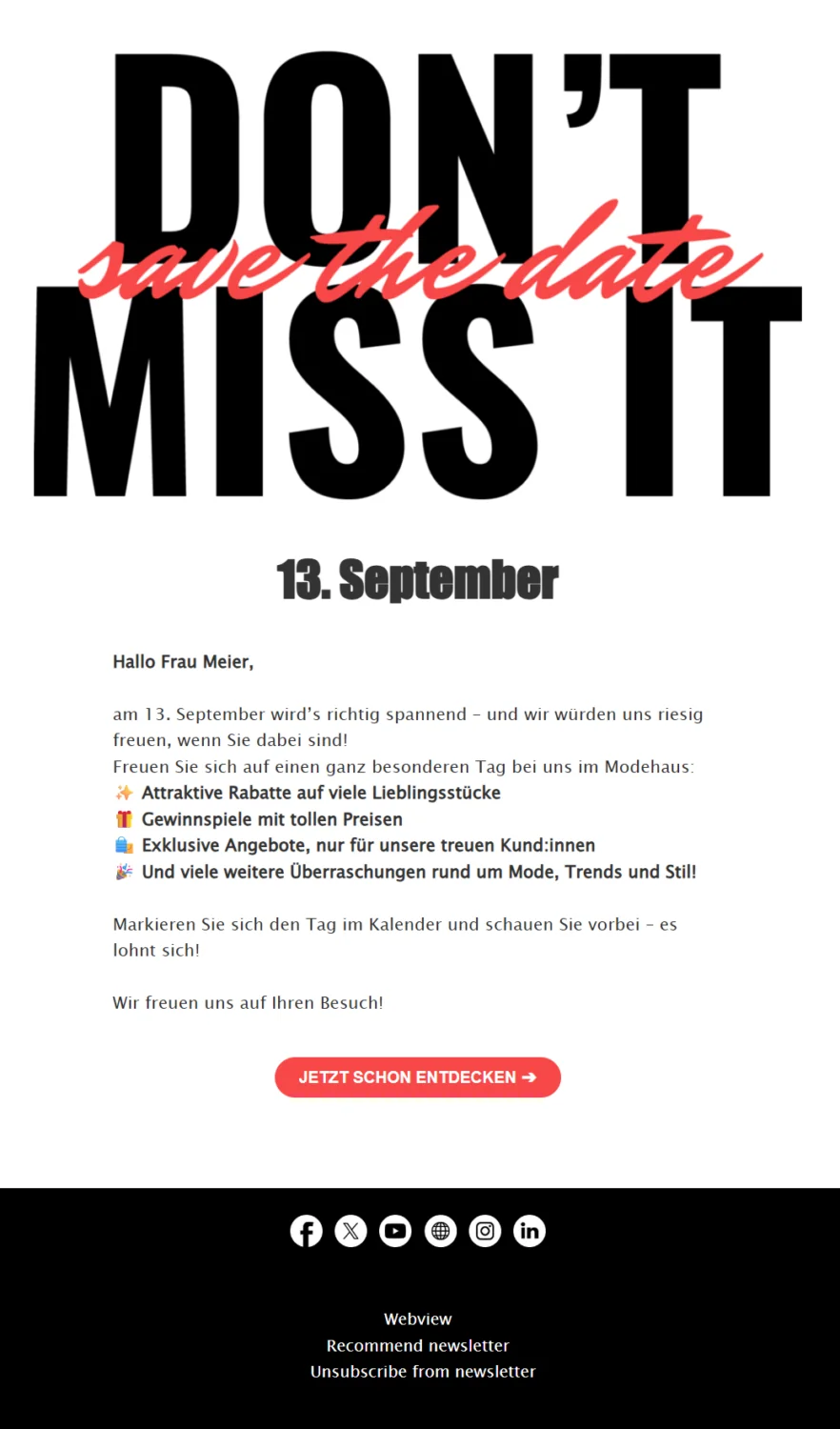
Create a campaign with this template
Follow-up emails can be occasion-specific, personalized and time-sensitive. Because they are tailored to recipient activity, follow-ups let you make sure that your contacts are not overwhelmed by too many emails. If, for example, you send a follow-up to increase the open rate, the newsletter is not sent to every reader again. Instead, you can specify that it should only be sent to those who have not opened the campaign yet.
It is important that your contacts can always understand why you are contacting them again, perhaps because a discount period is ending or only 10 tickets remain for your concert. This gives you the opportunity to respond precisely to your contacts’ previous behavior and address them even more directly with a follow-up email.
Alongside a conventional follow-up campaign that refers to a previously sent newsletter or automated email, there are other occasions that are well suited to follow-ups, including:
- 🥂 An event organizer sends a follow-up email after a trade fair to thank the many visitors for their interest
- 🤖 A technology company sends an automated follow-up email after an AI webinar, providing further information on the topic
- 🚗 A car dealership sends a follow-up campaign to a customer who showed interest in a particular model in the last newsletter
Follow-up emails are a powerful tool that can help you maintain strong customer relationships and achieve your marketing goals more quickly and precisely. By responding to your contacts’ behavior and following up at the right moment, you significantly increase the chances of conversion, whether that means a purchase, a registration or reactivating your contacts. Use this potential to make your email marketing even more successful!
The rapidmail newsletter
Tips, ideas and news about email marketing, straight to your inbox.
2. How follow-up emails are used in email marketing
Follow-up emails are sent particularly when a newsletter’s open rate or click rate was low and needs a boost. Did your content fail to reach enough contacts? There could be several reasons. For example, the newsletter send time may have been poorly chosen, or the email may simply have got lost in the inbox. A follow-up email gives you an easy second chance to increase newsletter opens and reach your target audience after all.
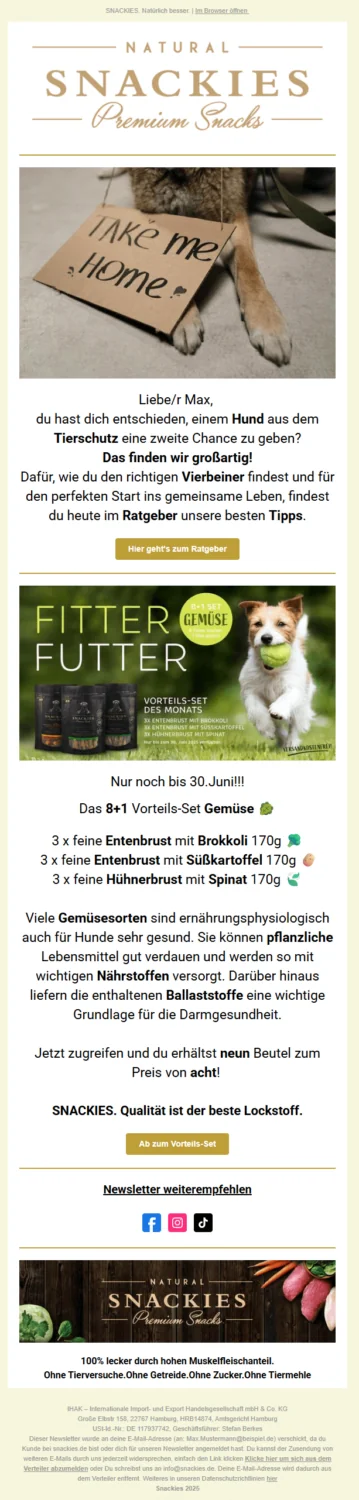
Another effective use for follow-up emails is sending them as a reminder, perhaps about an upcoming event, an expiring discount code or special product recommendations that may interest your contacts and help you increase your conversion rate.
👀 Did you know?
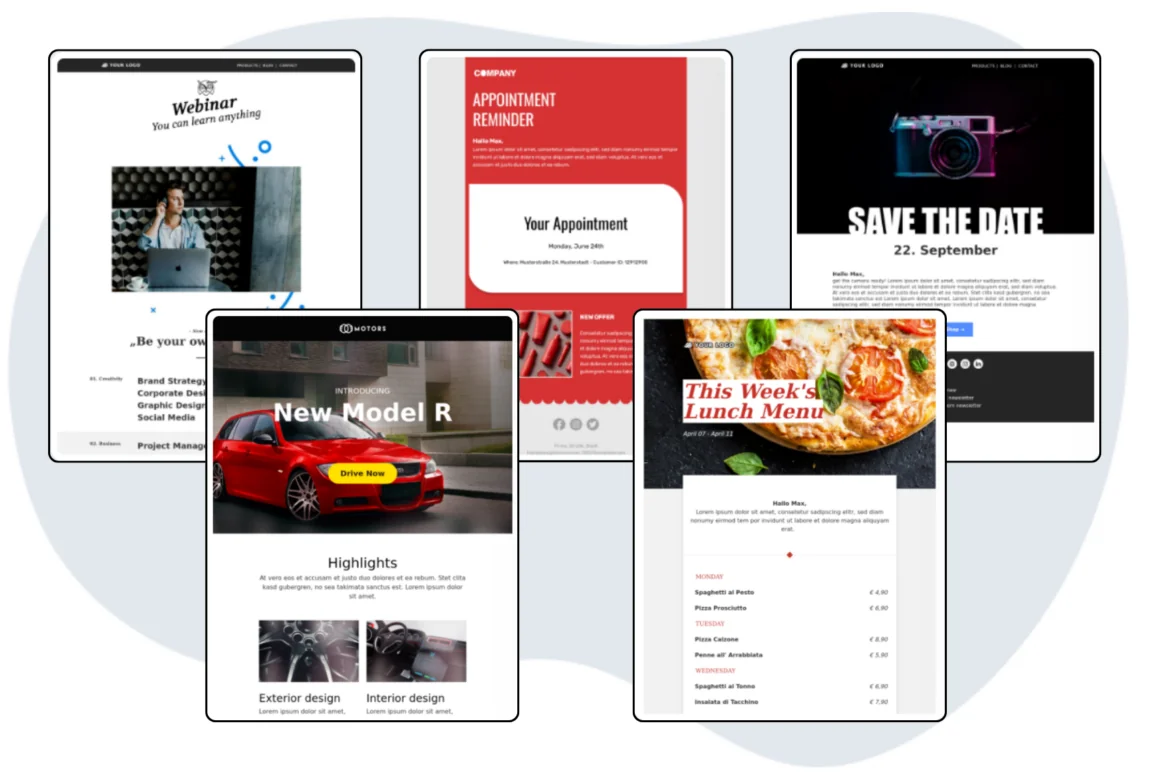
With rapidmail, you have a wide choice of versatile follow-up email templates for every contact group and occasion. Whether you want to remind people about an event, highlight current offers or send additional information about your product range, we have the right template for you!
To send successful and effective follow-up emails, you need a clear overview of newsletter performance. This means always keeping track of recipient activity such as opens, link clicks and conversions, such as registrations generated through the campaign. Once the newsletter has been sent, you can divide the contact group into segments such as “email opened”, “email unopened” and “clicked in email”, then send the various segments suitable follow-up emails with appropriate subject lines and content. This lets you prevent potential customer dissatisfaction by sending a follow-up email based exclusively on each recipient’s individual behavior.
👀 Did you know?
With rapidmail, you can analyze recipient activity at a glance. For every campaign you send, the newsletter statistics show you how many opens and clicks it received. If you would like to improve one of these metrics further, simply send a follow-up for your newsletter and continuously optimize your email marketing.
3. 5 reasons to send follow-ups for newsletters
Sometimes a newsletter does not immediately deliver the success you hoped for. This can happen for many different reasons, but fortunately, a follow-up email can resolve many of them.
Reasons to use follow-up emails:
- 🕔 Poorly chosen send time: If you sent your newsletter at an inconvenient time, this may be reflected in a generally low open rate. Has this happened to you? No problem. Simply send the same email again as a follow-up at a different time to all recipients who did not respond. This increases the likelihood of reaching your contacts at a more suitable send time.
- 💤 Reactivate non-openers: Were you hoping for a higher open rate for your newsletter? Simply send your campaign again to all contacts who have not opened your newsletter yet to encourage them to open it. Our analyses have found that resending a newsletter as a follow-up increases the open rate by an average of around 8%. Experience shows that the best time for this is two to three days after the original newsletter was sent.
👀 Have you seen this? How to increase your newsletter open rate
Is there room to improve your newsletter opens? In this video, our Content Manager Wiebke explains what might be causing this and how you can increase your open rate in no time. Roll the film! 🎬
Open video transcript
Chapter 1: Introduction
You send newsletters regularly and put a lot of effort into them, but your open rate leaves a lot to be desired? Then you’re in the right place!
In this video, you’ll learn what a good open rate is, how to measure it and, most importantly, how to improve it immediately with 8 specific tips. Let’s get started!
Chapter 2: What is a good open rate?
The open rate tells you how many of your contacts actually opened your newsletter. It is measured as a percentage and displayed automatically in your newsletter tool.
A good open rate is generally between 20% and 30%. However, this can vary greatly depending on the industry. That’s why I recommend that you don’t compare yourself with others. Instead, look at your own open rate, monitor how it develops across different campaigns and try to improve your newsletter open rate step by step.
Chapter 3: Reasons for a low open rate
There can be many different reasons why your open rate is still a little low. For example, you might be using an odd or untrustworthy sender address, such as a no-reply address. Your subject line could also be a little dull or fail to spark interest, or you may have chosen the wrong send time, such as late in the evening or during peak inbox hours. The best newsletter is useless if no one is looking at their inbox at the time. You may also have too many inactive contacts who haven’t opened your emails for a long time, dragging down your rate. Or perhaps your newsletter hasn’t provided any added value in the past, so interest has faded.
By the way: Email providers’ privacy features mean that not all opens can be reliably counted these days. You should therefore treat the open rate only as a guide and not take it too seriously! Make sure you also look at other metrics, especially your newsletter click rate.
So, those could be the reasons why your newsletter open rate isn’t yet as high as you would like. Let’s move straight on to the tips for noticeably improving it.
Chapter 4: Quick tips for a higher open rate
First tip: Choose a trustworthy sender name.
The sender name is one of the first pieces of information your contacts see. A personal sender such as “Julia from rapidmail” builds trust and increases the open rate.
Second tip: Optimize your subject line.
The subject line determines whether your email is opened. Keep it short (50–70 characters), spark curiosity and use emojis to attract attention.
Fortunately, this is really easy with rapidmail because our AI generates tailored subject line suggestions for you. All you need to do is enter your URL so that the AI can learn about your brand. Directly underneath, our subject line check shows you how good your subject already is and what you could improve.
If you’re not yet sure which wording works best with your contacts, you can easily find out with an A/B test. Send 2 variants to a small proportion of your contacts and see which subject line generates more opens. The winning variant is then sent to the remaining contacts!
Third tip: Use the preheader.
This is the short preview text next to the subject line. Many people forget it, but it gives you a valuable opportunity to add information and make readers curious about the newsletter content.
Fourth tip: Choose a good send time.
When it comes to send times, experimentation is the best way to learn. If you feel that only a few contacts open your emails straight away, try a different time of day. In B2B, it is generally best to send your newsletter during working hours, such as first thing in the morning or shortly after the lunch break. In B2C, early in the morning or after work may be better. As always, however, these are just guidelines. You need to find out which time works best for you and your industry.
You can also schedule your newsletter in advance with rapidmail. Simply design the newsletter, configure all the settings and select the send time you want. Then you don’t have to worry about anything else.
Fifth tip: Try personalization.
There’s another worthwhile way to optimize your subject line. Personalization fields let you address your contacts directly. Using their own name in the subject line can work wonders because it makes your contacts feel personally addressed!
For this to work, you should ask for your contacts’ names in the sign-up form.
Sixth tip: Segment your recipient list.
Newsletters are often sent to the entire recipient list. Yet especially with large lists containing many contacts, it is very unlikely that everyone will be interested in the same topic.
That’s why I recommend dividing your contacts into different subgroups. With rapidmail, you can use the segmentation feature to distinguish contacts by gender, age or ZIP code, for example. You can also use tags to assign different interests to them.
When sending your campaign, you can then select the segments and tags for which it may be relevant, increasing the proportion of interested contacts and therefore also the open rate!
Seventh tip: Win people over in the long term with good content.
In general, make sure that your newsletter offers added value. If you constantly run one discount after another and only ever want to sell, your contacts will feel as though they are watching a never-ending advert and will probably stop opening your campaigns at some point. You’ll find ideas for varied newsletter content in this video too!
Eighth tip: Say goodbye to inactive contacts.
Time to say goodbye! Even if parting is hard, remember that inactive contacts don’t bring you any value. On the contrary, they cost you money unnecessarily because your newsletter tool charges you for contacts who haven’t opened your emails for some time!
My advice is therefore to send automated reactivation emails to rekindle inactive contacts’ curiosity. With rapidmail, a practical template lets you create an automated workflow and, for example, automatically send a reactivation email with a special discount after 3 months of inactivity. If even that has no effect, it is time to remove the contact from your list.
Your recipient list will be smaller, but your open rate will immediately be higher again.
Chapter 5: Conclusion
The key takeaway from this video is that the newsletter open rate is a good indicator of your target audience’s interest in your emails. However, it is not the definitive metric because the click rate, for example, is much more meaningful.
If you send your newsletter at the right time with an interesting subject line and preheader, personalization and a trustworthy sender profile, include engaging content and regularly remove inactive contacts, nothing stands in the way of high open rates!
So experiment, keep going and be patient! As always, it’s not about being perfect, but about improving.
Let me know in the comments which tip has helped your newsletter open rate the most, or what interesting observations you have made yourself.
I’d be thrilled if you gave the video a thumbs up and subscribed to our channel so you don’t miss any more tips on successful email marketing!
Thanks for watching, and see you next time!
- 🎁 Reward loyal customers: Reward contacts who opened your newsletter with a discount code for their next purchase or a free gift. This will encourage your subscribers to remain loyal and keep opening your newsletter. After all, who doesn’t enjoy gifts and great discounts?
- 🎯 Achieve your goals: Contact people who did not click the link in your newsletter again and give them an incentive to do so. Here too, vouchers, special promotions or limited-time offers can be used to good effect. Depending on your newsletter goals, you could, for example, send a follow-up newsletter after announcing an event by email. It can provide more detailed information while reminding people about the event.
- 🛍️ Sell more: Did you promote a particular product in your last online shop newsletter? Send subscribers who showed interest and clicked it a follow-up email with similar product recommendations or inspiration on a related theme. If, for example, you sent an informative newsletter with links to blog posts on your website, you could send a follow-up email along the lines of “You might also be interested in these posts”. Whatever the reason for sending your newsletter, a follow-up on a relevant theme can improve customer satisfaction, keep customers ready to click and help you sell more.
💡 rapidtip: Best practices for your follow-up emails
- 👋 Write a personal and friendly follow-up email subject line that makes it clear why you are contacting your contacts again
- 📝 Keep the content brief and concise when writing your follow-up email
- ✨ Provide genuine added value, such as information, downloads or offers
- 🍹 Avoid following up too frequently. Quality over quantity!
- 📊 Test different follow-up email templates and time intervals
4. Tried-and-tested templates: Creative follow-up email examples
🕔 Event reminder
Have you planned an event and want to tell as many contacts as possible about it? Follow-up email workflows are the simple solution! Resending the event announcement as a reminder at a later date increases your chances of reaching even more contacts. For example, it is a good strategy for a restaurant offering a family brunch at Easter to send another follow-up email a few days after the initial announcement. This helps ensure that as many subscribers as possible see the newsletter.
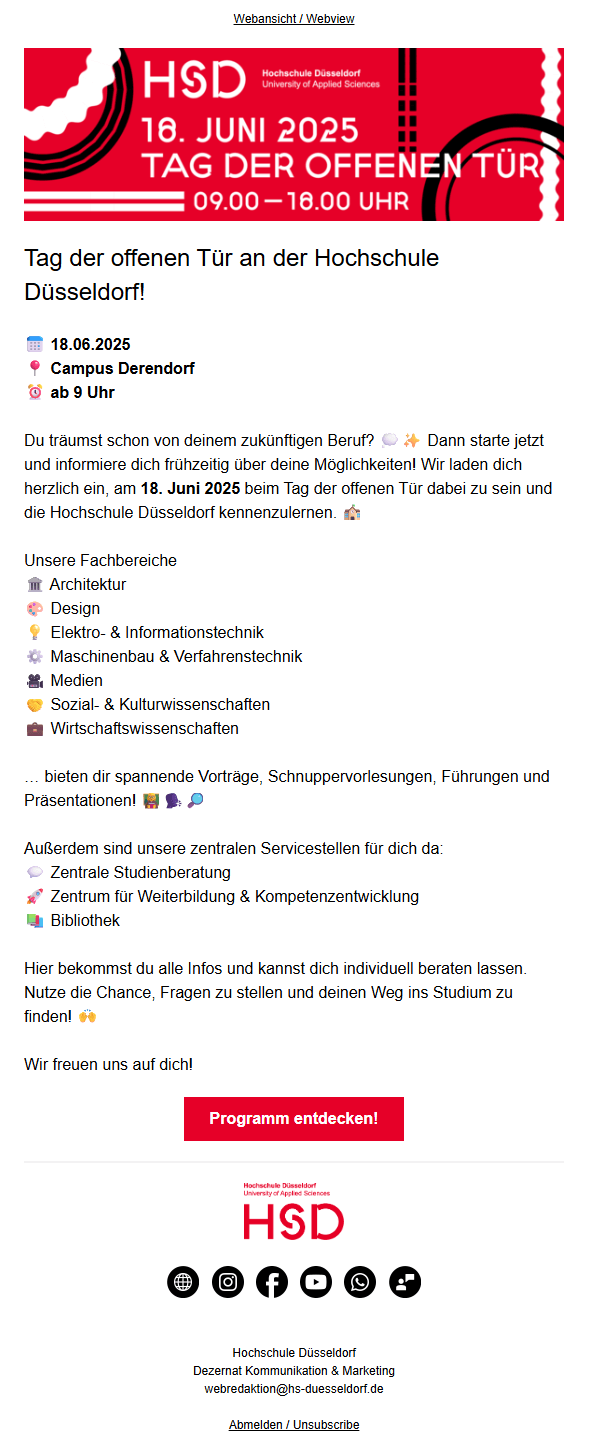
📢 Encourage participation
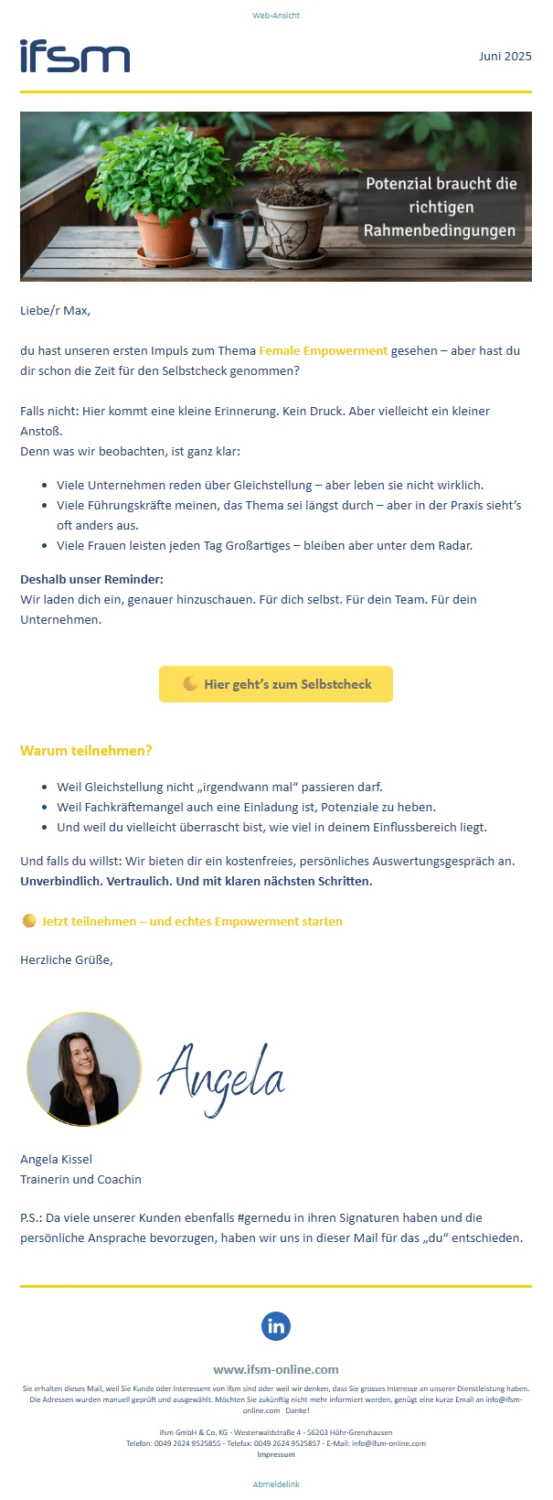
Whether you want to give readers an insight into your digital offerings, encourage them to click your current menu or ask for their opinion in a survey, you always want your newsletter contacts to take a particular action. If the click rate for your first campaign was not high enough, there is no need to worry. You don’t have to write a new newsletter and format it again from scratch. It is often worthwhile simply making small adjustments to the previous one and resending it to recipients who have not yet taken action or clicked. Try simply changing the subject line in your follow-up email and see what happens. Emojis as eye-catchers are also a great way to rekindle your contacts’ interest.
💡 rapidtip

Whatever prompted your follow-up email, customer satisfaction and your newsletter’s success should always be the central idea. Customers who do not feel overwhelmed by a flood of emails but whom you still reach with your newsletters will remember you positively. In the future, they may even click through your message without a follow-up newsletter. So make sure you send your campaigns thoughtfully and in moderation.
🎁 Reward loyalty
Delight the contacts who actively support your company! For example, send them a follow-up email highlighting a discount code that is about to expire to thank your customers for their support. Alternatively, you could offer free gifts, discounted trial months or other incentives.
🎯 Achieve goals with time limits
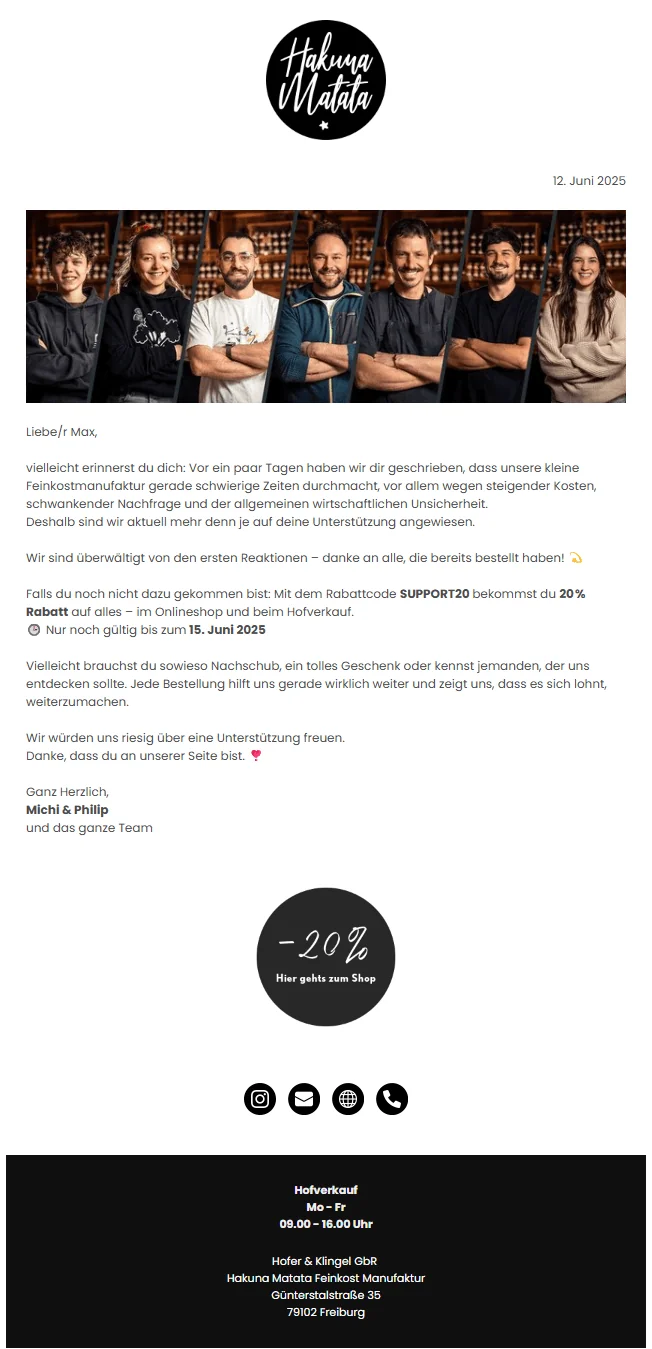
Limited-time promotions are also an ideal reason to send a reminder in a follow-up email. Subject lines such as “Today only: Save 20% on your purchase” entice customers to read your newsletter and bring them one step closer to visiting your online shop or physical store. A travel agency, for example, could offer a city break at half price if it is booked that day. The time-limit method also works well on a smaller scale. Calls to action such as “Register for the webinar today and receive our eBook in your email inbox for free” or “2 for 1, only until Sunday” are sure to spark the interest of your newsletter contacts and encourage them to take a closer look at your follow-up email before the offer ends.

🛍️ Higher sales volume
Whether you own an online shop or a physical store, regularly offering special bundles makes sense in both cases and keeps your customers interested. For example, if you have already promoted the offer “2 pairs of fall boots for the price of one!” in your newsletter, it may be worth sending a follow-up email a few days later to remind your newsletter contacts. It’s a simple yet effective way to increase sales volume and generate more revenue. Try it yourself!
5. How to send follow-up emails with rapidmail
Whether manual or automated, follow-up emails can effectively improve the success of your email campaigns. For example, if the open rate for one of your newsletters was not as high as you hoped, a manually sent follow-up can help capture your contacts’ attention afterwards. It is even easier with rapidmail email automation. For a webinar invitation, for example, you can schedule automatic reminder emails that reliably remind your contacts about the event one day before it takes place, with no additional effort on your part.
Option 1: Send manual follow-up emails with rapidmail
rapidmail currently gives you four options for manually sending follow-ups after a newsletter, allowing you to define the recipient group for your follow-up email. You can choose to send the follow-up to newsletter recipients who have not opened the campaign yet, have already opened it, have not clicked a link in the campaign or have clicked a link in it.
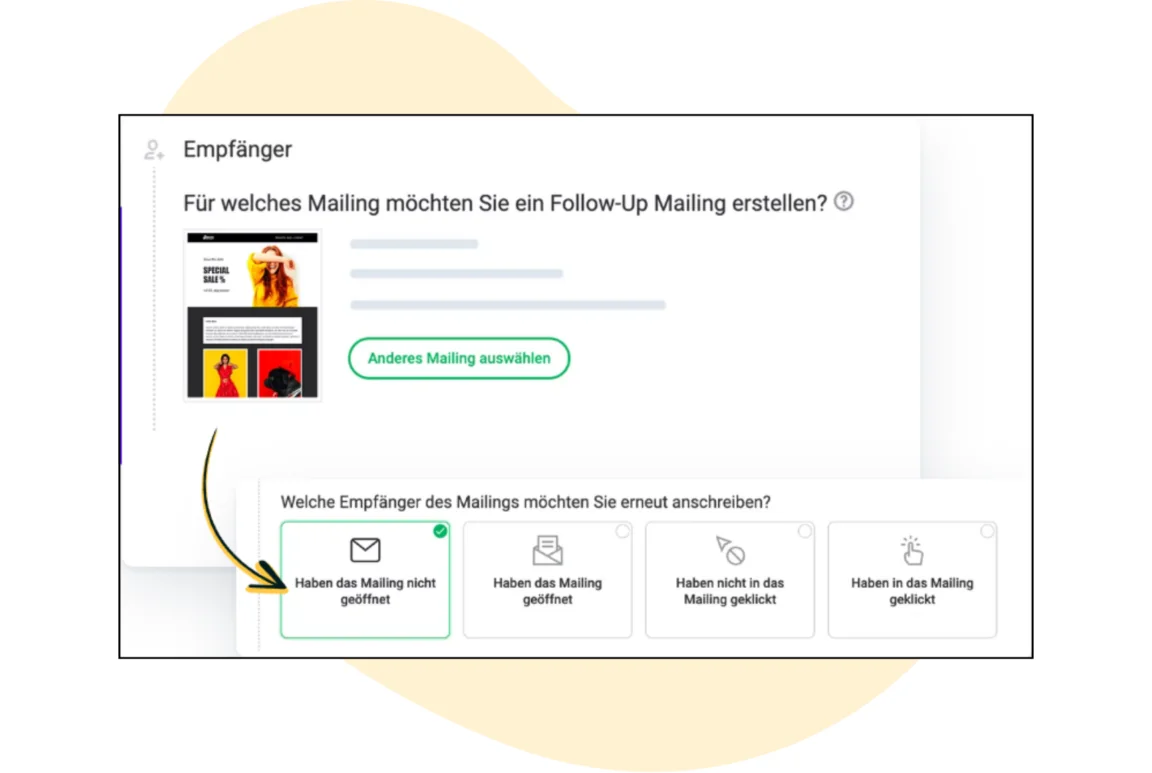
As you can see, rapidmail lets you create a follow-up email in just a few clicks. You can read how it works in detail in our help article. Do you still have a question? Our support team will of course be happy to help.
Option 2: Send automated follow-up emails with rapidmail
You have probably heard of email automation in marketing. As the name suggests, it lets you send automated emails such as appointment reminders, annual birthday greetings or welcome messages. You can always provide your target audience with content that is relevant to them at that moment, without any recurring effort. Automations are also ideal for email follow-ups and can be used for various occasions, including:
- 🎁 Birthday voucher: One week after your newsletter contact receives a birthday voucher from you, a follow-up email is sent automatically to remind them to redeem it.
- 🔔 Appointment reminder: A customer automatically receives a reminder email one day before an appointment at your hair salon.
- 😄 Satisfaction survey: After an appointment at your car repair shop, the customer receives an automated email follow-up containing a satisfaction survey.
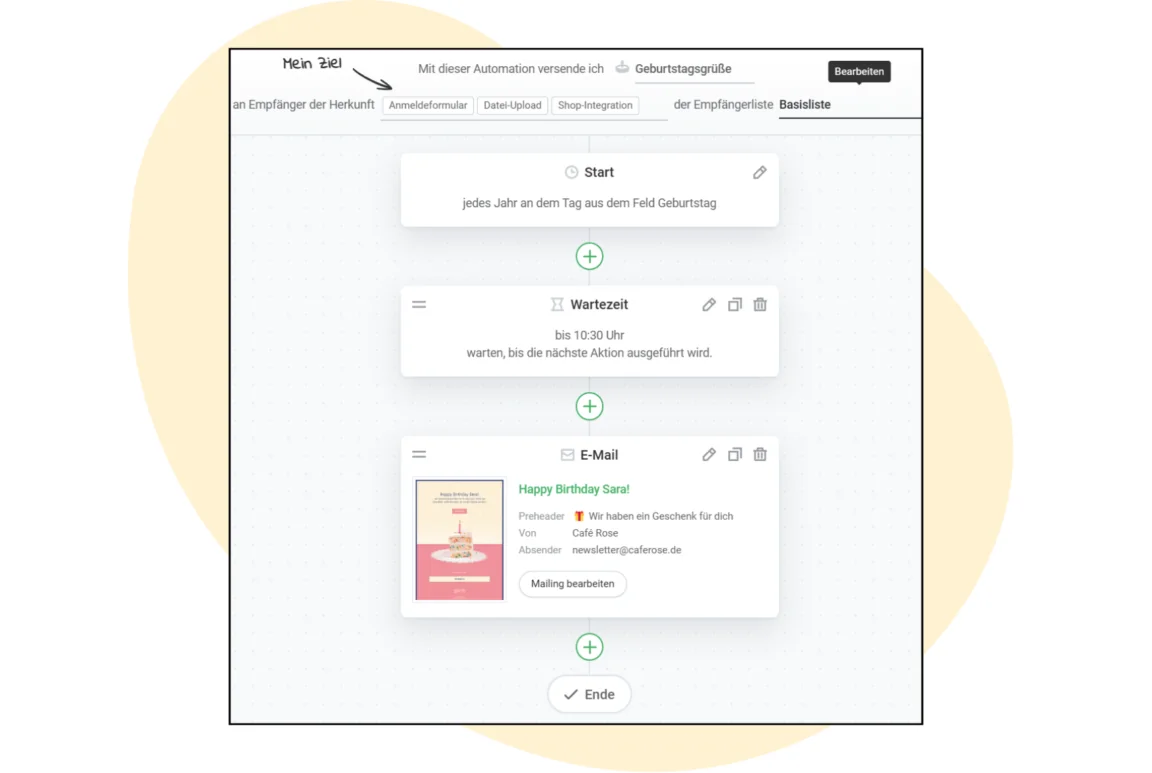
The rapidmail email automation tool makes it easy to create automated follow-up emails like these and maintain contact with your customers almost effortlessly! Is email automation still new to you? Then take a look at our email automation guide. It gives you 7 exciting examples of email automation for different industries.
Our guide offers inspiration for:
- 👋 clever welcome emails that help you build a good relationship with new contacts from the outset
- 🎉 celebratory birthday greetings that express your appreciation and put a smile on your contacts’ faces
- 💤 effective reactivation emails that bring inactive contacts back on board
Download the guide for free now (PDF in German) (PDF in German)