Email automation in marketing: Save time with automated emails

In email marketing, automation does more than save time and valuable resources: above all, it lets you reach your contacts at exactly the right moment. By sending automated emails, such as appointment reminders, annual birthday greetings, welcome messages or multi-part email courses, you always offer your target audience the content that is most relevant to them at that time. Best of all, the new rapidmail email automation lets you optimize your processes in no time and achieve your marketing goals faster! 🚀
1. Definition: What exactly is email automation in marketing?
Email marketing automation, often also called autoresponders, workflows or trigger emails in everyday business, is used to send specific marketing, sales or support messages automatically with the help of an email automation tool. You create the emails once and they are then sent automatically to the defined target audiences at exactly the right moment. This can involve individual automated emails or entire sequences (also known as “marketing automation workflows”) consisting of several emails.
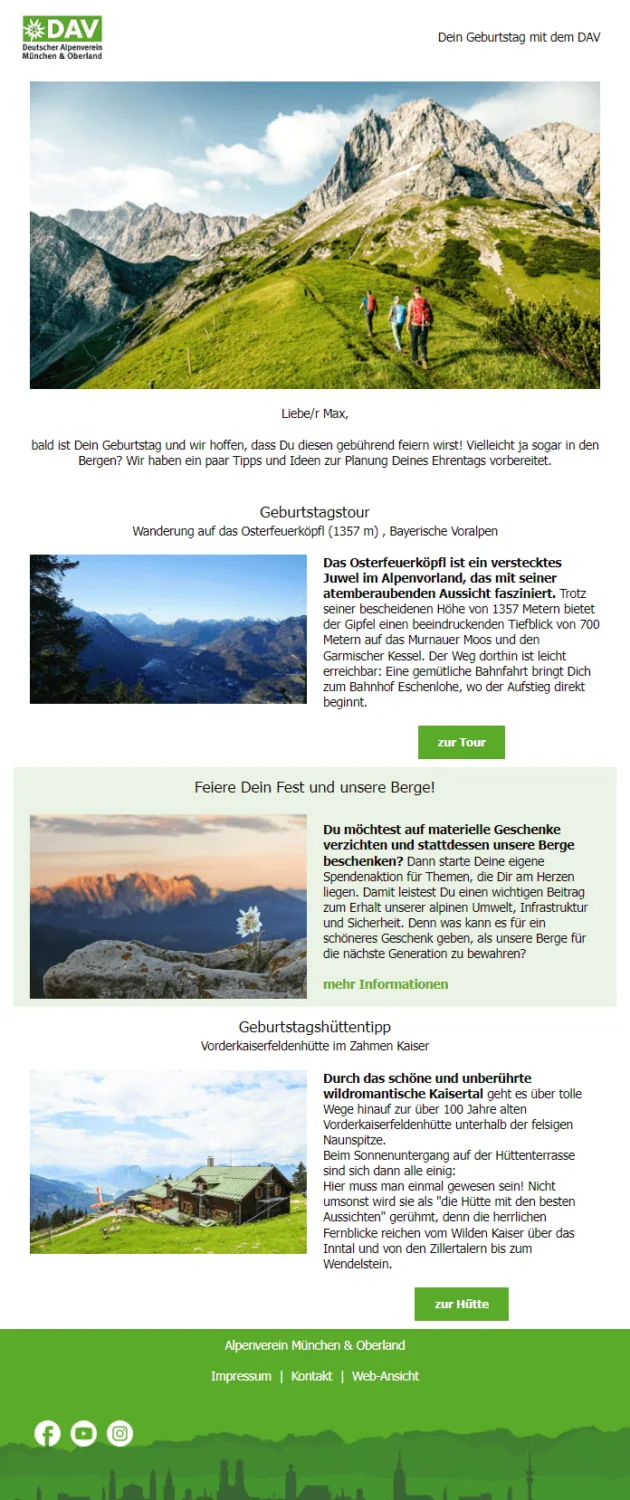
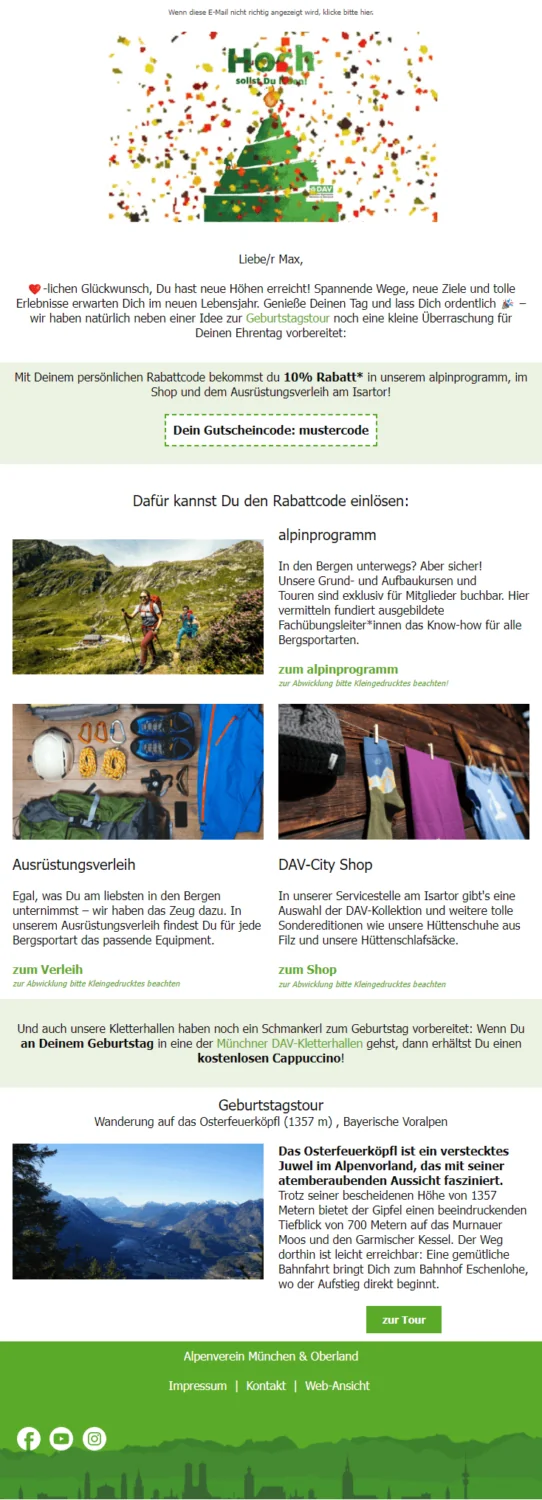
For example, you can give new newsletter subscribers a warm welcome, send annual birthday wishes with a discount code as a gift, or try to encourage inactive customers to visit your online shop again, all completely automatically and without an ongoing time commitment.
Magic or strategy: How email marketing automation works
A website user signed up for your newsletter yesterday, a contact bought a concert ticket from you two weeks ago, or a customer has not responded to your messages for three months. An email sent automatically at a particular time can have different triggers. You can define these “triggers” in your email automation tool as needed, ensuring that your contacts always receive the messages from your email workflow at exactly the right moment.
These are the different forms of automation used in email marketing:
- 🚨 Trigger-based email automation: An automated email is sent in response to a specific action by your contact, for example when they sign up for your newsletter or click a link in an email you have sent. Trigger-based automations respond to a single, clearly defined event.
- 👉🏽 Behavior-based email automation: Here, your emails are sent automatically based on a contact’s behavior over a defined period, for example if someone has not opened any of your newsletters in the past three months.
- ⌛ Time-based email automation: Your messages are sent according to a fixed schedule, regardless of your contacts’ behavior. For example, participants can automatically receive another lesson from the course they signed up for every two weeks, or everyone attending an event can be sent an automated reminder two days beforehand. These are also often referred to as “drip campaigns”.
2. Examples and inspiration: The most important use cases for automated emails
Depending on your company, industry and target audience, different types of automated emails may be relevant to you, helping simplify everyday processes, save time or achieve important marketing goals.
When you first start exploring this topic, the best way to become familiar with it step by step and get a feel for automation in newsletter marketing is to begin with the most common and most important email automation use cases:
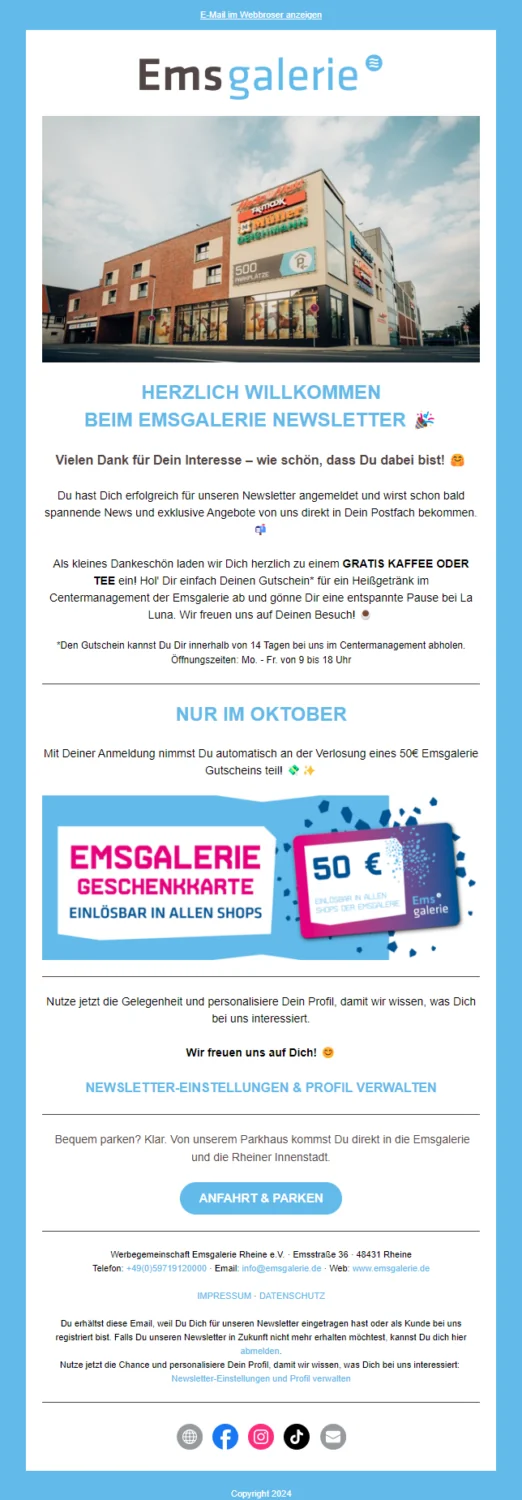
- 👋🏽 Welcome emails: Give new newsletter contacts or customers a warm welcome with a friendly welcome email or a multi-part welcome sequence. Use the opportunity to introduce your company, team or product range and encourage a first purchase, for example with a welcome voucher.
- 🥳 Anniversary wishes: Woohoo, your customer registered on your website exactly one year ago. That calls for a celebration: an automated anniversary email lets you celebrate the special day together and highlight special offers tailored precisely to their individual interests.
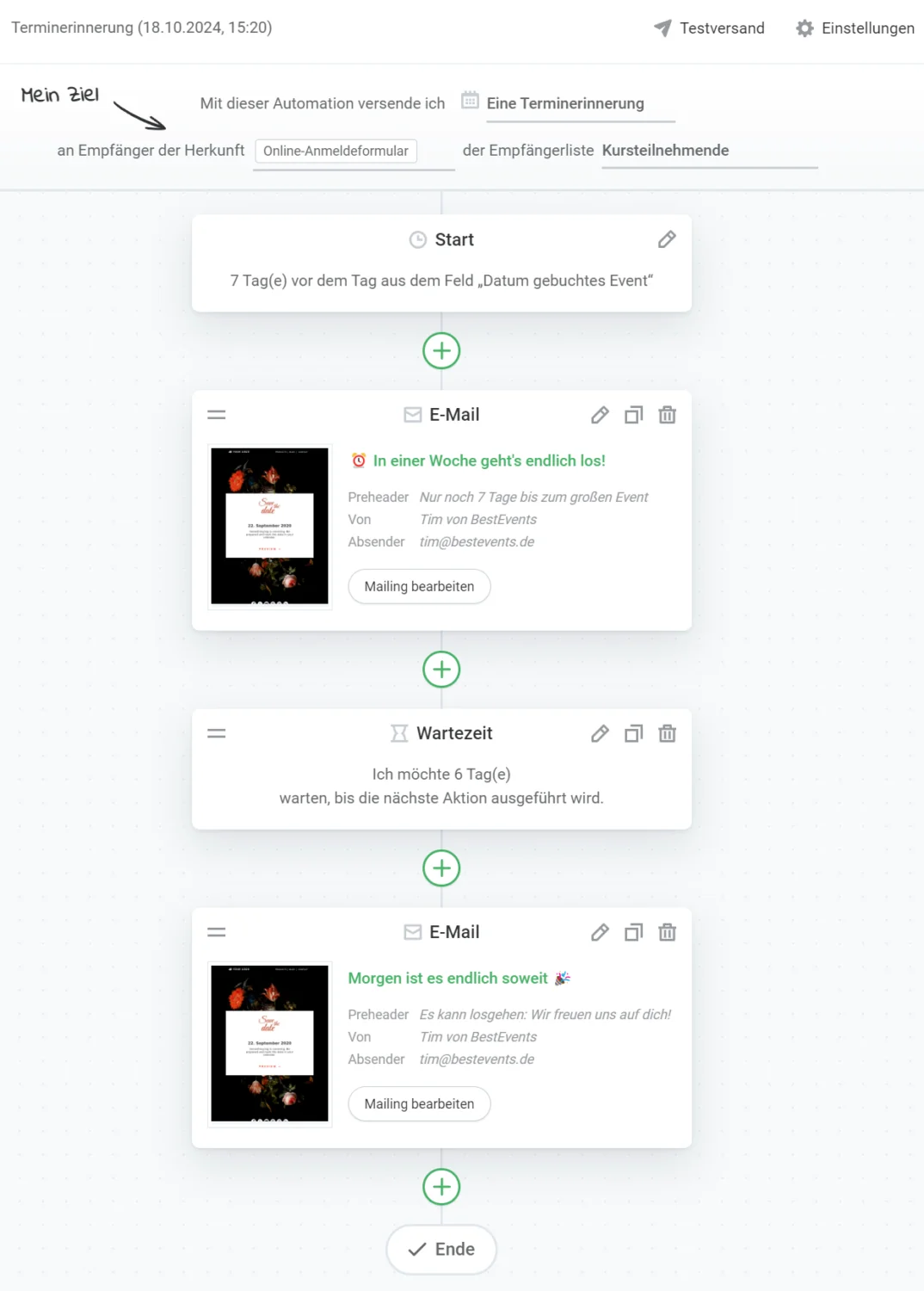
- 🎁 Birthday greetings: Warm annual birthday emails and a small gift strengthen customer loyalty and remind even inactive customers of your brand.
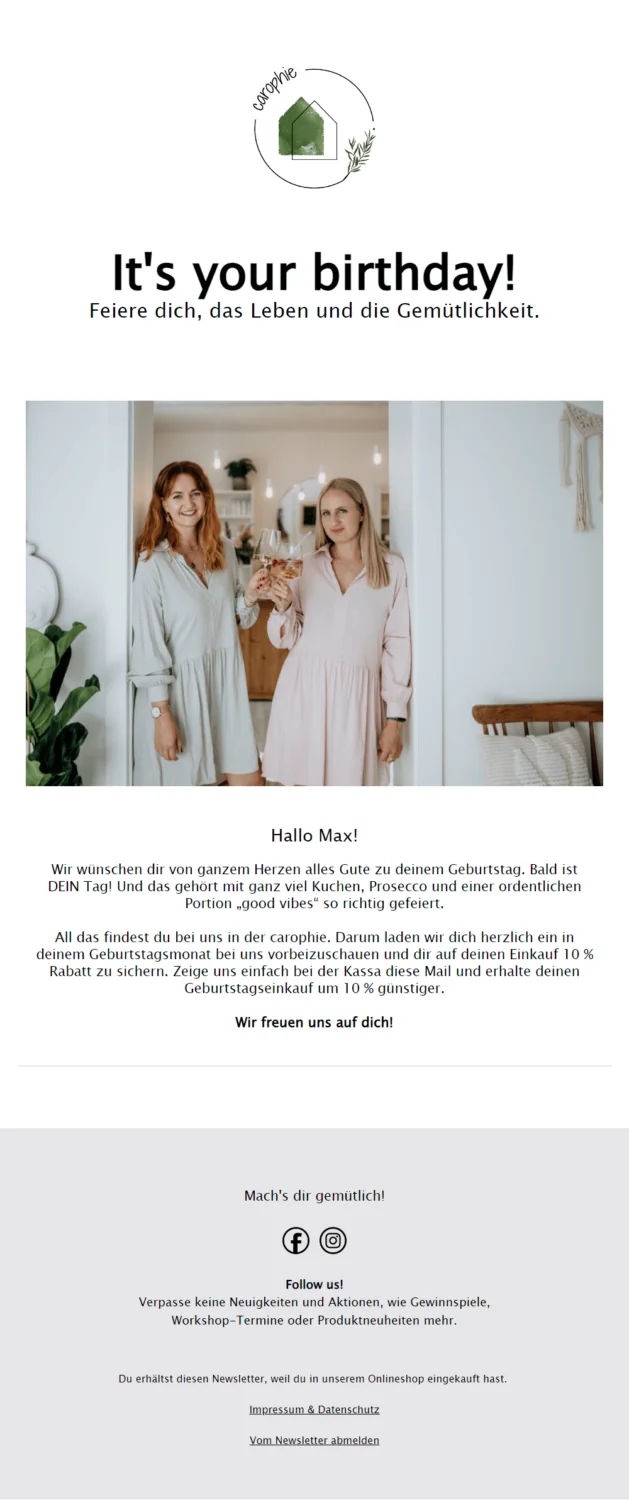
- ⏰ Appointment reminders: Whether for online webinars, doctor’s appointments, concerts, travel bookings or the next TÜV vehicle inspection, automated appointment reminder emails ensure that your events and important appointments are not forgotten and that as many contacts as possible attend.
- 🔄️ Reactivating inactive contacts: Have some contacts suddenly stopped reading your newsletter or shopping in your online store? An automated reactivation email can remind them of your company and offers, and find out whether they might still be interested.
- 📖 Email courses with several lessons: In easily digestible units, you can guide your contacts through complex or unfamiliar topics step by step and provide important learning materials. Depending on your industry, for example, you could automatically email courses consisting of several lessons on topics such as budget planning, meditation exercises or photography.
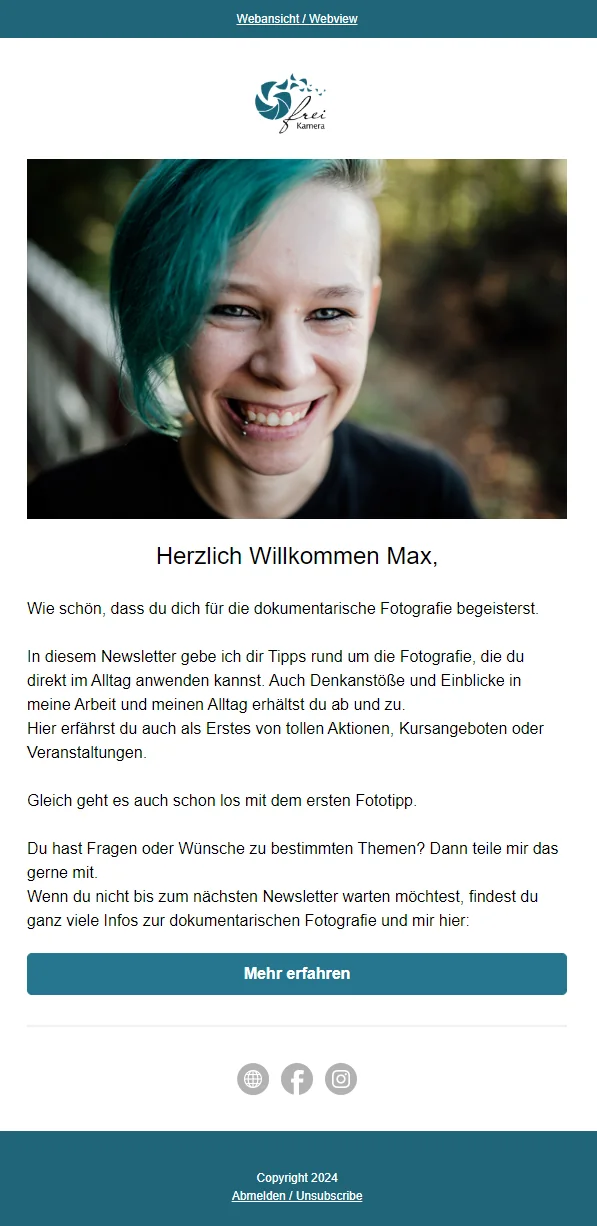 | 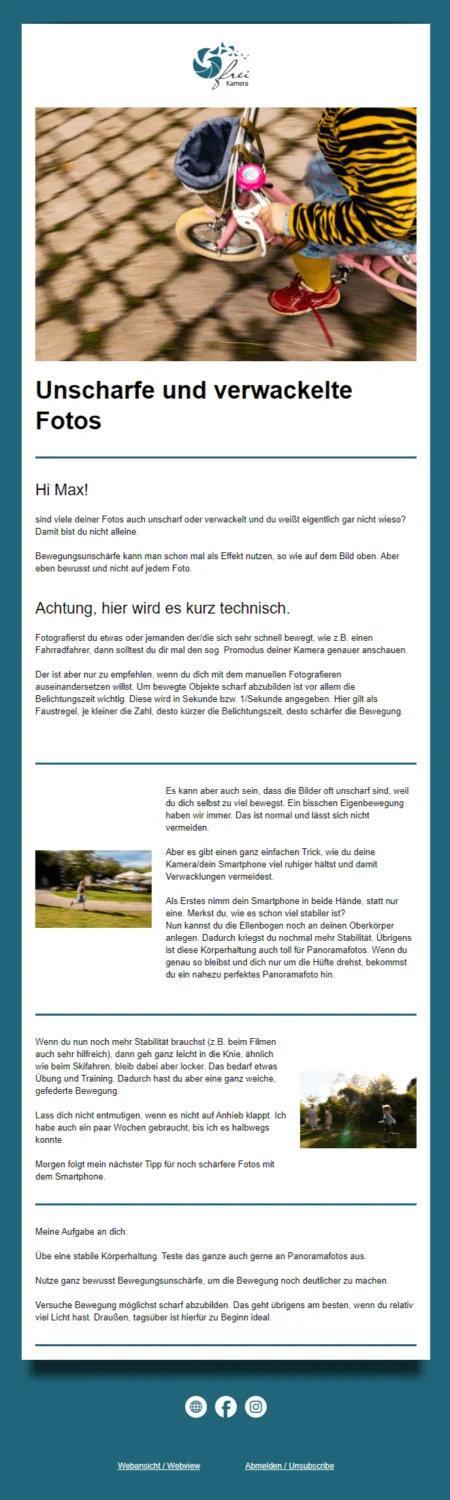 | 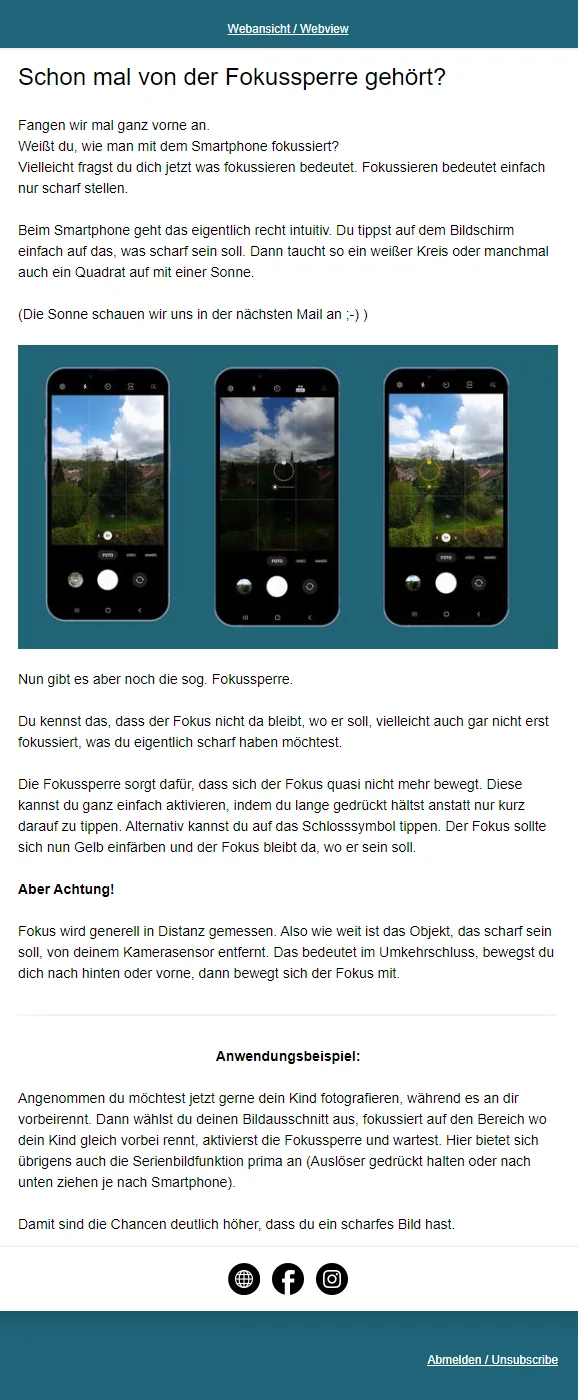 |
A successful real-world example of an automated, multi-part email course about photography: Every day, participants receive a useful photography tip from Samantha, a professional photographer at frei Kamera in the Allgäu who is passionate about natural, spontaneous photos and videos for a wide range of occasions, including weddings, births and everyday family life. (created with rapidmail)
- 💡 Product onboarding: You can use an email series to guide new customers through your software step by step, for example, or share important instructions on using a recently purchased product to ensure an entirely positive buying experience.
- 💬 Follow-ups after contact with sales: After an initial positive conversation with your sales team, you can use email automation to continue nurturing potential customers, build trust and guide them purposefully through the sales process.
- ❓ Feedback surveys: You can only improve when you know what is not yet running smoothly in your company. By using automated survey emails to ask contacts what is on their mind and what suggestions for improvement they have, for example one month after their first purchase or registration, you can quickly identify weaknesses and problems and resolve them promptly.
- 📶 Multi-stage email workflows: Turn interested users into loyal existing customers step by step by guiding them through every stage of the customer lifecycle with tailored emails, always providing precisely the content, offers and assistance they need most at that time.
The rapidmail newsletter
Tips, ideas and news about email marketing, straight to your inbox.
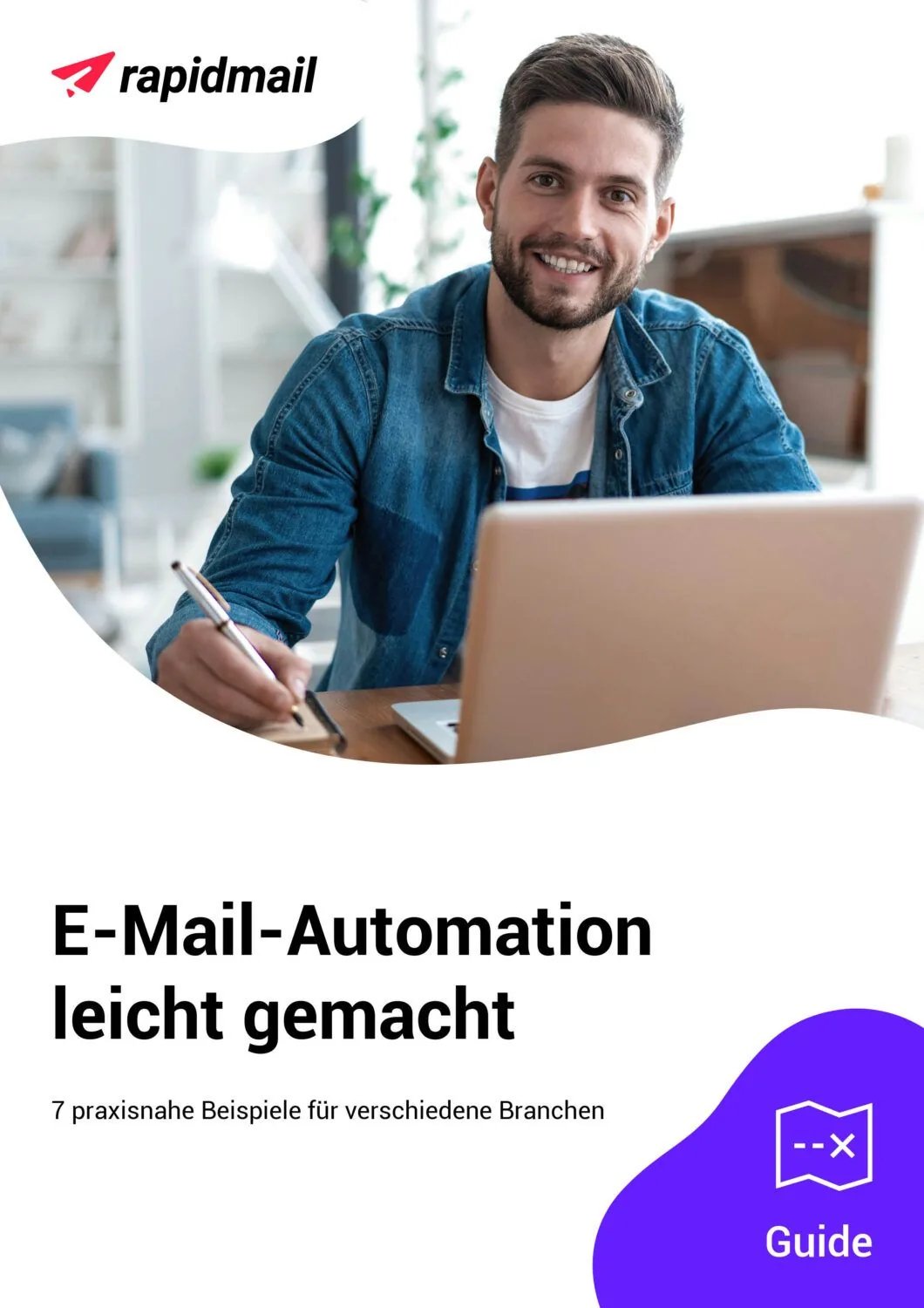
Would you like even more inspiration for different email automation workflows? Then take a look at our free guide. You will find 7 exciting examples of email automation for different industries.
Our guide offers inspiration for:
- 👋 clever welcome emails that help you build a good relationship with your new contacts right away
- 🎉 celebratory birthday greetings that express your appreciation and put a smile on your contacts’ faces
- 💤 effective reactivation emails that bring inactive contacts back on board
Download the guide free now (PDF in German) (PDF in German)
3. Why it pays off: Goals and benefits of automated emails
In email marketing, you can use automation workflows primarily to achieve the following goals:
- 📈 Increase revenue: By sending automated product offers tailored precisely to the different interests and buying behavior of your target audiences, email automation helps you increase your sales opportunities and revenue.
- 👋 Win new customers: After interested website users sign up for your newsletter or download one of your ebooks, for example, you can use that initial contact to familiarize them with your product or service offering step by step through automated email sequences. Relevant content and attractive offers reliably turn interested leads into enthusiastic new customers.
- 💸 Cut costs: If/then branches and precisely defined delivery triggers ensure that your automated emails are only sent to the contacts for whom your message is currently relevant. This saves you the cost of sending emails to huge recipient lists full of contacts who have no interest in the content at that particular time.
- 🤝 Strengthen customer loyalty: Email automation ensures regular, relevant and tailored communication with your target audience, strengthening your relationship with your contacts and their trust in your company or organization.
- 📶 Increase efficiency: By no longer having to perform recurring tasks such as sending welcome messages, appointment reminders or course lessons manually, automation saves you time and valuable resources in email marketing.
Those are goals worth achieving, aren’t they?
👀 Have you seen this? The benefits of email automation
Our rapidmail content manager Wiebke uses specific real-world examples to explain why email automation is worthwhile for every company. Roll the film! 🎬
Open video transcript
Chapter 1: Introduction
Did you know that email automation is a real secret weapon in marketing? Automated emails, such as annual birthday greetings, appointment reminders or multi-part email sequences, let you provide every contact with exactly the content that is relevant to them, at a time tailored to each person.
Hi, I’m Wiebke, and in this video I’ll show you exactly what email automation is and how automated emails can take your marketing strategy to the next level. To help you get started straight away, we’ll also go through the three most popular types of email automation together.
Chapter 2: What exactly is email automation?
Email automation means using a specialized tool to send marketing emails automatically. The emails are created once and then sent automatically to the defined target audiences as soon as particular conditions occur. These can be initiated by a trigger, meaning a specific action by a contact, such as signing up via a form or clicking a link in a newsletter. A particular pattern of behavior over a defined period can also be a trigger, for example if a contact has not opened any of your emails in the past three months. Alternatively, an email can be sent at a fixed time regardless of contacts’ behavior, for example when new course lessons are released every two weeks or appointment reminders are sent.
If you own a flower shop, for example, you could schedule an appointment reminder for early February to remind your contacts that Valentine’s Day is approaching. Add some beautiful photos of your bouquets and an offer of free delivery, and your advance orders are practically guaranteed.
Within an email automation, you can create an entire workflow of individual automated messages that are sent in a defined sequence.
Chapter 3: How is this different from sending a regular newsletter?
Newsletters are regular emails sent simultaneously to a list of contacts and usually contain more general information such as news, discounts or product introductions. Email automation is very different. A newsletter has to be created from scratch each time and its delivery must be initiated or scheduled manually, while automation emails are sent to the right target audience automatically. However, the two forms of email marketing complement each other well. Newsletters keep readers informed and strengthen customer loyalty, while automation emails are tailored to each contact’s individual situation and support them throughout the customer lifecycle.
Chapter 4: Benefits of email automation
If you are already familiar with email marketing, you will undoubtedly know its usual benefits: it is cost-effective compared with other marketing methods, offers direct communication with the target audience without relying on algorithms or platforms, and makes results highly measurable. Email automation offers many additional benefits as well.
Automated emails let you send targeted offers that are perfectly tailored to the interests and buying behavior of your target audiences. This helps increase your sales opportunities and revenue. At the same time, regular and personalized emails strengthen trust in your company and promote customer loyalty.
Let’s stay with the flower shop example: You could reward your customers’ loyalty by sending a small surprise to their inbox one year after their first purchase. You can also gain new customers by winning over leads with relevant content and offers.
Another benefit is the cost saving. If/then branches in your workflows and precisely defined delivery triggers ensure that your automated emails only reach contacts for whom the message is currently relevant. This saves you from sending emails to huge recipient lists full of contacts who have no current interest in your offer.
Automating recurring tasks such as welcome messages, appointment reminders or course lessons also saves valuable time and increases your efficiency.
You do not need to worry about your contacts feeling bothered by too many automated emails. If you design and personalize your automations carefully, recipients will not notice any difference from a manually created email. Instead, they receive precisely the content that is most relevant to them.
A high-quality email marketing tool such as rapidmail also gives you access to various control features, including a preview function and free test sends of all automation emails in the workflow. You can, of course, deactivate or reactivate your automations at any time.
Chapter 5: Requirements for email automation
For your email automation to work successfully, you need a powerful email marketing tool with automation features, such as rapidmail. A well-structured and properly maintained contact list is also essential. You must observe data protection regulations: automated emails may only be sent to people who have explicitly permitted this.
Chapter 6: Three types of email automation for every business
Different automations may be useful depending on your company, industry and target audience. However, these three types of email automation are always worthwhile:
Welcome messages for new contacts are important because first impressions count. Give subscribers who have just signed up for your newsletter a warm welcome with a single email or an entire email series. Use this opportunity to introduce yourself, point to future content and thank them for signing up with a small discount.
Birthday greetings are another great way to strengthen customer loyalty. Warm wishes and a small gift are guaranteed to delight your contacts. If you run a flower shop, for example, you could surprise the birthday person with a free bouquet.
Reactivation emails to inactive recipients help you reconnect with customers who have drifted away from your brand over time. A targeted reactivation email can remind them about you, encourage another purchase or request feedback.
Chapter 7: Conclusion: Get started easily with email automation
As you can see, email automation makes it simple and straightforward to address your contacts in a targeted, individual way. This lets you support customers throughout their lifecycle and build long-term customer loyalty.
With rapidmail as your email automation software, you can choose from several pricing packages to find the one that best meets your needs. The Starter package lets you create an automation sequence from just €15.00 per month. You can find full details of the different packages and their respective features on our pricing page.
Do you have any questions or comments? I look forward to answering them in the comments. I hope you have plenty of success and fun with your first email automation! Thank you for watching, and see you soon.
Email automation does more than help your company achieve important goals. It also offers many valuable advantages and benefits in your everyday work:
- ⏰ Save time: You only need to create each email that you want to send regularly to your contacts once. Delivery then runs completely automatically, without you repeatedly investing time and effort. You can instead use your valuable time for other important projects and tasks. That’s one less item on your to-do list!
- 🍀 Never miss another opportunity: Automation emails are a huge help in marketing because you can no longer overlook important occasions and opportunities such as customer birthdays or key business partners’ anniversaries. As long as the relevant data is stored in your contact list, your email automation takes care of strengthening the relationship with your contacts through warm messages, great offers and useful information.
- 😎 Make fewer mistakes: Email marketing mistakes can happen, of course. But sending automated emails can significantly reduce your risk of errors because you no longer have to select recipient lists manually, set the delivery time or write the subject line every time.
- 🎉 See results faster: Automated emails can be sent at the appropriate stages of the customer lifecycle, making them feel more personal and precisely matched to contacts’ current interests. This leads to more interaction with your messages and higher open and click rates.
- 👀 Keep everything under control: With the right email automation software, you can keep track of active workflows, deactivate or reactivate them at any time, and use automatically generated statistics to see how well your email automations are working.
💡 As you can see:
Using email automation makes your marketing easier, faster and more effective in many ways.
What are you waiting for?
4. Email marketing vs marketing automation: How do they work together?
On the one hand, you can send automated marketing emails to your contacts. On the other, you can of course still use “regular”, non-automated email marketing. But how do the two work together, and when should you use each one? 🤔💭
Let’s look at the differences between (email) marketing automation and email marketing:
| Email marketing automation 🤖 | Non-automated email marketing 🖐🏻 | |
|---|---|---|
| Definition | Automated, rule-based emails that respond to specific actions or times and are then sent. | Individually planned, manual email campaigns sent to a broad target audience. |
| Goals | Address contacts in a targeted, individual way with relevant content based on their behavior, actions or a fixed schedule. | Communicate important information, special promotions and offers, or event announcements to a broad target audience or specific subgroups. |
| Well suited to these use cases | • Welcome emails• Birthday greetings and other seasonal occasions• Instructions on using your products• Multi-part email sequences such as online courses• Reactivation emails• Responses to specific, automatically measurable customer behavior• Fully customized email marketing workflows comprising several consecutive automated emails• … | Regular newsletters with:• Product news• Current service or product offers• Company updates• Discount campaigns• Internal news• Current industry topics• Seasonal greetings • Invitations to events• … |
| Not suitable for … | • Breaking news and “quick” information that affects the entire target audience equally• Weekly, monthly and annual reviews• Current promotions and offers | • Recipient-based, individual delivery of content at the appropriate time in the customer lifecycle (depending on the size of the mailing list) |
| Benefits | • Targeted email workflows• Can be planned well in advance• Created once • Efficient: saves time and resources | • Short-term and rapid communication • Stronger customer loyalty through regular, personalized contact |
Marketing automation and email marketing therefore complement each other perfectly, especially because they pursue partly different goals, have different planning horizons and lead times, and are suitable for very different areas of application. We therefore recommend adding automated emails to your newsletter strategy to achieve the best results with a holistic email marketing approach.
5. In the name of the law: Data protection guidelines for automated email marketing
Like non-automated newsletter marketing, email automation cannot operate without data protection guidelines. Since the GDPR (General Data Protection Regulation) came into force, marketing emails may not be sent without the recipient’s explicit permission.
If you fail to comply, you may face legal warnings and fines. A breach will also have a negative impact on your company’s image: People who do not want to receive your promotional emails will be annoyed and will probably move your messages straight to their spam folder, which is hardly a good start to a strong, long-term customer relationship.
We therefore strongly recommend that sign-up for your automated marketing emails is always GDPR-compliant:
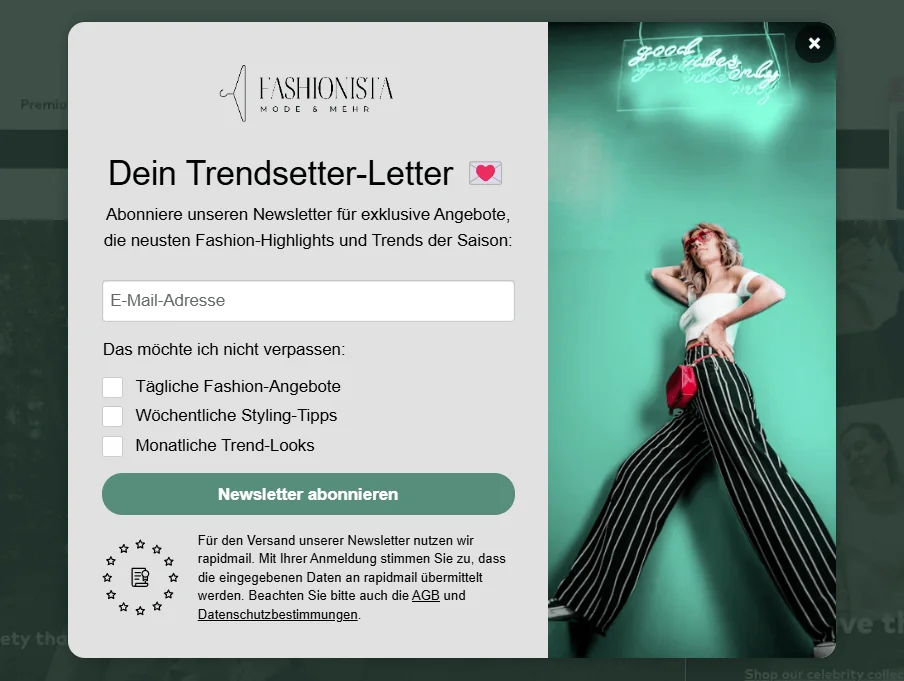
- ✅ Obtain your contacts’ explicit consent: Only send email automation to people who have explicitly consented to receive your marketing emails, ideally using double opt-in.
- 📄 Link to your privacy policy in the sign-up form: Make sure your privacy policy is easy to access, for example in the email footer or sign-up form. The privacy information on your website must explain which personal data you process for your email marketing, for what purpose and exactly what happens to the contact details. You should also state which email automation software you use.
- 🌍 Store contact data only within the EU: Under the GDPR, personal data may only be processed within the EU without further requirements. When choosing your email automation tool, you should therefore ensure that all contact data is stored and processed exclusively on servers within the EU.
- 👋🏻 Include an unsubscribe link in every automated email: The GDPR states that your contacts have the right to withdraw their consent to receive your marketing emails at any time. This means your readers must be able to unsubscribe from your email automation whenever they wish. The easiest way to ensure this is to include an unsubscribe link in your emails.
Find more important data protection requirements for your email automation in our free data protection checklist:
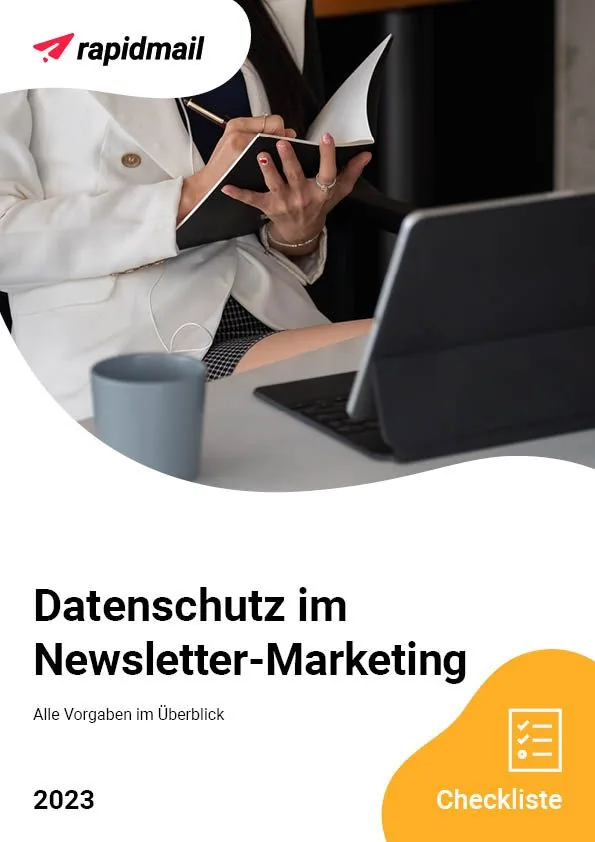
No one can avoid the GDPR these days. Data protection is not only extremely important, but also highly complex: It is not always easy to understand which GDPR requirements apply to whom, especially if you do not want to wrestle with complicated legal clauses or court judgments. 🤯
For this reason, we have summarized all the rules, from newsletter sign-up to unsubscribing, in a concise email marketing data protection checklist that you can download and check off. The checklist shows you exactly which requirements you must meet to ensure your email marketing automation always complies with data protection law.
Download the interactive data protection checklist for free (PDF in German)
6. 🆕🐣Freshly hatched: Easily automate workflows with the new rapidmail email automation
Hold tight, because here comes the spectacular happy ending: So that you can put everything you have just learned about automated emails into practice straight away, we developed rapidmail email automation for you.
It lets you create automated email workflows easily, even if you are completely new to email automation and have no prior knowledge, whether for simple use cases such as annual birthday greetings or more complex, multi-stage automations. Best of all, our workflow templates for the most important real-world use cases help you get started quickly in the world of email marketing automation. 🚀
Discover rapidmail email automation now
💡 rapidtip: Your first email automation, step by step
Don’t worry, no one is born an automation expert. In our Help center, you will find easy-to-follow step-by-step instructions for your email automation with rapidmail, making it easy to get everything right. Take a look at:
- 📖 An overview of all rapidmail email automations
- 📖 Instructions: Send an automated welcome email
- 📖 Instructions: Send annual birthday greetings automatically
- 📖 Instructions: Send appointment reminders automatically
- 📖 Instructions: Automatically send the latest newsletter to new contacts
- 📖 Instructions: Send automated reactivation emails to inactive contacts
- 📖 Instructions for your own email automation use cases
- 📖 Options for testing your rapidmail email automation