The 11 most embarrassing newsletter mistakes and how to deal with them
You may be familiar with the great fear of newsletter mistakes: your campaign to 10,000 contacts is ready to send. You click the “Send campaign” button, but do not dare release the mouse button. Have you really thought of everything? Has everything been proofread and have any mistakes been corrected? Don’t panic: whether you’re a beginner or an email marketing professional, everyone makes a slip-up now and then, as you can see from our 11 examples of embarrassing email marketing mistakes. The important thing is to stay calm and think carefully about the best way to handle the email mishap.
1. Newsletter mistake: unintended, inappropriate references
Sometimes you come up with a good pun or reference that seems perfect for your newsletter. Your intentions are good, but that is precisely when you can put your foot in it. This can not only hurt your readers, but also negatively affect your company’s image.
📝 Example: a careless pun
A well-known sportswear manufacturer learned this lesson in 2017. The company wanted to congratulate all the athletes who had successfully taken part in the Boston Marathon. It therefore congratulated the relevant contacts in a newsletter with the subject line “Congrats, you survived the Boston Marathon!” A nice gesture, in principle. Except that this was the very marathon where, three years earlier, two bombs had exploded near the finish line, killing three people and injuring almost 300.
With that background, a newsletter subject line congratulating people on “surviving” the Boston Marathon three years later seems very cynical. Of course, there was no malicious intent or poor humor on the part of the sportswear company behind the newsletter mishap. The sender most likely meant “surviving” in the subject line simply as a reference to the endurance required to complete a marathon. They probably did not associate the subject line with the bombing a few years earlier.
The well-intentioned newsletter became a controversial campaign that traveled around the world on social media in a very short time. Global attention may be good for a business, but not when it is negative publicity like this. The company’s response also showed that its choice of newsletter subject line had not exactly cast the sportswear manufacturer in a favorable light:
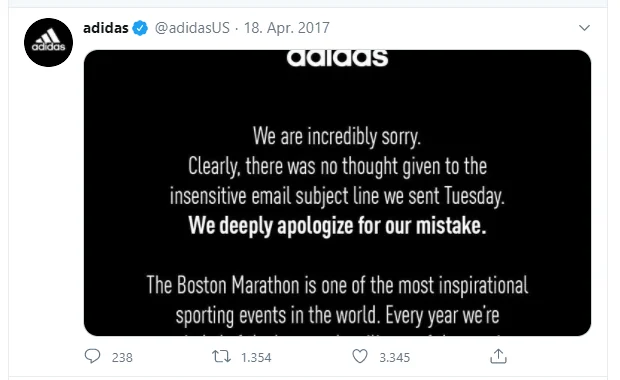
In a public tweet, the company apologized “deeply” for the newsletter mishap. It admitted that it had used an “insensitive email subject line” that had not been sufficiently thought through.
To avoid unconsciously alluding to an event like this in your newsletter, it is advisable to have several colleagues proofread the newsletter before sending it. One of your proofreaders will probably spot the connection to the event you are unintentionally referencing before it is sent, thereby avoiding the risk of enormous reputational damage to your company.
2. Newsletter mistake: personalization errors
A personalized form of address for contacts leads to more newsletter conversions than impersonal mass emails and is therefore one of the main factors in successful email marketing. Personalized content gives your subscribers a positive impression of your newsletter, increasing the likelihood that your emails will be opened and read. A personal greeting using each contact’s first name or surname at the beginning of the newsletter also has a positive effect on engagement rates.
Using the salutation incorrectly
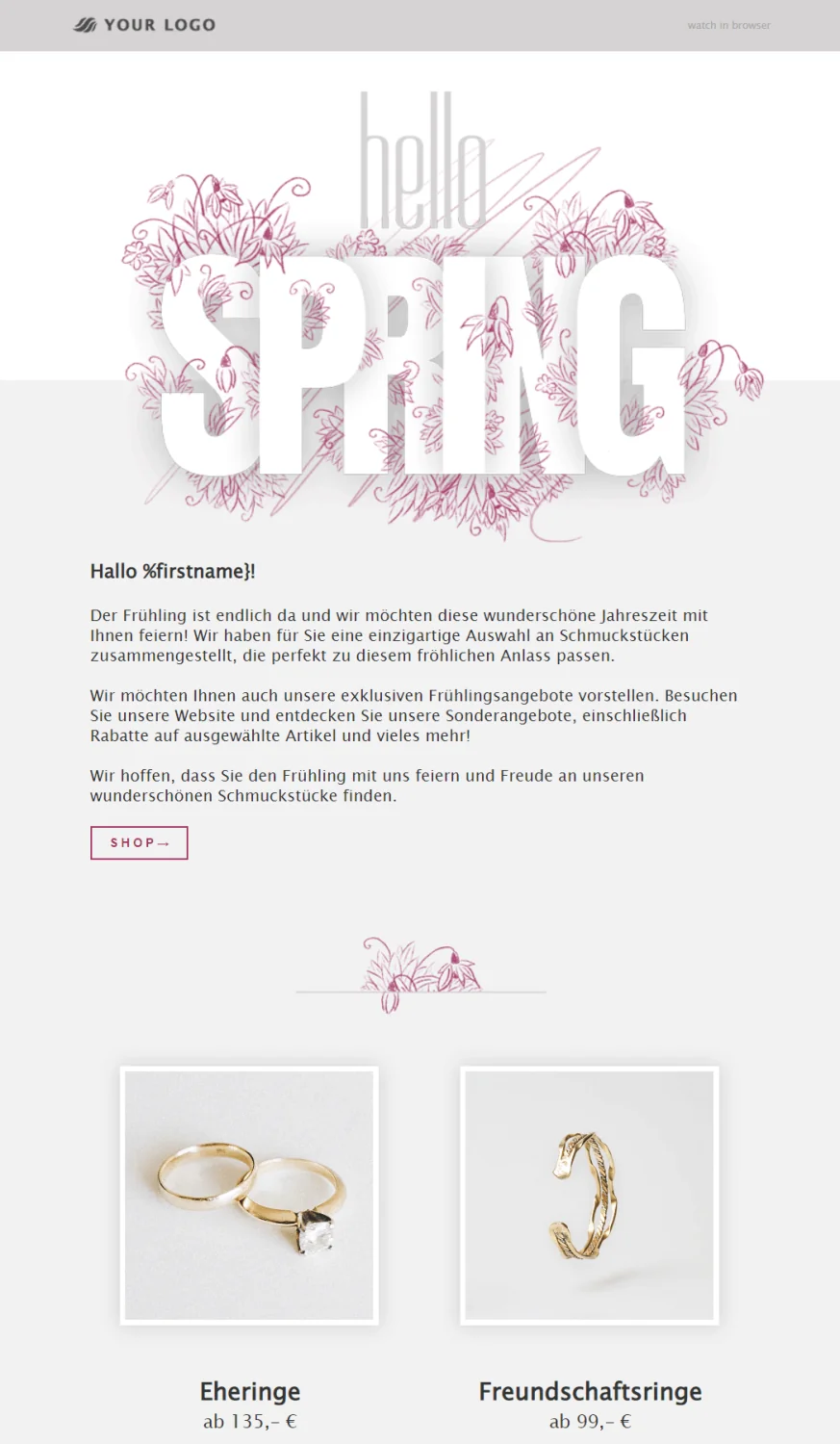
However, if an error creeps into the personalization, the whole thing can unfortunately backfire, as many newsletter senders have already discovered. For example, if you accidentally delete part of the selected salutation, the contacts’ names will no longer be inserted automatically when it is sent. Instead, newsletter subscribers will see the remaining part of the faulty salutation as their greeting.
If your readers are greeted with “Hello {%First name!”, the positive effect of addressing them individually is unfortunately lost. Instead of giving the impression that the email is addressed exclusively to one person, your contacts can immediately see that it is an automated greeting. Some subscribers might not notice at all, or they may smile and overlook the minor slip-up. In the worst case, however, the faulty salutation can negatively affect your readers’ interest in the content and their willingness to click.
You should therefore be sure to include testing the personalization you have added in your newsletter checklist before sending.
With rapidmail, you can test personalization in various ways:
- 👁🗨 Preview function: Click through the different contact addresses and check in the newsletter preview whether the correct contact name is displayed, for example.
- 📬 Test email: Before actually sending your newsletter, we always recommend sending it as a test email to yourself and a few colleagues first. Four, six or even eight eyes see more than two, including when it comes to faulty salutations. To check the personalization in the test email, you just need to add the relevant email addresses to the contact list beforehand.
If you cannot immediately tell whether the newsletter personalization error is caused by a missing bracket or an extra space, for example, it is always worth checking your contact list. To greet your subscribers individually, their names must, of course, be stored in the correct place in the contact list system.
The same rule applies to newsletter personalization as it does in everyday life: rather than addressing someone by the wrong name, or with a strange formula, if in doubt it is better to use a simple, cheerful “Hello!”
3. Newsletter mistake: missing newsletter attachments
This embarrassing newsletter mistake has probably happened to all of us in an email at some point. We write a message in which we briefly mention somewhere that the relevant document is in the email attachment, using a phrase such as “please see attached”. Then we think of something else important that we absolutely must add. Thanks and best wishes, and with one click the email is sent. At the latest, when the recipient replies to ask whether you might send the document at some point, you put your head in your hands. Of course, there was something else: you meant to add the document before sending the email…
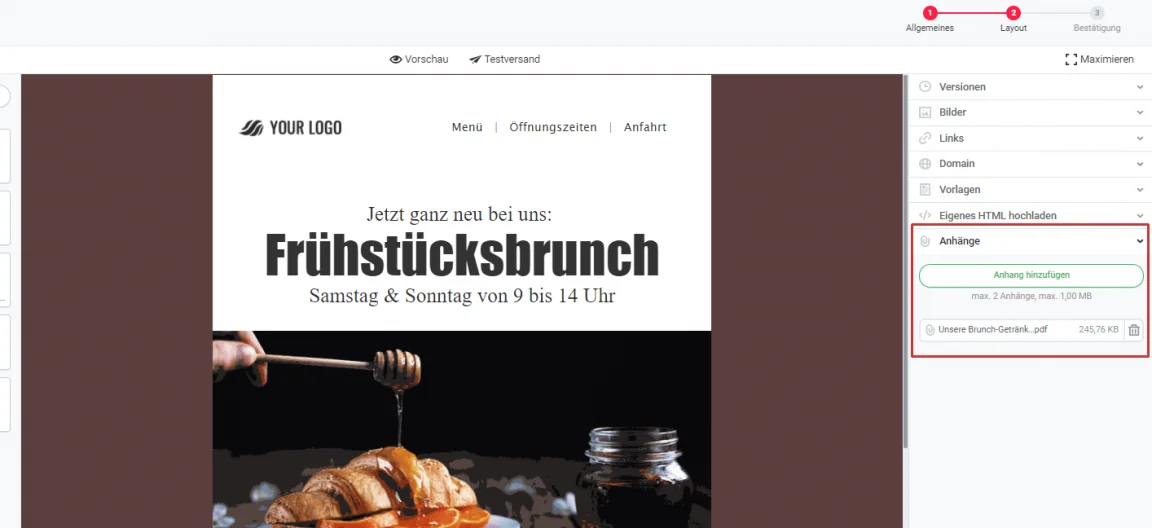
rapidmail is one of the few newsletter tools that allows you to create newsletters with attachments. It is particularly annoying when the attachment is actually the most important part of the newsletter, for example because it contains the voucher code, the new price list, current last-minute travel offers or today’s menu, but is forgotten and not sent. This is frustrating not only for you, because you have to send a second newsletter with the attachment, but also for your contacts, who may even be annoyed that they wasted their time reading your email.
To avoid forgetting the attachment again in a panic while writing your apology email, and yes, it has happened before, you should make a habit of always following this order when writing newsletters:
- Define the newsletter sender
- Upload the attachment
- Create the newsletter content
- Only then write the final subject line and preheader
- Send test emails
- Select the desired contact list only at the end, which prevents accidental, premature sending
4. Newsletter mistake: forgotten test images and text
The subscribers of an American online health and fitness retailer were treated to a beautiful newsletter featuring photos of kittens with the subject line “[TEST] PM Tracking Test”, leaving them to puzzle over the connection between the subject line, the kittens and fitness products. In fact, there was no connection at all: the company had accidentally sent the test email, including its test subject line and images, to the entire contact list.
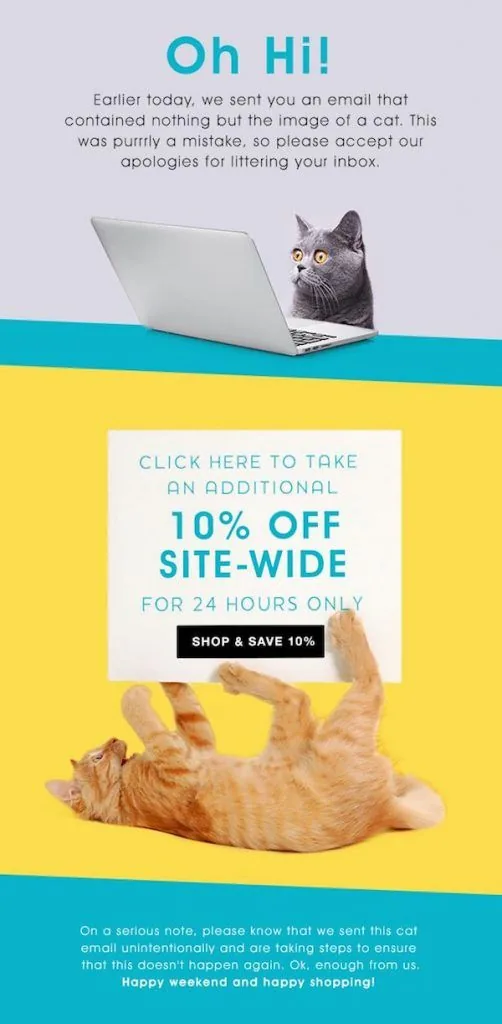
To apologize for the mishap, the company sent a second campaign that humorously revisited the mistake involving the unrelated kitten test images:
To avoid accidentally sending a test email to your entire contact list, it is advisable to select the relevant list only when you are ready to send the newsletter. This ensures that your contacts receive only the final version of the newsletter.
You can also avoid confused questions from newsletter contacts about forgotten test images by inserting the right images as you write the newsletter, rather than putting this off until later. New projects and the passage of time can otherwise cause the missing images to be forgotten.
👀 Have you seen this?
Would you like to know what really matters when it comes to your newsletter design? It couldn’t be easier: in this video, our Content Manager Wiebke shows you how to wow your contacts with beautifully designed newsletters. Roll the film! 🎬
Open video transcript
Chapter 1: Introduction
First impressions count in email marketing too! If your newsletter design looks confusing or boring, your email probably won’t be read. Fortunately, with the right tricks and tools, designing beautiful newsletters is no longer that difficult, and today I’ll show you how it’s done!
By the way, this is the third lesson in my newsletter course, which will turn you from a beginner into a true professional. If you’d like to learn more of the basics of successful email marketing, be sure to watch the other lessons too. But for now, let’s focus on newsletter design. Let’s get started:
Chapter 2: Why good newsletter design is so important
When contacts open your newsletter, its design determines whether they keep reading or close the email again immediately. Ideally, the design should attract attention, make the content easy to grasp at a glance, guide your readers through the email without effort and, of course, reflect your brand.
To achieve this, you first need a basic structure:
Chapter 3: The right newsletter structure
A good newsletter structure typically consists of a header area with a logo, image and heading. The image should help your contacts recognize immediately what the newsletter is about. It is also best to link the image, as many people usually click this area.
You should then add a short, friendly greeting before moving on to the various content blocks and images in the main section. Position your call-to-action button as high up in the campaign as possible, so your readers ideally do not have to scroll to reach it. This automatically increases the likelihood that more people will click the button.
Finally, the footer with an unsubscribe link and legal notice appears right at the bottom. Adding your name and a photo to your signature immediately gives your contacts a personal impression and helps you build a long-term relationship.
It is also important for the newsletter to have enough white space, meaning empty spaces that prevent it from looking cramped and give your readers’ eyes a little break. Paragraphs, dividing lines, different columns and a good mix of text and images also keep your newsletter clear and help you guide contacts through the various pieces of content.
If you still find this a little difficult, I would recommend starting with a newsletter design template. Most newsletter tools let you choose from several options and then fill the template with your content. This gives you a really good basic framework and lets you complete your newsletter design much faster.
Chapter 4: Designing newsletters in your corporate design
But if everyone only ever used templates, wouldn’t all newsletters end up looking the same? That is why I recommend adapting your newsletter to your brand’s corporate design. This will immediately make it more recognizable too.
Fortunately, the 1-click design makes this really easy. All you have to do is enter your URL, and your company colors, logo, fonts and social links are automatically transferred from your website into the design. Of course, you can still make adjustments, such as changing the colors, modifying the button or adding more social links. When you save your design, it is automatically applied to many of the templates, giving you a huge range of tailored options for your newsletter design.
Chapter 5: Considering accessibility in newsletter design
When thinking about your newsletter design, you should also bear in mind people who, for example, are visually impaired, have little experience with digital media or have cognitive impairments. Your newsletter should be accessible to everyone!
To achieve this, make sure there is sufficient contrast between your text and the background. For example, use dark gray text on a white background instead of light gray text on a pale blue background. To make your newsletter even easier to read, you should also choose a font size of at least 14 pt.
As a general rule, your newsletter should look good on all devices, including smartphones and tablets. With rapidmail, every newsletter automatically adapts to the screen size of the recipient’s device, so you do not have to take any additional steps for responsive design. When designing it, however, remember that multiple columns displayed side by side on a desktop will appear one below the other on a smartphone.
Chapter 6: Conclusion
As you have seen, a few basic rules and aids such as ready-made newsletter templates or the 1-click design make it surprisingly easy to create beautiful newsletters.
In the next lesson of “Learn email marketing”, you’ll discover how to tailor your newsletter perfectly to your target audience using personalization and segmentation. Be sure to watch the episode if you’re interested in the topic!
5. Newsletter mistake: incorrect dates
Whether it concerns an important event or the duration of a generous discount campaign, giving the wrong date in a newsletter can have disastrous consequences. For example, if you send a newsletter to all existing customers advertising “20% off all kitchen furniture until 11/06/2024”, you have a problem. How are you supposed to explain to customers that you meant 11/06/2023, of course?
If this happens frequently, it can seem unprofessional and confuse customers, who will eventually no longer know when each campaign actually ends. Before sending, always check very carefully that all dates are correct!
6. Newsletter mistake: selecting the wrong contact list
With segmented sending, you send different newsletters to different contact groups and can tailor newsletter content to the individual interests and habits of your contacts. This enables you to achieve better results by assigning keywords, also known as tagging in email marketing. However, if you select the wrong contact list, all that effort and the associated costs will unfortunately have been for nothing. But these are not the only drawbacks of sending an email to the wrong contact group.
📝 Example: a thoughtless congratulations message
A US photo service provider knows all about this. It wanted to congratulate new parents among its contacts on their “bundle of joy” in a newsletter, while also promoting its thank-you cards for friends and family. A lovely gesture, except that the newsletter was sent to the wrong contact list and therefore also reached many people without children.
Fortunately, many contacts saw the funny side of this marketing mishap, as shown by one subscriber’s tweet wondering whether the photo service provider might be referring to her new shoes as her “bundle of joy”. However, the newsletter mistake also triggered less positive reactions among readers. One contact, for example, addressed the photo company in the following tweet: “Seriously. This just ruined my day. Thanks for reminding me that I don’t have a baby!”
Our conclusion from this embarrassing newsletter blunder: tailoring email content to contacts’ interests is a good idea, provided you then send the newsletter to the people for whom it is intended.

The rapidmail newsletter
Tips, ideas and news about email marketing, straight to your inbox.
7. Newsletter mistake: grammar, spelling or typing mistakes
Embarrassing grammar and spelling mistakes are probably the classic email mishaps. But even experts in the English language can make embarrassing typing mistakes that may limit the success of an email campaign or, in the worst case, even damage the company’s image.
📝 Example: a completely different meaning
An American online fashion retailer experienced this first-hand when it promoted its collection with the newsletter subject line “See it. Love it. Not get it.” (in other words, “See it. Love it. Don’t buy it.”). Instead of discouraging people from buying its own clothes, the company had, of course, intended to motivate newsletter subscribers to make a purchase with the subject line “See it. Love it. Now get it.” (in other words, “See it. Love it. Buy it now.”). It was an unfortunate typo that gave the impression that the company was warning people against buying its own products.
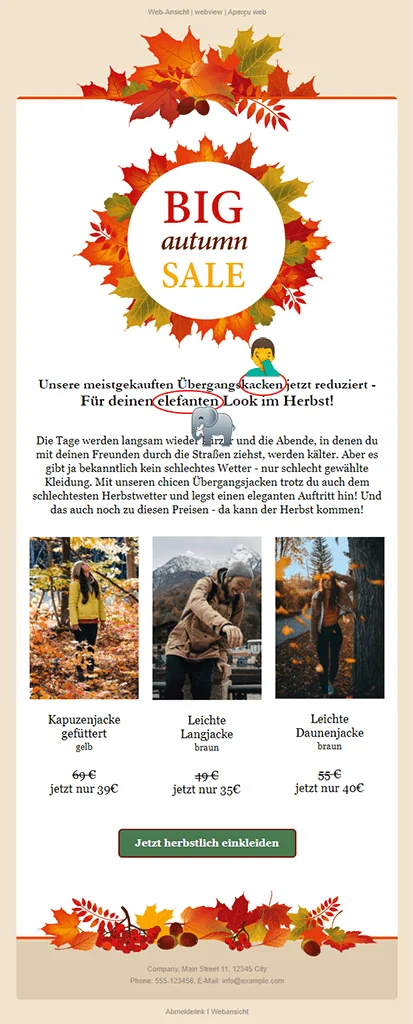
Alongside unfortunate typos like these, you and your colleagues should look out for the following mistakes when checking test emails:
- Common spelling mistakes: your / you’re; there / their / they’re; separate instead of seperate; definitely instead of definately; accommodation instead of accomodation, etc.
- Mistakes in people’s proper names (e.g. Mr Muhmann instead of Mr Muhrmann) and company names (e.g. Appel instead of Apple)
- Capitalization mistakes: A common error is to begin the line following the salutation with a capital letter after using a comma in the greeting, such as “Hello Max,”. This is only correct if the greeting ends with terminal punctuation, such as “Hello Max!” or “How are you, Max?”
8. Newsletter mistake: forgotten placeholders in newsletter text
You have probably experienced this yourself: when writing the newsletter, certain information may still be missing, such as the time of an event or the final website URL to which subscribers should be directed. Senders therefore often insert placeholders, such as “The event starts at XX:XX”. This is practical, of course, but you run the risk of forgetting to replace the placeholder with the correct information before sending. The newsletter will then have been a waste of time because it is missing the relevant information you actually wanted to share with your contacts.
📝 Example: an inappropriate link
A toy manufacturer discovered that using placeholders can have far worse consequences for a company’s image. It had the great idea of launching a marketing campaign in which parents were asked to film their children opening their toy gifts. The video was then to be uploaded to the toy company’s website.
A great idea! Unfortunately, in the newsletter for the marketing campaign, the toy company made the disastrous mistake of putting the placeholder XXX between www. and .de in the URL of the website where the videos were to be uploaded. The correct URL was, of course, meant to be inserted before sending… but unfortunately this was forgotten. Parents who wanted to upload their videos were naturally horrified to discover the adult website to which the toy company had directed them.
💡 rapidtip
We therefore recommend not using placeholders when writing your newsletters or, if there is no alternative, at least not using the letter X as a placeholder. Before finally sending the newsletter, always click every link in the test email to check whether the correct URL has really been assigned to each link.
9. Newsletter mistake: missing or broken link
A newsletter is often used for more than simply informing contacts about important news. As a sender, you normally hope that subscribers will interact with the email and, for example, click the call-to-action button that leads to the desired web page, where they can create a customer account, download an ebook or buy the advertised product, for example.
But what are your contacts supposed to do with the beautiful newsletter if you forgot to add the button and the website link to the newsletter, or if the link leads to an error page? They will probably wonder briefly why the link does not lead to the described page, close your newsletter again and forget about it soon afterwards. That is obviously not the point. Before sending, always check very carefully that everything is correct.
Can the mistake still be corrected after sending?
If you forgot to include the link in the email, there is no alternative but to send a second newsletter including the website link. If, however, there is “only” a typo in the URL, you can also contact our support team when sending via rapidmail, who can correct the mistake for you, provided you have activated link tracking in the newsletter. Subscribers would not even notice that the wrong link had been added to the campaign. However, this is only an option if you notice the mistake immediately after sending the newsletter and the majority of contacts have not yet opened it.
💡 rapidtip
The A/B test function lets you send your campaign to only some of your contacts at first. If you have not received any feedback from your readers about newsletter mistakes after around 2–4 hours, you can safely send your campaign to the rest of the contact list.
10. Newsletter mistake: poor timing when sending
Timing also matters when sending newsletters. Although the risk of the following newsletter mistake is very low, companies have sometimes chosen what was probably the worst possible moment to send a newsletter on a particular topic.
📝 Example: a thoughtless newsletter campaign
One example involved a well-known US platform for arranging vacation rentals. The newsletter campaign it sent was titled “Floating world”. Its subtitle read: “How to spend a day – or an entire trip – without touching dry land. Your next aquatic adventure starts here.” The newsletter copy also advised readers to “stay above water”.
It was an original email campaign that, under normal circumstances, would certainly have attracted the interest of many newsletter contacts. However, the timing of the newsletter could not have been worse. The water-themed email reached contacts while Hurricane Harvy was raging in Texas and had already claimed its first fatalities and left tens of thousands of people homeless. It is understandable that people have little desire for a vacation on a houseboat or with fun waterfall slides when their own home is under water. It is hardly surprising that contacts’ reactions to the insensitive newsletter topic were not particularly positive.
💡 rapidtip
Always keep track of current events and developments in the countries to which you send your newsletter so that the chosen topic does not touch a raw nerve. Even though the risk of such a coincidence is low, this can prevent you from sending insensitive newsletter content around the world if the worst happens. Inappropriate content can make your company appear to be trivializing a serious issue or making fun of it.
11. Newsletter mistake: ignoring the contacts’ perspective
You may like to think that more is always better, including when it comes to marketing your own products. No matter how strongly you believe in your brand and newsletter marketing, always consider your readers’ perspective. Yes, they like your company and have therefore subscribed to your newsletter. However, that is not a license to flood your contacts’ inboxes with piles of emails.
Put yourself in your contacts’ shoes and consider how often you would like to receive an email from your company and how relevant it would be to you. Finding an appropriate sending frequency is essential. After all, you do not want to drive your readers away and prompt them to unsubscribe from your newsletter.
The frequency of your campaigns is not the only important factor. You also urgently need to consider your choice of newsletter topics. Your contacts are a diverse group of people with different interests in relation to your products. Person A will not necessarily be interested in the same newsletter content as person B. Emails perceived as annoying very quickly lead to newsletter unsubscribes, so you should avoid this as far as possible. To provide all contacts with content that interests them, it is a good idea to use segmented sending. This lets you respond to the interests and behavior of your contacts and send them only relevant newsletters that ultimately add value for both sides.
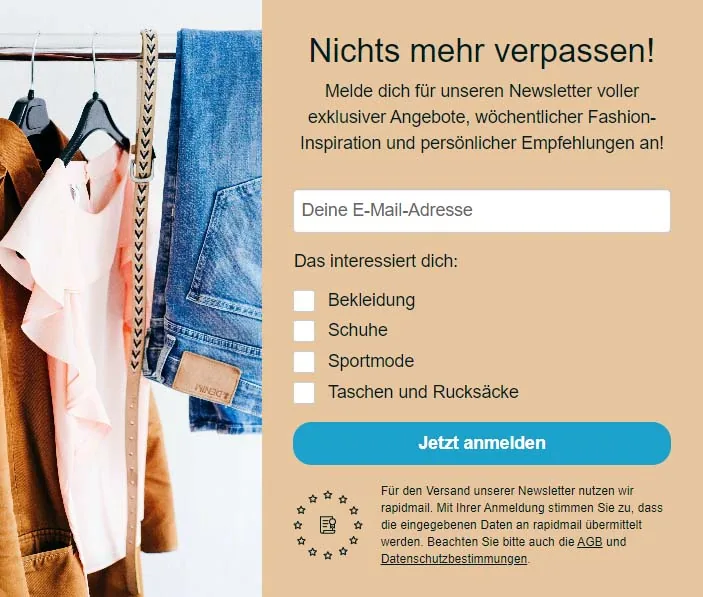
Oh no… What now? How to make amends for email marketing mistakes
Sometimes you notice the mistake in your newsletter immediately after sending the campaign. With a newsletter tool such as rapidmail, it may still be possible to stop the newsletter from being sent. However, the email mishap is often not noticed until you read contacts’ reactions on social media platforms or receive confused questions by email. At that point, there is only one thing for it: take a deep breath and face the situation!
Remember that everyone makes mistakes, whether they are beginners or newsletter professionals. There is no point blaming others, denying the mistake or trying to cover it up. In your own interests, and of course those of your company, you should admit the mistake and make the best of it.
What is the best way to respond to newsletter mistakes?
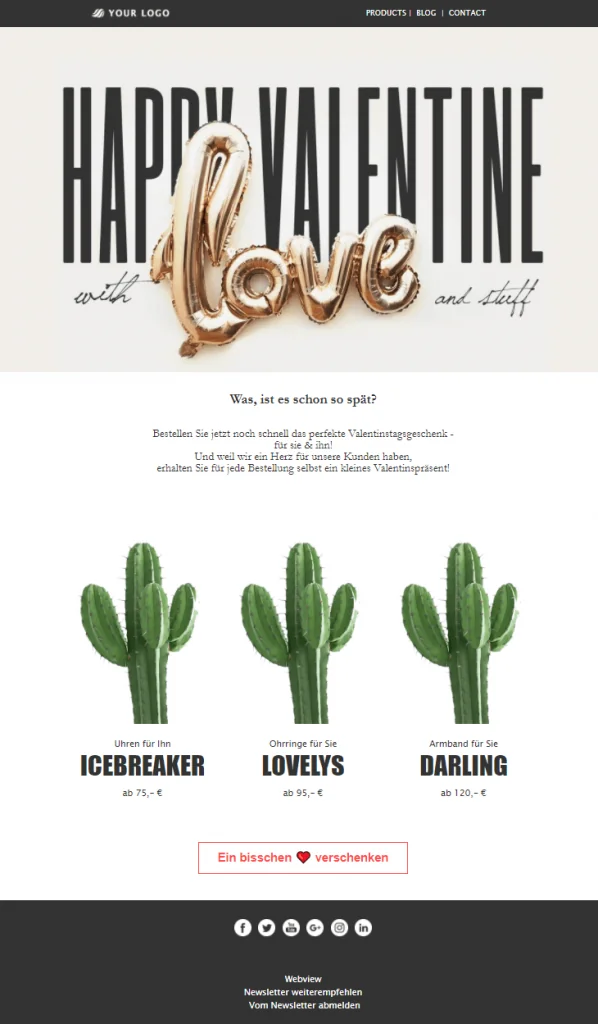
Exactly how you should respond to email marketing mistakes depends primarily on whether it is a serious error or merely a minor slip-up. Minor mistakes such as typos, forgotten attachments or test images are best handled with humor. In such cases, you can use the mistake, like the forgotten cactus test images in the Valentine’s Day newsletter above, as the basis for sending your contacts a humorous apology email. Its email design and graphic elements could, for example, focus entirely on the cactus theme. This is sure to make your subscribers smile and quickly win them over again.
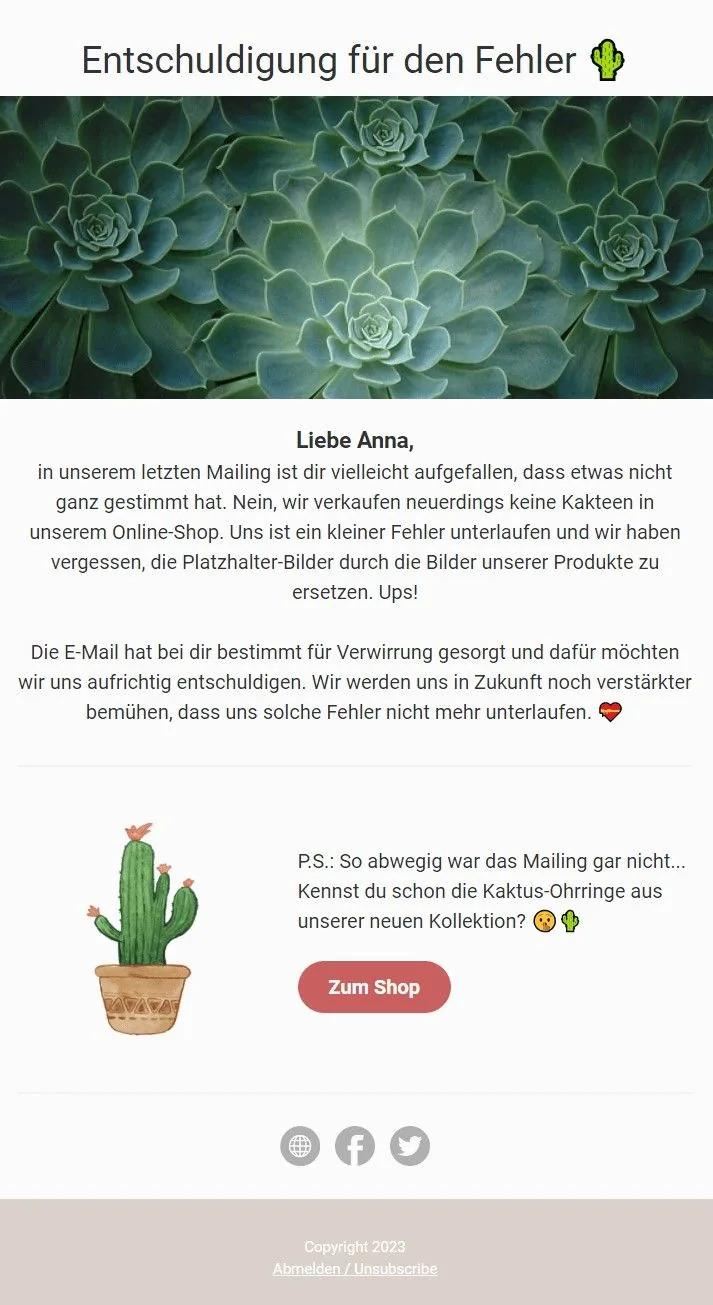
Serious newsletter mistakes, such as the examples involving the Boston Marathon or the hurricane in Texas described above, can damage your company’s image in the long term. You should discuss with your team how to apologize to your contacts in a follow-up campaign and explain how the mistake occurred. As mistakes can also spread quickly on social media, you should issue a statement about the incident on other platforms that you use for corporate communications. The most important thing is to be honest, provide a credible explanation and apologize sincerely for the mistake.
Text templates for apology emails after mistakes
What’s done is done. A follow-up email in which you apologize for your mistakes is often a good way to win your readers over again.
How to write a good apology email:
- 👥 Personalize the apology email: Your apology feels more sincere if you address every contact in the campaign personally. This gives your readers the impression that apologizing to each of them personally for the mishap genuinely matters to you. Of course, you must then make absolutely sure that you do not make a personalization error. A photo of you, or of the head of your marketing department, together with a signature at the end of the email also gives it a more personal touch. It shows your contacts that there was no malicious intent behind the mistake, just a human being who can make mistakes too.
- ❌ Do not use a noreply sender address: Give your contacts the opportunity to respond to your apology instead. This shows that you are taking responsibility for your mistake and are willing to accept negative feedback. If readers have the opportunity to vent their frustration by replying to the email, they are also less likely to make the mistake into a bigger issue than necessary on public platforms. Responding to contacts’ feedback in turn also makes them feel understood and probably more likely to forgive your slip-up.
- 😄 Treat the situation with humor: People who do not take themselves too seriously are generally more likeable than those who have no sense of humor. A little humor can therefore help your apology email, provided that the severity of the mistake permits it. Of course, laughing at the mistake yourself should not make the situation worse or appear offensive. It is best to discuss with your team whether humor is appropriate in this case.
- 🎁 Appease your contacts: Free delivery on their next order, an attractive discount or a voucher code can quickly win your subscribers over again and ensure that the newsletter mishap is soon forgotten. Our rapidtip: before sending, test one extra time to make sure that the voucher code in your apology email really works!
Download free text templates for apology emails
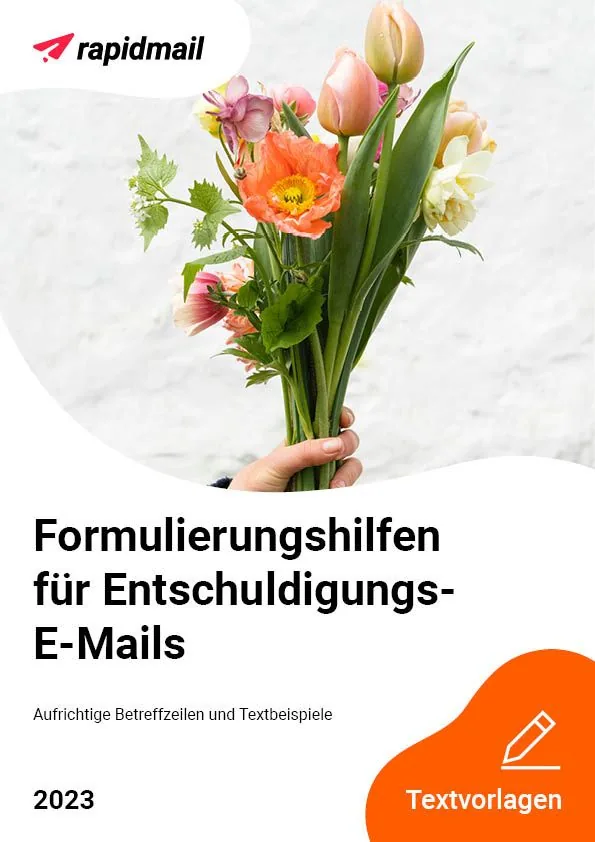
Finding the right words when you have really messed up is often far from easy, but our suggested wording for apology emails makes it simple!
Thanks to the sincere subject lines and sample copy, you can quickly ask your newsletter readers for forgiveness. We are fairly certain they will give you another chance.
So, what are you waiting for? Download the free text templates and be prepared for difficult situations. We wish you every success with your apology. 🍀
Download free text templates for apology emails (PDF in German)
Would you like to avoid ever having to write another embarrassing apology newsletter? Take a look at our newsletter sending checklist to prevent unnecessary mistakes in your next newsletter! With rapidmail, you can also send free test emails to yourself and your team members before actually sending, helping you avoid embarrassing newsletter mishaps!