How does link tracking work in email marketing?
 Lena·
Running successful email marketing is not just about developing good campaigns. Analyzing data obtained from sent campaigns afterwards is especially important when it comes to the success of your marketing activities. Link tracking means collecting data from a campaign or campaign about recipients’ click behavior. The data collected helps you determine, for example, how well your target audience responds when you launch new products. So how does link tracking work for newsletters?
1. What is link tracking in email marketing and why is it important?
The words “email tracking” might sound a little alarming at first. But don’t worry, it simply concerns recipients’ click behavior in your campaign. Link tracking plays a crucial role in online campaigns and advertising activities because it allows you to measure the success of a newsletter campaign afterwards, for example. Link tracking also provides insights into what you should optimize in upcoming newsletters.
But let’s take a few steps back first so that we can better understand why we need link tracking. We’ll use an example to look more closely at what link tracking in email marketing involves:
Example: link tracking in an online shop newsletter
Imagine that you run a small online shop selling clothes. You have set several goals for the new fall/winter collection so that you can measure the campaign’s success afterwards. One of your goals might be to generate €10,000 in revenue from the new collection by the end of the year.
Once you have set this goal, the next step is to decide how you can achieve it. In our example, it makes sense to send a newsletter announcing the new collection at the start of the campaign.
To determine at the end of a quarter or the year whether you have actually achieved your goal, you need to be able to measure how much revenue you generated by sending the newsletter.
But how will you know shortly before midnight on New Year’s Eve whether you can raise a glass to achieving your goal? This is where email link tracking comes in. Tracking later gives you an overview, in the form of newsletter reporting, of the impact that your newsletter about the new collection had on sales, among other things.
We’ll look at exactly how this works from a technical perspective shortly. First, it’s important to know what newsletter data you can obtain using link tracking.
2. How does link tracking work from a technical perspective?
Generally speaking, link tracking allows us to see which recipients clicked in the newsletter and which links in an email were clicked. Before we explore the technical details, let’s first look at what information link tracking can capture:
- Which links were clicked
- How often each link was clicked
- Which recipients clicked links
- How many conversions (such as registrations, product sales or ebook downloads) were generated through link clicks in the newsletter (provided that you use Google Analytics for newsletter tracking or a comparable tool)
In other words, link tracking analyzes subscribers’ click behavior within an email and, where applicable, connects it to subsequent actions on the website.
💡 rapidtip
Important: before you start collecting this click behavior data, you must first obtain your recipients’ consent to tracking. This is required by the General Data Protection Regulation (GDPR). Subscribers can easily give this consent when signing up for the newsletter by accepting the terms and conditions and the notice about your privacy policy.
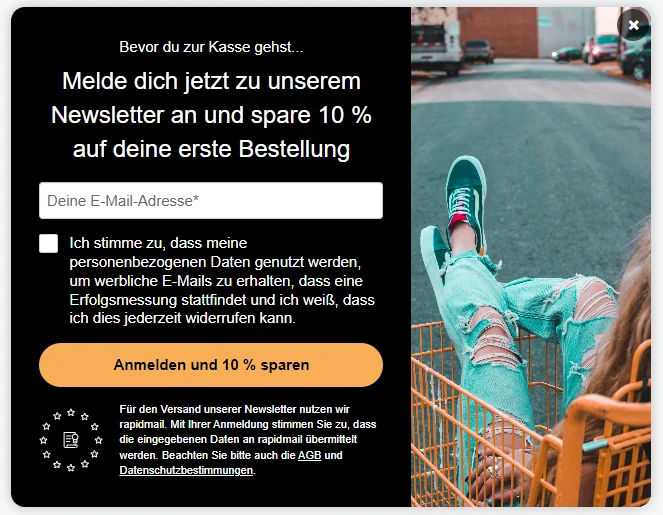
To ensure that you are fully protected from a legal perspective, you naturally need to include all the information about tracking in your terms and conditions. Don’t panic if you don’t yet know where or how to do this: our help article uses a sample text to show you what your privacy policy under the EU GDPR could look like.
💡 rapidtip
When it comes to data protection in newsletter delivery, it is particularly important to protect yourself thoroughly. This is so that your company does not have to fear legal consequences, but above all to protect your subscribers’ data from misuse. You should therefore explain tracking in the terms and conditions as precisely as possible, including which recipient data is tracked and for what purpose, and state which tool or tools you use to evaluate the data.
Newsletter subscribers have consented to link tracking. What happens next?
Let’s return to our example:
You are a rapidmail customer and want to send your recipients a newsletter about your new collection. You have diligently added links to your campaign, along with several call-to-action buttons.
The rapidmail newsletter
Tips, ideas and news about email marketing, straight to your inbox.
Now, of course, you want to know…
…which subscribers clicked a link in your newsletter:
- Which age group or groups?
- Which customer groups?
…and which products your readers clicked:
- The new winter parkas?
- Or the hats and scarves instead?
To collect click behavior data through the links in your newsletter, your newsletter tool personalizes every link you have included in the newsletter. A “normal website URL” that you have linked in the newsletter might look like this, for example:
https://www.kleidung.de/herbst-2021
As it stands, this link in your newsletter would not provide much information for data analysis. That is why rapidmail redirects every subscriber who clicks your link via an individual tracking URL. This allows the newsletter tool to determine which recipients clicked, so the link is slightly different for each recipient.
With rapidmail, the redirection happens automatically, so you do not need to make any changes to the link yourself. rapidmail automatically personalizes the link above for each recipient so that their individual click behavior can be recorded. Your readers cannot see this, of course. The switch between the personalized tracking link and the stored website URL happens so quickly that users do not notice it: your recipients have the impression that they are landing directly on the desired website.
This means that recipient 1 actually receives your newsletter with the link
https://email-tracking.de/kampagne123/empf1
and recipient 2 receives it with this link:
https://email-tracking.de/kampagne123/empf2
If both click the link in your newsletter, they first reach their individual tracking page before being redirected to your landing page. Without your readers noticing, your newsletter tool can use the individual URL of the tracking page to identify which customer clicked the link. The tool then automatically compiles this information for you as the sender in the newsletter statistics.
What is the key to data analysis for you goes completely unnoticed by your readers: they are simply redirected to the website without realizing that tracking parameters are recording their click behavior.
💡 rapidtip: test link tracking before sending your newsletter
With so many links, CTA buttons and technical components, something can easily go wrong or be forgotten. To prevent this, we recommend sending a test email before your actual newsletter. Faulty or broken links cannot be tracked, which means you will not be able to evaluate your newsletter afterwards. You also want your readers to land on the correct website, not one showing something entirely unrelated.
3. Which tools can I use to track links in a newsletter?
As described above, rapidmail automatically collects the most important data about your subscribers’ click behavior. However, you can also track your newsletter links with other tools. The best-known and most widely used tool is probably Google Analytics. Like Mixpanel, it is a web analytics tool that lets you evaluate data from the internet.
Link tracking with rapidmail
So far, we have explained how link tracking in newsletters works with purpose-built software such as rapidmail.
To summarize:
- You need the consent of your newsletter subscribers for link tracking, ideally through their acceptance of your company’s terms and conditions, which name rapidmail as the newsletter and tracking tool
- You can add your links to the newsletter as normal, without tracking parameters
- The newsletter software handles link tracking: recipients’ clicks can be traced using individual tracking links
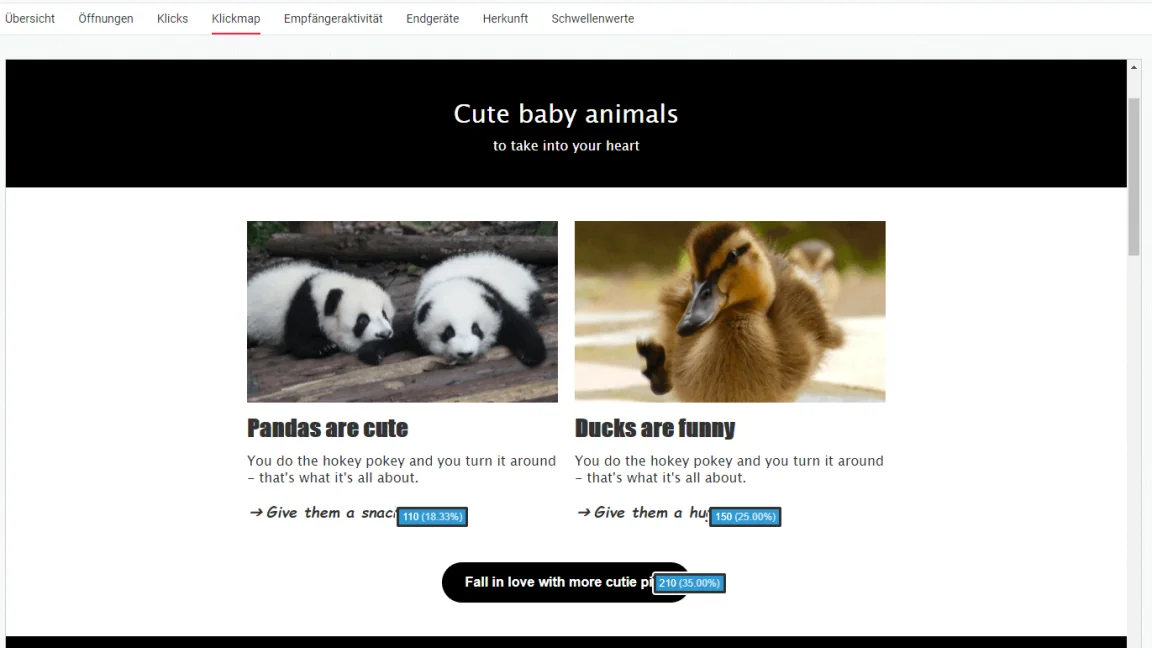
- After delivery, the clear newsletter statistics show you which recipients clicked in the newsletter and which links they clicked.
Link tracking with Google Analytics
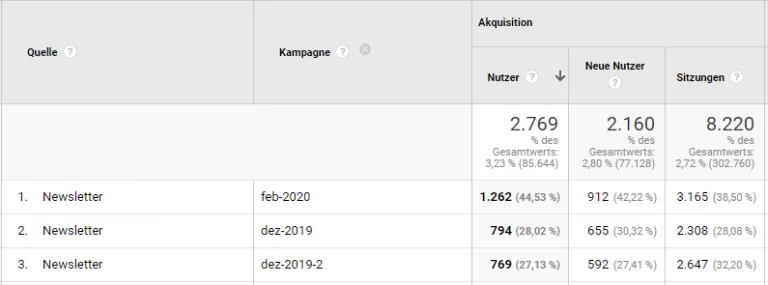
You can also track newsletter links using Google Analytics. Special Google parameters added to the newsletter links allow you to evaluate your recipients’ click behavior in the newsletter. Our help article explains exactly how to evaluate your newsletter campaigns with Google Analytics.
Broadly speaking:
- You need the consent of your newsletter subscribers for link tracking, ideally through their acceptance of your company’s terms and conditions, which name Google Analytics as the newsletter tracking tool
- You can add your links to the newsletter as normal
- You also need to store the Google Analytics UTM tracking parameters in the newsletter settings in rapidmail
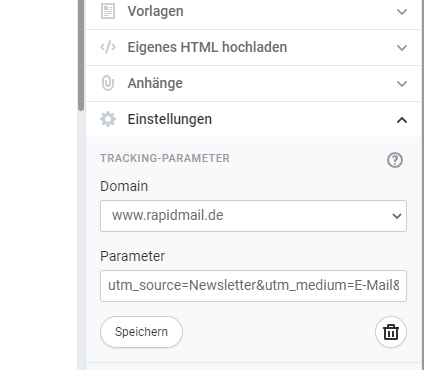
- Unlike link tracking with rapidmail, Google’s UTM tracking parameters are visible to your subscribers. They are appended to your website’s destination URL, for example:
Link tracking with Mixpanel
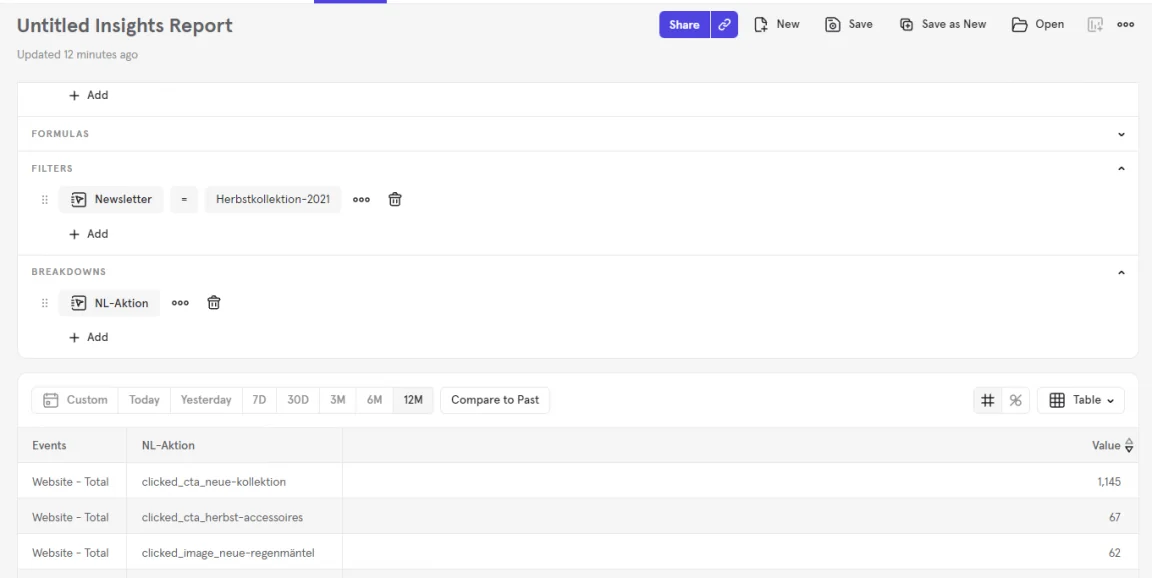
Depending on the company, other tracking tools such as Mixpanel are also used to collect and evaluate data about customer and user behavior. Mixpanel provides its own parameters, which you can append to individual links in your newsletter to track them.
Overall:
- As with the other tracking tools, you need your newsletter subscribers’ consent for link tracking with Mixpanel. Once again, the easiest way is for them to accept your company’s terms and conditions, where you provide all the information about tracking.
- When adding your links to the newsletter, you also need to append the Mixpanel parameters to the individual links, for example:
https://www.kleidung.de/herbst-2021?mp_NL-Kampagne=Newsletter&mp_Newsletter=Herbstkollektion-2021&mp_NL-Aktion=clicked_cta_neue-kollektion
- Here too, the parameters are visible to readers in the destination URL
4. What should I do with the data collected?
Phew, that was a lot of information. Now you’re probably wondering what you can do with all the data you have collected.
Let’s return to our initial example:
You have sent your customers a newsletter about the new clothing collection. By now, you also know which links the newsletter needs to contain and how email link tracking works. As you are now a true data professional, you also have an overview of all the information about your recipients’ click behavior in your web analytics tool.
What happens next?
- Improve link placement: When you have added several links and CTAs to your newsletter, it is highly likely that different subscribers will click different links. Your newsletter statistics show which links received the most and the fewest clicks. Was a link perhaps hidden too far down at the end of your newsletter and overlooked? Change the link placement next time and see how your recipients’ click behavior changes.
- Improve the layout and design of links: Eye-catching links in the form of call-to-action buttons are clicked more frequently in newsletters than simple text links. For your most important content, use colorful calls to action with a short, appealing prompt to click.
- Adapt the content: Because you know not only which links were clicked but also which age groups clicked them, among other details, you can easily see how click behavior varies by age or gender, for example. Are men more interested in the hats and scarves, while the women among your customers prefer the winter parkas? Put this information to use and adapt your next newsletter accordingly.
Curious? Try it in your next newsletter!