Sign up for different newsletter topics using tags

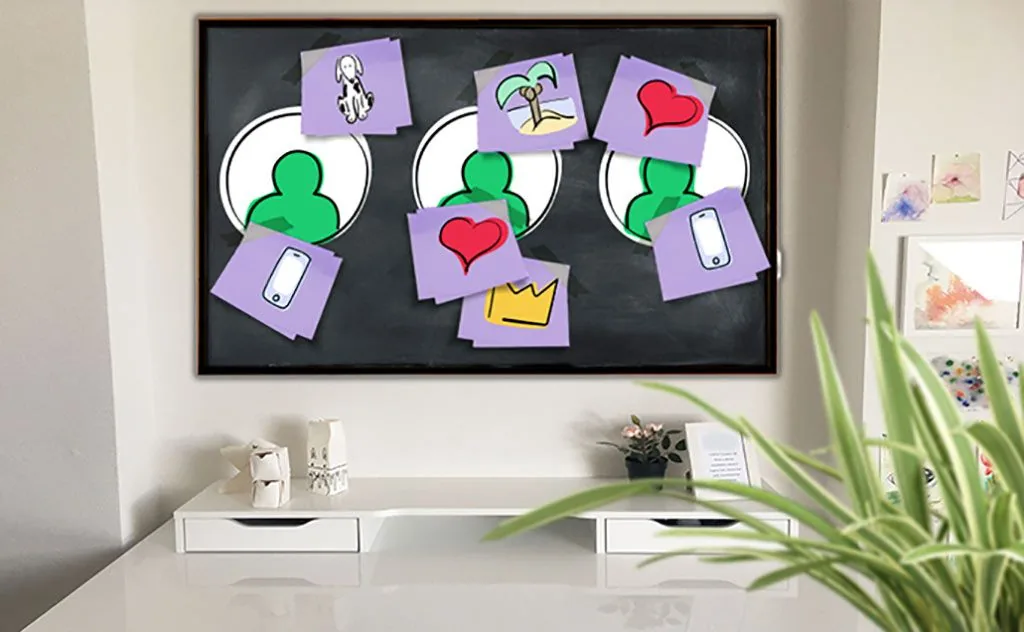
As a newsletter sender, there is naturally one thing you want above all: for recipients to read your newsletter and take the desired action, such as buying the product you are promoting. To make that happen, the newsletter content should be tailored precisely to recipients’ interests and meet, or better still exceed, their expectations. Thanks to our new and improved sign-up forms, this has never been easier! Tags now let website visitors sign up for specific newsletter topics or areas of interest, so you can easily find out what they are passionate about.
1. How can tags be used effectively in sign-up forms?
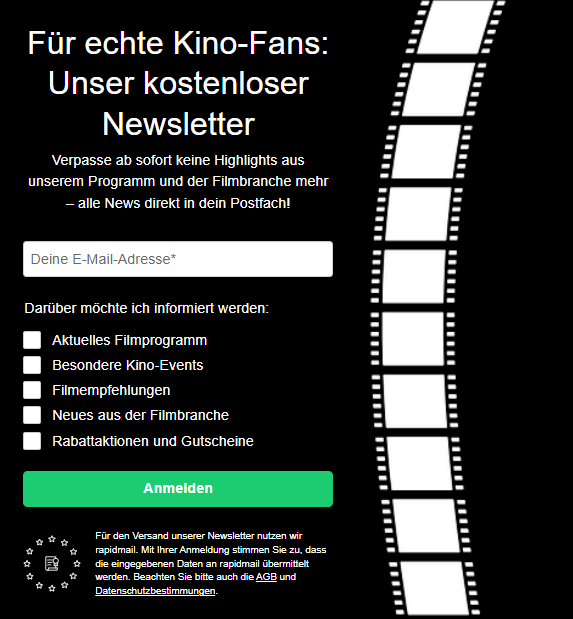
The best way to understand when adding tags to sign-up forms is useful is to look at an example. Let us assume that we run a cinema and regularly send newsletters that interested people can sign up for on our website. The newsletter covers a wide range of topics from the worlds of cinema and film. For example, we send:
- Weekly updates with our current film listings
- A monthly newsletter with interesting film industry news, new releases and more
- Occasional newsletters featuring discounts on cinema tickets, vouchers for popcorn and similar offers
- Invitations to special events such as ladies’ nights, sneak previews and advance screenings
- Occasional newsletters containing internal information, such as building work, changed opening hours and summer closures
- Occasional newsletters featuring film recommendations for different genres (action, horror, romance, drama, family films, etc.)
By analyzing the newsletters, we discover that our newsletter open rate is not very high. Further analysis shows that this is because a large proportion of our subscribers only ever open and click certain types of newsletter from the list above. We can distinguish between the following recipient groups:
- Local subscribers: recipients who live in the same town or near the cinema and mainly read newsletters containing current film listings, discounts, invitations to special events and important internal information
- Subscribers throughout Germany: recipients who do not live near the cinema and only read our film industry news and genre-specific film recommendation newsletters
- Subscribers with a preference for a particular film genre: for example, recipients who only open our newsletters when the subject line indicates that they contain recommendations for action films or news about the release of an action film
The analysis shows that every year we send numerous newsletters that a large proportion of recipients do not read simply because they are not interested. Looking at our newsletter budget alone, we could save quite a lot if we could send each newsletter only to subscribers who are interested in it.
One solution would be to assign specific tags to each recipient based on the analysis (such as romantic comedies, horror films and action films) or to divide the recipient list into different segments (such as by recipient location). However, that would take a lot of work with our long recipient list of more than 2,000 subscribers.
Fortunately, the new rapidmail newsletter sign-up forms are here!
On the one hand, the new forms let us ensure that new newsletter subscribers only sign up for topics that interest them. On the other hand, we can also ask the 2,000 “existing” recipients in our recipient list to update their recipient profile and select the topics that interest them.
All we need to do is enable the “Areas of interest” component for the recipient profile in the form editor and include the link to the recipient profile in the newsletter.
We can then restrict newsletter delivery by topic to the different recipient groups.
For all new subscribers, we can decide which topics to offer for selection in the form. Possibilities could include:
- Different areas of interest (film genres): action, drama, comedy, adventure, fantasy, crime, thriller, romance
- Different newsletter topics: discounts, film recommendations, current listings, film industry news, special events
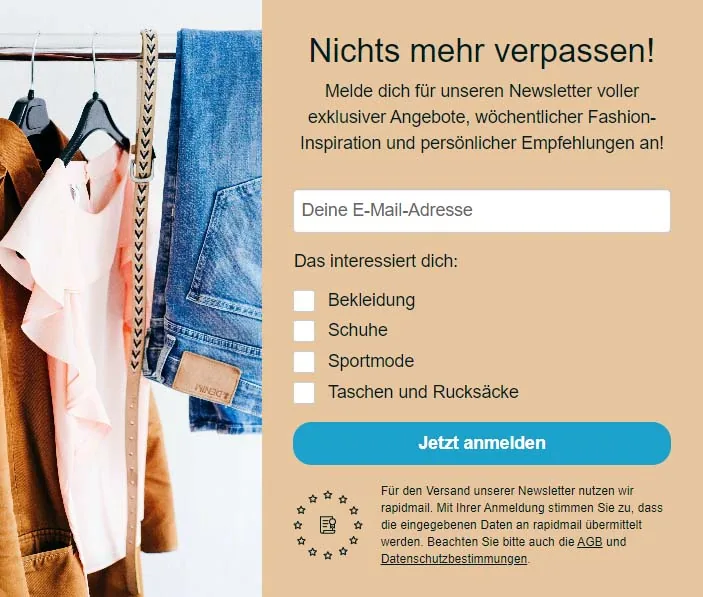
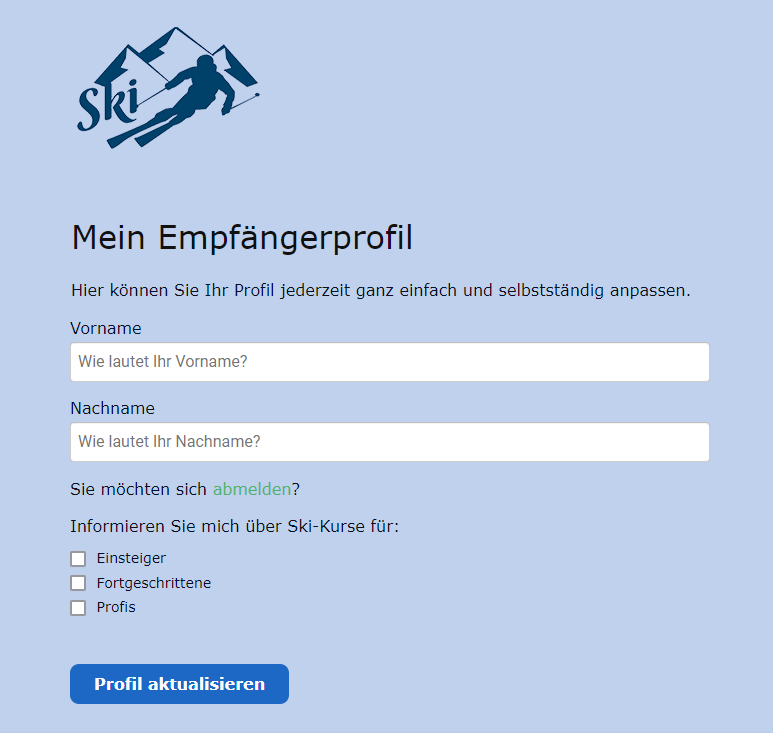
Of course, signing up for different newsletter topics is useful not only for cinemas, but for all newsletter senders. Ski schools, for example, can use the form to ask how experienced a subscriber is at skiing. Online shops can allow interested people to choose how often they would like to receive the newsletter or which brands or product groups they would like it to cover. Other options for newsletter sign-up could therefore include:
- Different skill levels: beginner, advanced, expert, etc.
- Different campaign frequencies: daily, weekly, monthly, etc.
- Different brands
- Different product groups: clothing, footwear, swimwear, sportswear, accessories, etc.
Once a website visitor has selected specific newsletter topics or areas of interest and successfully signed up for the newsletter, they are automatically added to the recipient list and assigned the corresponding tags at the same time. Over time, you can then divide your recipients into different tag groups. This has the advantage that you can create newsletters with content tailored precisely to each tag group. By selecting the appropriate tag group when sending your newsletter, you send your campaign exclusively to interested recipients! Tag management therefore helps you organize your newsletter contacts effectively and create useful recipient groups.
Can I still assign recipients tags that are not used as topic options in the sign-up form?
Yes! As before, you can assign any tags you like to your recipients. They do not necessarily need to appear as a newsletter topic or area of interest in the sign-up form. Regardless of the newsletter topics in the sign-up form, you can therefore add extra tags to your recipients, edit those tags or delete them whenever you wish.
2. What are the advantages of using tags in newsletter sign-up forms?
Using tags as options for different newsletter topics or types offers numerous advantages for both recipients and senders!
Why your recipients will like it
- A tidy email inbox: your recipients’ inboxes are not flooded with newsletters that do not interest them.
- Useful content: because recipients can specify their areas of interest when signing up, they only see content that genuinely interests them and is actually useful.
Why you will like it as a sender
- Higher open and click rates: when sending your newsletter, select the appropriate tag group and only recipients who are genuinely interested in the topic will receive it. This leads to higher open and click rates for your newsletters!
- Lower unsubscribe rate: recipients are not bored with irrelevant content, which greatly reduces the likelihood that they will unsubscribe from your newsletter. Useful content and engaging topics that match your contacts’ interests can therefore also reduce your newsletter unsubscribe rate.
- Cost savings: you save all the money previously spent sending newsletters to subscribers who were not interested in them.
- Better sender reputation: because your newsletters now go only to genuinely interested people, the engagement rate for your campaigns automatically increases. Spam filters respond positively to this too, reducing the likelihood that your emails will be marked as spam.
Send newsletters tailored to your target audience now
3. How can tags be added to a sign-up form with rapidmail?
To offer different topics or areas of interest in the newsletter sign-up form, you must first create the desired tags for the relevant recipient list (for example, a news portal might use “Politics”, “Business”, “Culture”, “Celebrities” and “Sport”). You can either create the tags directly in the recipient list or when editing your sign-up form in the “Areas of interest” step.
Once the tags have been created for the relevant recipient list, you can use “Areas of interest” in the form editor to choose which tags appear as options in the sign-up form. It does not matter what you have named the tags, as you can enter an alternative field label for each tag if necessary.
You can also specify whether subscribers may, or must, choose multiple topics or just one of the available topics.
The rapidmail newsletter
Tips, ideas and news about email marketing, straight to your inbox.
4. Can recipients change their tag selection later?
Of course! Your newsletter recipients can now open their own recipient profile using a link in your newsletter. The only requirement is that you add the “Areas of interest” component to the recipient profile in the form editor and include the link to the recipient profile in your newsletters.
Subscribers can then easily manage their own profile. For example, they can correct their first name (following a typing error during sign-up), enter a different surname (following a name change after marriage), or unsubscribe from certain newsletter topics or add new ones. The changed details and tags are then updated automatically in the recipient list!
Are you having trouble designing your newsletter form with selectable topics? Take a look at our help article about signing up for different newsletter topics, where you are sure to find the answer to your question!