Make newsletter unsubscribes GDPR-compliant: The rules you need to follow

Nobody likes saying goodbye to their readers. Nevertheless, newsletter unsubscribes are simply part of email marketing. By giving subscribers a GDPR-compliant way to unsubscribe from your newsletter in every email, you distinguish yourself from spammers and strengthen your brand’s reputation. But how can you ensure that your newsletter unsubscribe process is on the right side of data protection law?
1. The GDPR and newsletter unsubscribes: Why it matters
The General Data Protection Regulation (GDPR), which came into force in 2018, changed the way personal data (such as email addresses, names, IP addresses and postal addresses) is handled. Among other things, it means that unsubscribing from newsletters must be much easier and more transparent for subscribers: everyone should be able to unsubscribe from a newsletter again at any time, simply and without spending a lot of time on it.
The GDPR therefore requires companies throughout the EU to ensure that contacts retain control of their data at all times and can easily unsubscribe from a newsletter, just as easily as they subscribed to it. This protects recipients’ privacy and ensures that companies not only fulfill their legal obligations but also retain their subscribers’ trust. Anyone who ignores these requirements and gives newsletter subscribers no way to unsubscribe risks legal consequences and fines, which can be expensive.
Trust is also created not only through visible processes such as easy unsubscribing, but through the technical foundations behind them. A specialist article on OMR Reviews explains why data control and digital sovereignty in email marketing play a central role when choosing a tool.
2. An unsubscribe link in every newsletter: Is it mandatory under the GDPR?
Before you may contact customers or prospects by newsletter, they must have expressly consented to receive it. In email marketing, consent is generally obtained through the double opt-in process. Separate legal rules apply only when sending newsletters to existing customers, and you should be aware of these.
Under the General Data Protection Regulation (GDPR), all your recipients have the right to withdraw their consent to receive newsletters at any time. Put simply, this means: all subscribers must be able to unsubscribe from the newsletter again at any time so that all laws and requirements are met.
You should bear the following in mind:
- 🤔 Unsubscribing from the newsletter must not be harder than subscribing: Withdrawing consent must not be more complicated or take more time than subscribing to the newsletter. Suppose prospects can subscribe to your newsletter on your website by entering their email address in a sign-up form. To unsubscribe, they should not have to click through several steps on your website or contact your support team first. Nevertheless, it should be possible to unsubscribe by email. This means, for example, that unsubscribing also works when subscribers email your support team and ask to be removed from the newsletter mailing list.
- 🕗 It must be possible to unsubscribe at any time: According to the GDPR, consent can be withdrawn at any time. This means that the law requires it always to be possible to unsubscribe from the newsletter, including on weekends when your support team may not be available.
💡rapidtip: Always send newsletters with an unsubscribe link
Although the unsubscribe link itself is not explicitly required by the GDPR, an unsubscribe link in the newsletter is the simplest and safest solution for senders and subscribers alike to avoid formal warnings and legal disputes.
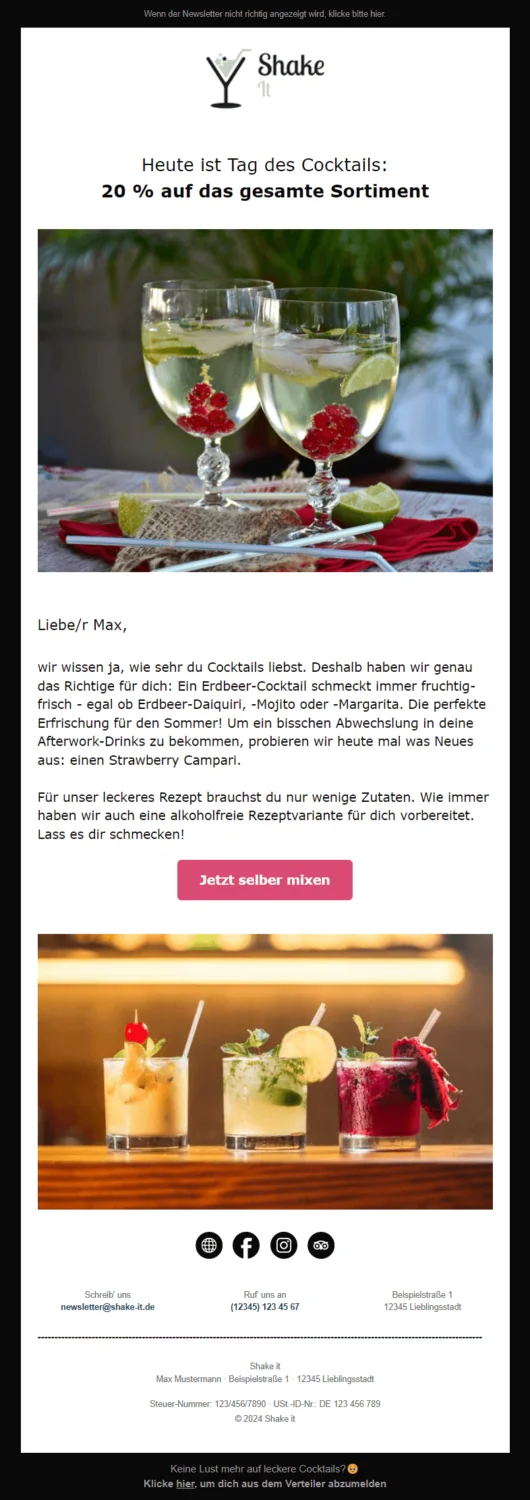
Incidentally: A newsletter without an unsubscribe link is a bad idea for reasons beyond data protection law. To ensure optimal email deliverability, you should also position the unsubscribe link prominently in the email for recipients. Otherwise, readers may mark your newsletter as spam because they cannot quickly find a way to unsubscribe.
Tricks such as adding the unsubscribe link to the newsletter in the smallest font size or in white text on a white email background ultimately do you more harm than good as a sender. People may want to unsubscribe from a newsletter for various reasons. If they are simply no longer interested, there is no benefit in trying to force subscribers to stay on your list.
👀 Did you know? How to add an unsubscribe link to your newsletter with rapidmail
Every newsletter you create in the rapidmail editor automatically includes an unsubscribe link, so you cannot forget to add it yourself! If you do accidentally delete it, you can easily add the unsubscribe link back into the email. This ensures that you never send another newsletter without an unsubscribe link. All other relevant data protection requirements for your newsletters are also easy to implement with rapidmail.
3. Comparing single opt-out and double opt-out for unsubscribes
The GDPR does not specify exactly how many steps the newsletter unsubscribe process must involve. As described above, however, it must be possible to unsubscribe at any time, and doing so must be just as easy as subscribing.
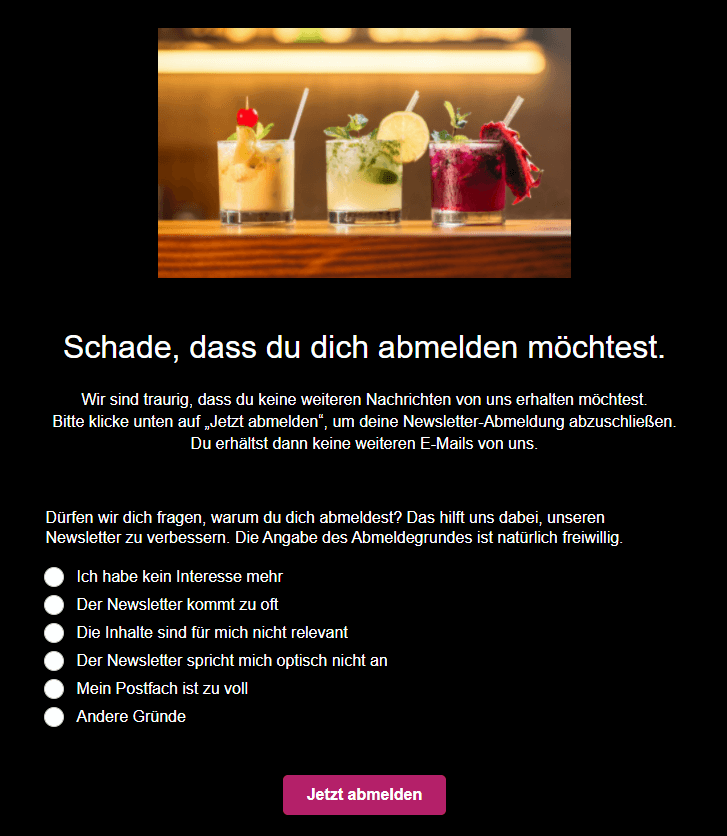
To complement the recommended double opt-in process for subscribing, the double opt-out process (unsubscribing in two clicks) is therefore also suitable for newsletter unsubscribes. Your subscribers click the unsubscribe link in the newsletter and arrive at an unsubscribe page where they can confirm their final unsubscribe request. To reassure them that they have unsubscribed successfully, they should then be redirected to a confirmation page, such as “You are now unsubscribed from the newsletter”.
Unlike the single opt-out method (unsubscribing in one click), double opt-out via an unsubscribe page offers clear advantages:
- 1️⃣ Your readers do not unsubscribe from the newsletter accidentally, for example by inadvertently clicking the unsubscribe link in the footer instead of the web-view link.
- 2️⃣ On the unsubscribe page, you can ask readers why they want to unsubscribe from the newsletter (for example, they are no longer interested, the newsletter frequency is too high or they have changed jobs). You can learn from unsubscribes for your email marketing and reduce your newsletter unsubscribe rate over the long term. Make sure you ask for reasons for unsubscribing only on a voluntary basis, not as a required field.
👀 Did you know?
With the rapidmail form editor, you can easily customize every step, from the sign-up form to the newsletter unsubscribe text on the unsubscribe page. You can also create a separate page and add a link to it in the newsletter, giving your readers the option to manage their recipient profile themselves. For example, they can update their interests there (such as cruises instead of camping vacations). This ensures that you send subscribers only relevant content, helping to prevent newsletter unsubscribes.
4. Elements the newsletter unsubscribe page should contain
To stay on the right side of the law, you should keep the newsletter unsubscribe page as simple as possible:
- 📚 Explain to subscribers which newsletters or newsletter topics they will unsubscribe from when they click the unsubscribe button.
- 📩 If contacts might subsequently receive other newsletters from your company (for example, because they previously subscribed to two different newsletters from Brand A and Brand B), you should point this out on the unsubscribe page. Remind them that, in this case, they must unsubscribe separately from Brand B’s newsletter.
- 🤔 Any additional information you request (such as the reason for unsubscribing) should not be mandatory.
- 👀 The unsubscribe button should be positioned prominently and designed to stand out. Your contacts should not have to scroll to reach the unsubscribe button. The button label should make it clear that clicking it will complete the subscriber’s newsletter unsubscribe request.
In short: Create a clear, honest and simple unsubscribe page that gives subscribers all the relevant information. Only through transparency and by accommodating your readers here can you strengthen trust in your brand.
The rapidmail newsletter
Tips, ideas and news about email marketing, straight to your inbox.
5. Standard newsletter unsubscribe versus deleting recipient data: The difference
When subscribers complete a “standard” newsletter unsubscribe, it means that they will no longer receive emails from you. If, as a sender, you use rapidmail as your newsletter tool, for example, contacts who unsubscribe automatically change from “active” to “unsubscribed” in the recipient list.
All personal information, such as date of birth or ZIP code, is deleted, but the email address remains stored as “unsubscribed” in the recipient list. This allows you to ensure that you do not contact these people again without permission. A standard newsletter unsubscribe complies with the data protection requirements of the GDPR.
Since the GDPR came into force, your subscribers have also had the so-called “right to be forgotten”. Recipients can ask you, for example by email, to delete their personal data, including their email address, from all systems. With rapidmail as your newsletter tool, you can therefore also “delete and forget recipients’ data in compliance with the GDPR”.
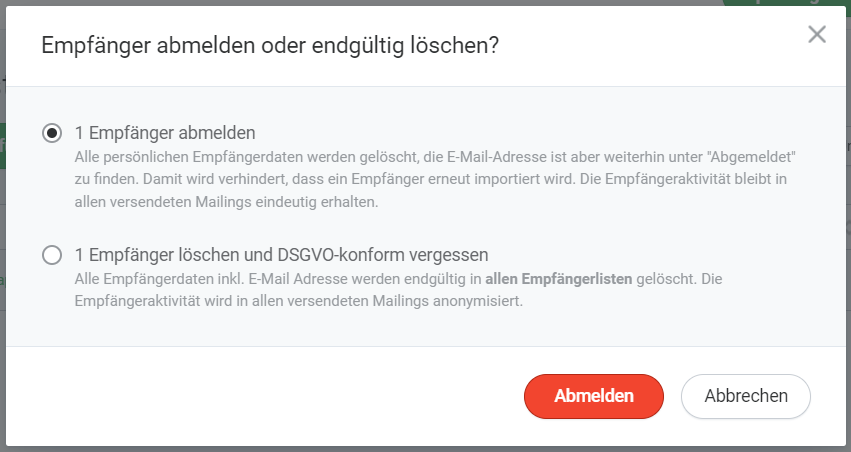
The following table summarizes the differences between a standard newsletter unsubscribe and deleting recipients’ personal data:
| GDPR-compliant | yes | yes |
|---|---|---|
| When is the process used? | Whenever a subscriber unsubscribes | When a subscriber makes an additional, explicit request |
| All stored information about subscribers (such as date of birth) is deleted from the system | yes, except for the email address and the “Your reference” field* | yes |
| The email address is stored as “unsubscribed” in the system to prevent further unlawful contact | yes | no |
| Information such as email opens and clicks in the statistics can be attributed to this recipient | yes | no, recipients' activity (such as clicks) continues to be included in the statistics, but it can no longer be attributed to a specific person (anonymized email address) |
Whether your subscribers complete a standard newsletter unsubscribe or demand that you, as the sender, delete all their personal data, rapidmail always keeps you on the right side of data protection law, and not only when it comes to newsletter unsubscribes.
Send GDPR-compliant newsletters now
6. Free data protection checklist to download: Other GDPR rules you need to follow

No one can avoid the GDPR these days. Data protection is not only extremely important, but also quite complex. It is not always easy to understand which GDPR rules apply to whom, especially if you do not want to battle through complicated sections of legislation or court rulings. 🤯
That is why we have summarized all the rules, from newsletter sign-up to unsubscribe, in a compact data protection checklist for email marketing that you can download and work through. The checklist shows you exactly which rules you need to follow to ensure that your newsletter marketing always complies with data protection law.
We hope you enjoy checking everything off and wish you every success with your newsletter marketing!
Download the free interactive data protection checklist (PDF in German)
Do you have any questions?
Please note that the information in our article is, of course, not a substitute for legal advice from experts and is provided for information purposes only. If you have further questions about the legal requirements for sending newsletters, it is best to contact your legal advisers or in-house counsel. They can also provide comprehensive information for your specific case.