Make money with newsletters: Best practices for the rapidmail ad banner in your campaigns

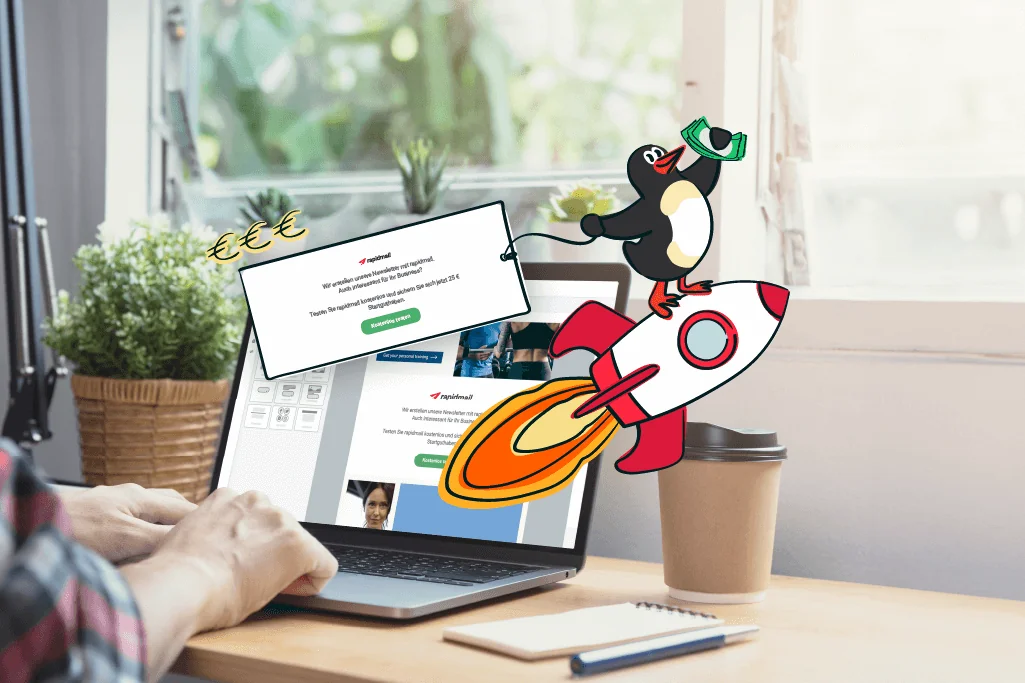
An easy way to make money with newsletters, without spending lots of time on it? If that sounds appealing, we have just the thing for you: our new rapidmail ad banner for your newsletters! Simply add the ad banner to your next newsletters and sit back while the money rolls in all by itself. Our best practices show you how to add the ad banner to your next newsletter skillfully and effectively, helping you earn as much money as possible. Let’s get started! 💸
1. The new rapidmail ad banner in your newsletter: How to make money with it
Before we started working on our new feature, we naturally asked you, our customers, whether you would be interested in an ad banner element for your newsletters that could earn money for your business. We were delighted by how well you received our idea, so we got straight to work to make the new rapidmail ad banner available for your newsletters as quickly as possible.
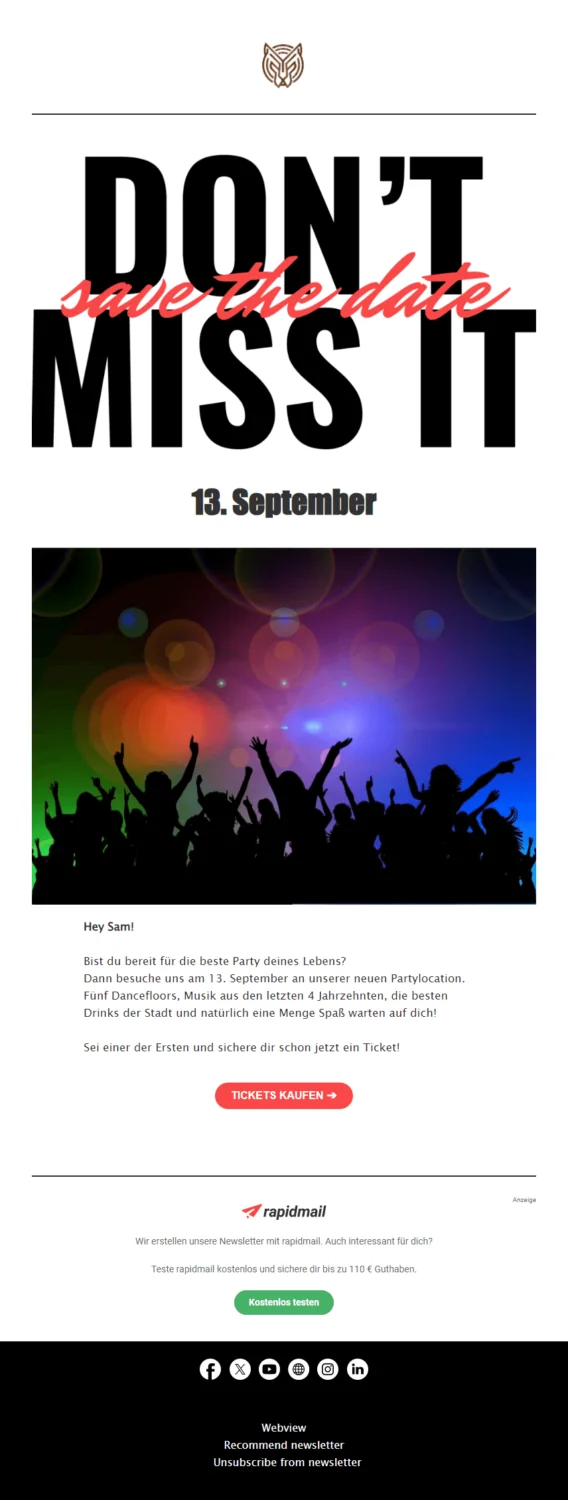
And now it’s here: The new ad banner element is now available in the rapidmail email editor, ready for you to add flexibly to your newsletters whenever you like:
How it works
So how exactly do the ad banners work? It’s simple: Create your newsletter in our editor as usual, then add the ad banner wherever it fits best. Just as you do with the other layout elements, click the new ad banner element and simply drag and drop it into the position where you want it to appear in your campaign. You can then adjust details such as the design and text as you wish so that the ad banner fits perfectly into your newsletter design, and your work is done. You can watch a video tutorial on our YouTube channel. Easy, isn’t it?
Your benefits
You are probably wondering what’s in it for you. This is the best part! For every one of your contacts who registers with rapidmail through the ad banner in your newsletter, you will receive €10 from us. And if that contact then generates their first invoice, meaning they actively use rapidmail, we will add another €100 for you! With the new ad banner, you can earn up to €110 per referred contact, with very little effort on your part.
Find out more
Whether you send newsletters for a restaurant, garden center or online fashion shop, our ad banner is worthwhile for you too, letting you earn money easily and automatically. Do you still have questions? Of course, we have answers: Simply visit our information page about the new rapidmail ad banners or read our help article explaining how to add ad banners to your campaigns.
2. Top tips and best practices for using ad banners effectively
Tip no. 1: Place the ad banner high up in the newsletter
To earn as much money as possible with the rapidmail ad banner in your newsletter, your contacts first and foremost need to see the advert. This means you could try placing the banner as high up as possible in your newsletters, while making sure the focus remains on your newsletter content.
The newsletter structure plays an important role here. If you have already read a few of our other blog posts, you will know that the newsletter’s most important content should be placed as high up as possible so that subscribers see it as soon as they open the email. This means that a large proportion of your readers will actually notice the banner and have an opportunity to click it and take a look at rapidmail, which, with a little luck, means cash for you!
💡 rapidtip: The higher the placement, the better!
To make sure the ad banner is visible as soon as the email is opened, it is worth placing it “above the fold”. This means that your newsletter recipients do not have to scroll through the email to see the banner. This increases the likelihood that your subscribers will actually notice the ad banner. However, your newsletter topic should naturally come first, which may mean that the banner cannot always be placed in the visible area. That is no problem either, as many of your subscribers will read your entire newsletter. Just make sure that the banner is still integrated appropriately into your newsletter, rather than disappearing at the very end in the footer where your readers may not notice it at all.


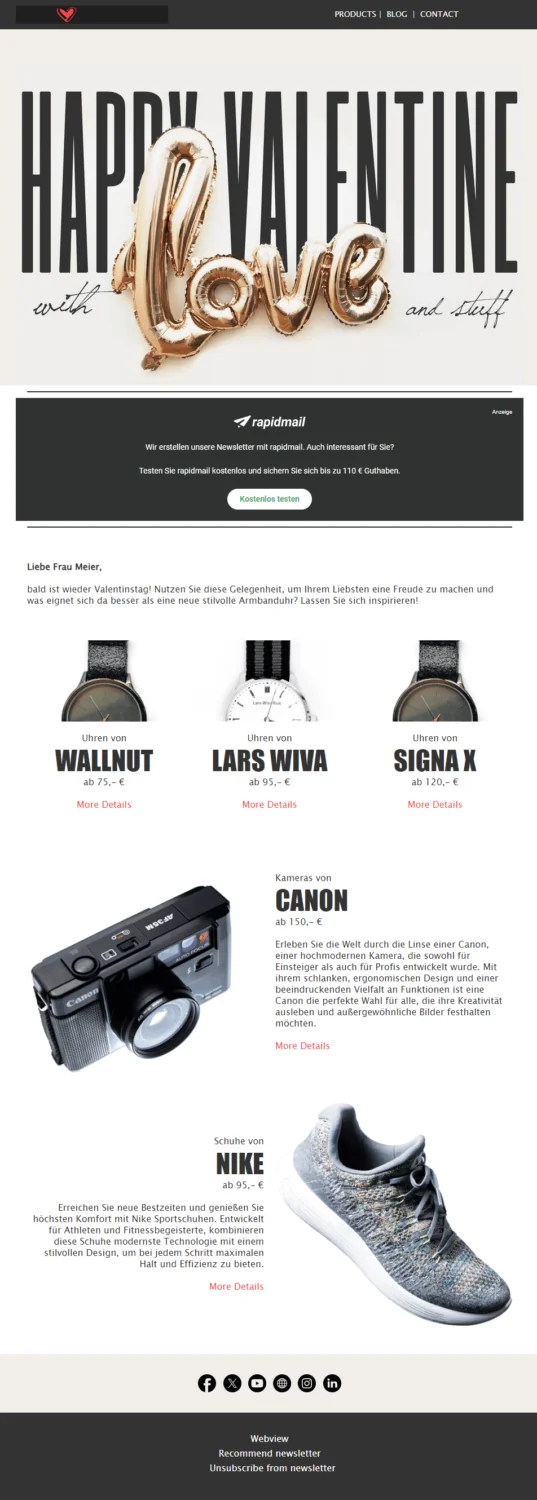
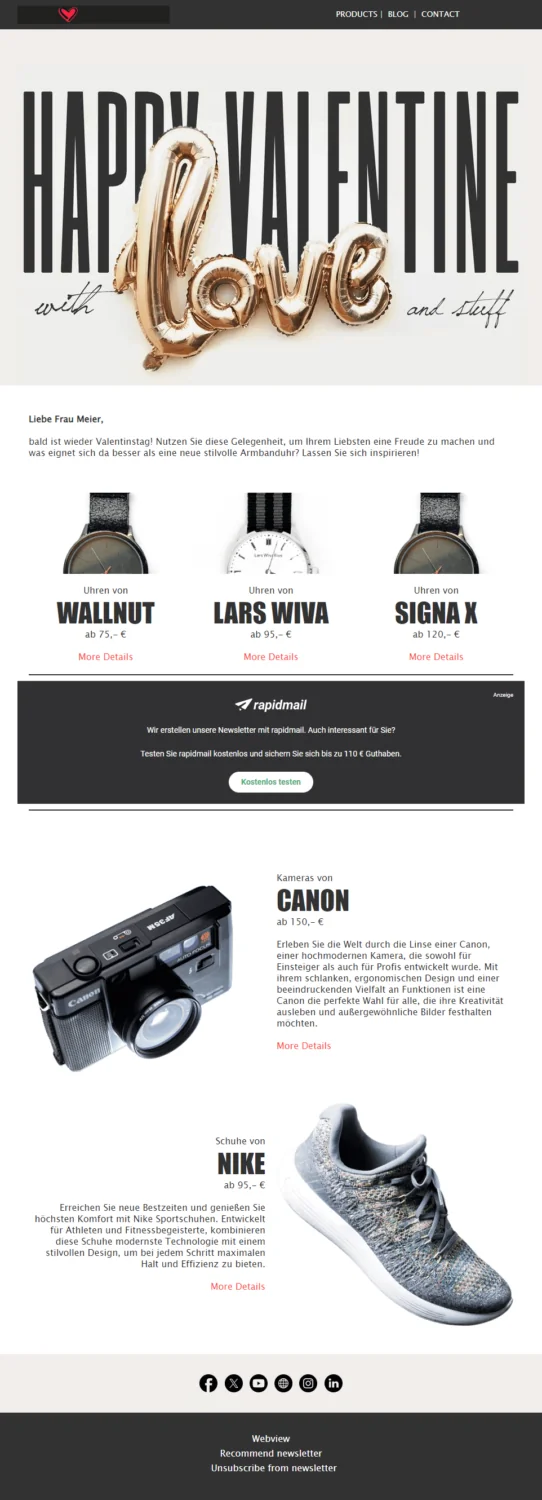
In the example on the right, the ad banner was placed in the upper half of the newsletter, making it visible quickly. At the same time, it leaves enough room for the newsletter’s actual content. This is not the case in the newsletter on the left: Although the ad banner can be seen at first glance, it was placed too high and therefore draws readers’ attention away from the newsletter’s actual topic (created with rapidmail).
Tip no. 2: Make the banner stand out with color
The ad banner should also be clearly recognizable through the use of a contrasting color. This directs your newsletter contacts’ attention toward it while making it clear that the block’s content is not part of the rest of the newsletter topic.
The rapidmail editor offers a choice of several colors, allowing you to tailor it to your newsletter. Design the banner so that it matches your company and newsletter design as well as possible while attracting the necessary attention. This is guaranteed to make the banner an eye-catching feature in your newsletter.
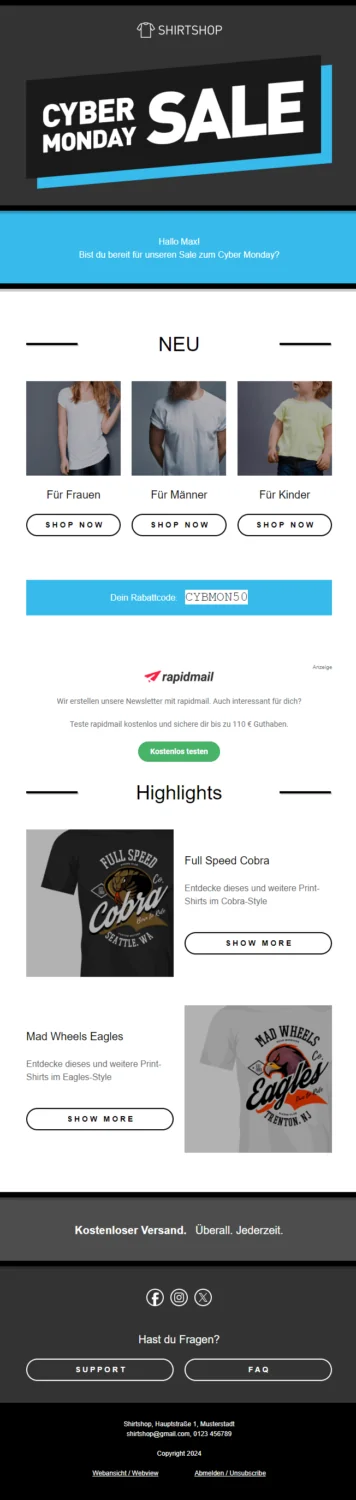
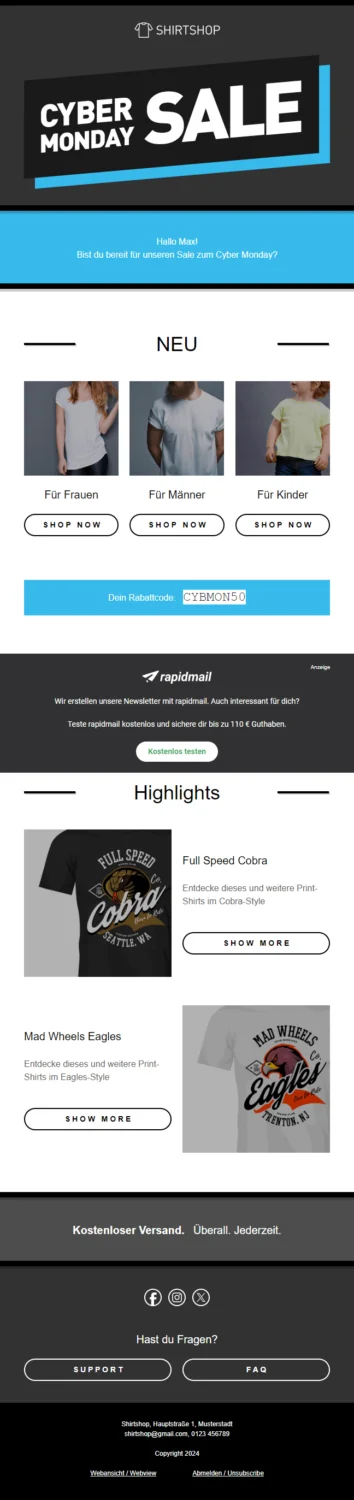
In the newsletter on the right, the ad banner stands out clearly because of the color contrast with the rest of the newsletter’s white background. At the same time, this makes it clear that it is advertising from another company. In the newsletter on the left, however, the ad banner is barely distinguishable from the rest of the campaign, so it will probably go unnoticed while readers scroll through it (created with rapidmail).
Tip no. 3: Adapt the text to your company’s tone of voice
Your company’s tone of voice is also an important part of how your brand is perceived. To create a consistent overall impression while strengthening your brand identity, you can adapt the tone of the ad banner text to suit your needs.
In the rapidmail editor, you can adjust the ad banner text so that it perfectly matches your company’s language and target audience, thereby highlighting your company’s personality. You can choose between a formal and informal style to ensure that your ad banner makes a compelling impression not only visually but also in its wording, reflecting your brand identity to best effect.
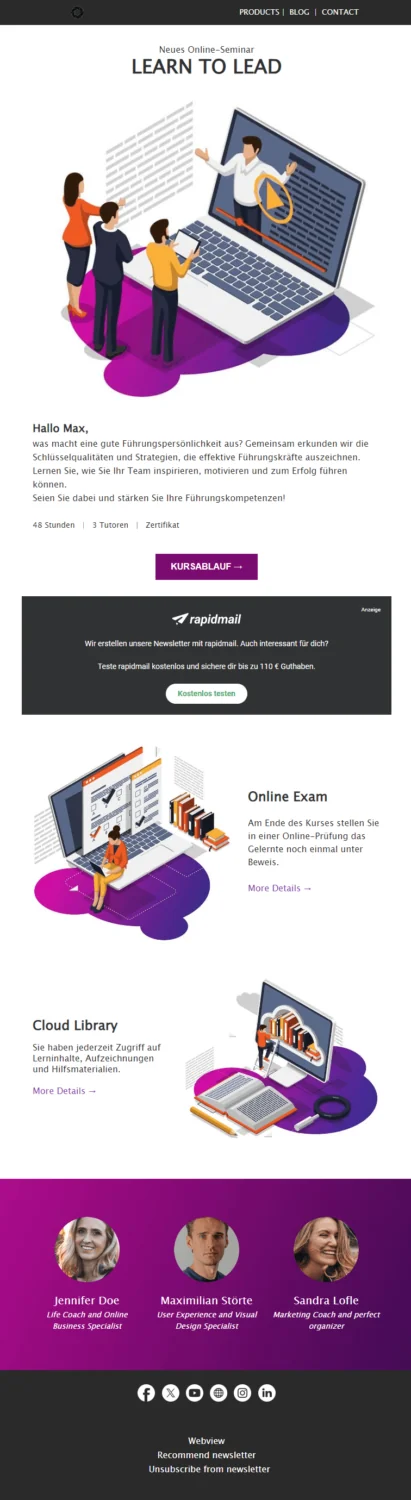
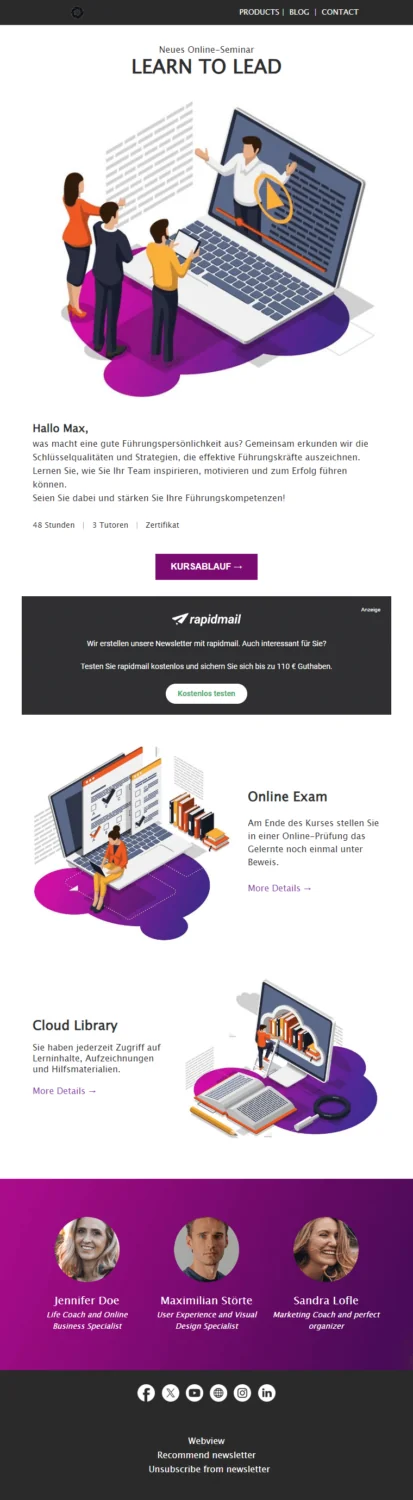
In this newsletter example, the company’s tone of voice is more formal, so the informal wording in the ad banner (left-hand example) does not match the rest. The style of the short text in the ad banner was therefore changed to use formal address (right-hand example, created with rapidmail).
Tip no. 4: Explain how rapidmail helps your company
To show that the ad banner was not inserted automatically and that you genuinely want to recommend rapidmail to your newsletter contacts, you can add a short personal comment above or below it. It should not necessarily stand out and overshadow your own newsletter content, but your personal note does not need to be hidden either, so that readers can still see it clearly when they take a closer look at the ad banner.
A personal rapidmail recommendation reinforces the fact that you are deliberately advertising rapidmail. You can also give your subscribers other useful information, such as details that are particularly relevant to successful newsletter marketing in your industry. This increases the likelihood that your contacts will click the banner and want to register with rapidmail.
Possible wording for your personal rapidmail recommendation includes:
- 🔥 A hot tip for you: We have been using rapidmail for years to send our newsletters quickly and easily.
- 😍 Do you like our newsletters? We create them using rapidmail’s easy-to-use software and couldn’t be happier.
- 📣 A quick note from us: We have been using rapidmail for two years and are thrilled by how quickly it has helped us win new customers!
- 💭 Are you wondering whether a newsletter could be worthwhile too? Because we value you as our customers, we would like to recommend rapidmail’s software, which has enabled us to implement professional email marketing in next to no time.
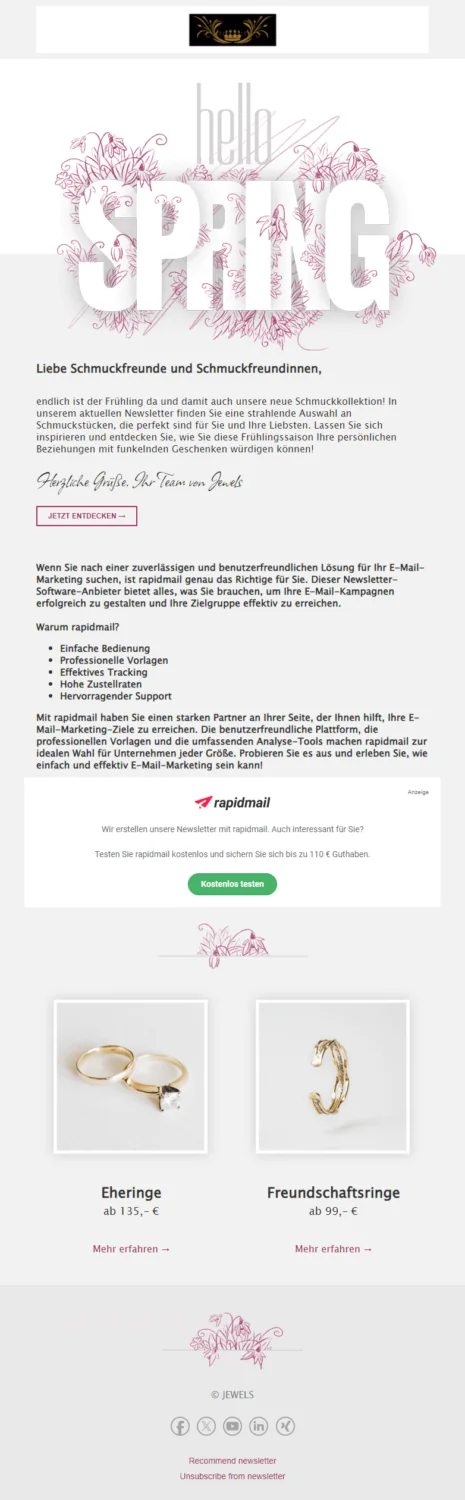
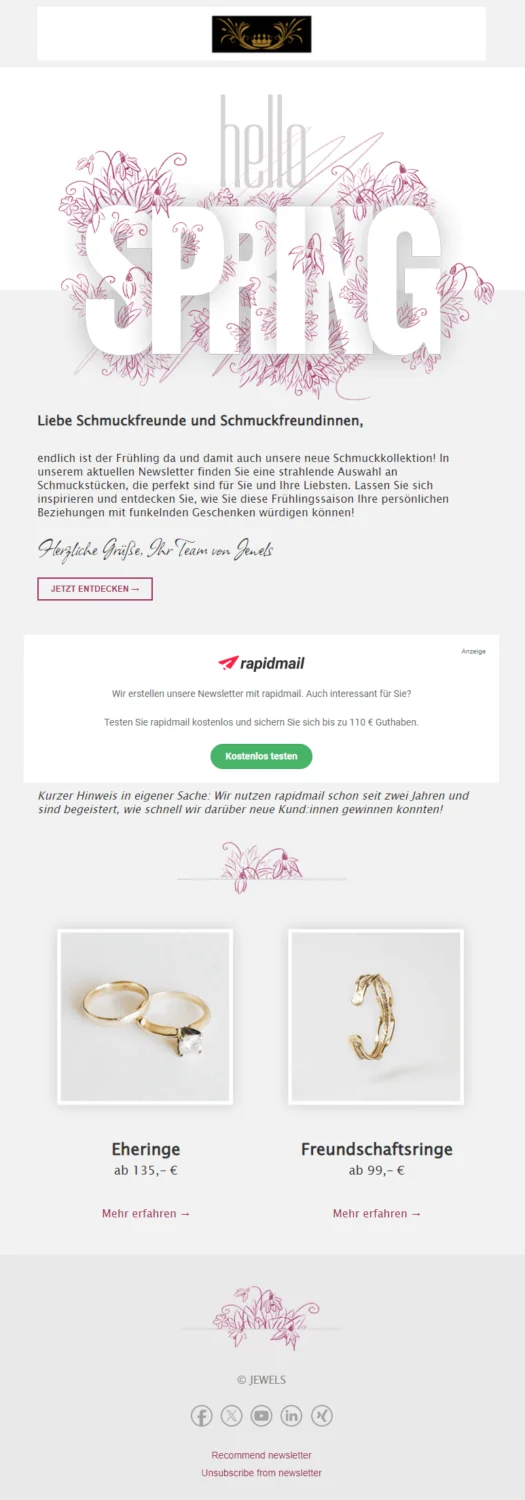
In the newsletter example on the right, a positive personal comment about rapidmail was placed subtly but clearly beneath the ad banner element to encourage readers to click. In the newsletter on the left, by contrast, the recommendation is far too long and prominent, distracting attention from the newsletter’s actual content (created with rapidmail).
Tip no. 5: Don’t overload your newsletter with too many calls to action
To guide your readers directly toward a desired action, such as viewing your new menu or fall collection, it is important not to overload the newsletter with calls to action (CTAs). Alongside your main CTA, which focuses on your newsletter’s central topic, and the CTA in the rapidmail ad banner, you should limit the number of CTAs in the rest of the newsletter.
Too many clickable elements can overwhelm your readers and reduce the likelihood of them clicking anything at all. Focus on one or two main topics per newsletter and do not add more CTAs than are truly necessary. This increases the chance that your contacts will notice the most important links and actually take action.
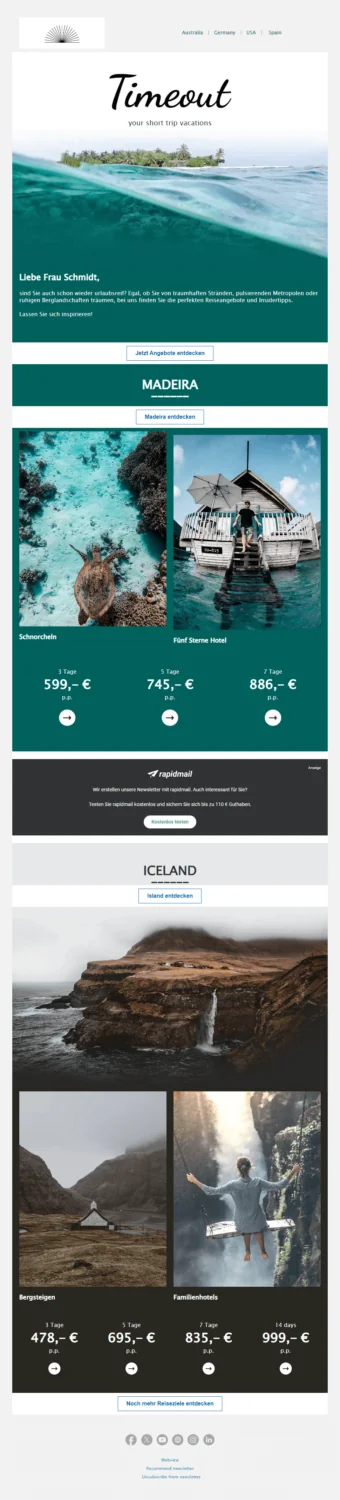
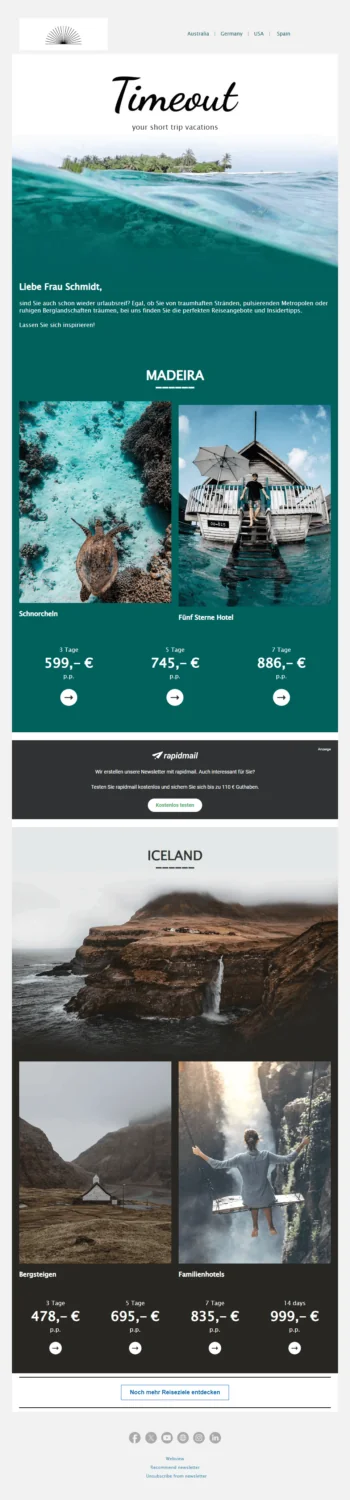
In the newsletter example on the right, the CTAs were added deliberately without overloading the newsletter or overwhelming readers (created with rapidmail).
3. Now it’s your turn: Try the rapidmail ad banner in your next newsletter send
You now know our best practices for using the ad banner in your newsletter as effectively as possible. It lets you earn money easily at no extra cost. All you need to do is drag and drop the element into the newsletter. Then simply wait for the money to roll in! Why not try it in your next newsletter? 🚀